The landscape of home security has transformed dramatically, moving beyond traditional keys to embrace innovative smart lock technologies. These devices offer unprecedented convenience and control, allowing you to manage access to your property with ease. But as you navigate the options, a crucial question arises: when it comes to fingerprint versus keypad access, which method offers superior safety and reliability for your smart home? Understanding the nuances of each system is key to making an informed decision that secures your sanctuary.
What are Smart Locks and Why Consider Them?
Smart locks are advanced security devices that offer keyless entry and enhanced control over your property’s access points. Utilizing various technologies such as Bluetooth, Wi-Fi, and Z-Wave, these locks integrate seamlessly into modern smart home ecosystems, allowing for remote management and monitoring. Beyond simply locking and unlocking, many smart locks provide features like access logs, temporary guest codes, and integration with other smart devices, elevating home security and convenience to new levels.
The shift from traditional keyed locks to smart locks is driven by numerous benefits. They eliminate the hassle of lost or forgotten keys, provide a robust layer of security against lock picking, and offer unparalleled flexibility in managing who enters your home and when. From residential homes to bustling offices and even short-term rentals, smart locks are redefining how we protect our spaces, offering peace of mind through intelligent control.
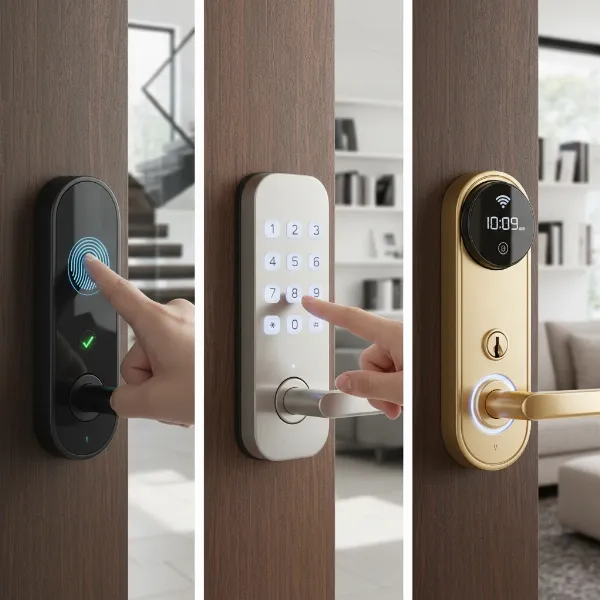 Diverse smart home security locks including keypad and biometric fingerprint models on various modern doors.
Deep Dive into Smart Lock Access Methods
When exploring smart locks, two primary access methods frequently stand out: fingerprint recognition and keypad entry. Both offer distinct advantages and a different approach to security and user experience. Understanding how each functions and its inherent strengths and weaknesses is fundamental to choosing the right fit for your security needs.
Fingerprint Smart Locks: Biometric Security at Your Fingertips
Fingerprint smart locks leverage biometric technology to grant access, using the unique ridge patterns of a person’s finger for authentication. This method transforms a part of your identity into your key, offering a highly personalized and advanced security solution.
Advantages:
- Unmatched Security: Fingerprints are unique to each individual, making them extremely difficult to forge, steal, or duplicate. This inherent uniqueness provides a robust defense against unauthorized access, offering a level of personalized security that traditional methods cannot match.
- No Forgotten Codes or Keys: One of the most significant conveniences is the elimination of memorizing complex codes or carrying physical keys. Your finger is always with you, ensuring access is always at hand.
- Instant Access: Access is granted almost instantaneously with a simple touch, reducing any waiting time at the door, which is particularly beneficial when your hands are full.
- Difficult to Hack or Tamper With: While no system is entirely impervious, advanced fingerprint technologies continually evolve to prevent spoofing. Vandal-resistant models exist with sophisticated algorithms designed to make lifting prints or bypassing the system exceedingly difficult.
- Audit Trails: Many fingerprint locks log entry times, allowing you to monitor who accessed your property and when.
Disadvantages:
- Higher Cost: Generally, fingerprint smart locks are more expensive than their keypad counterparts due to the sophisticated biometric technology involved.
- Environmental Factors: In rare cases, extreme conditions like dirty, wet, or damaged fingers, or poor lighting, could potentially hinder the sensor’s ability to read a fingerprint accurately. However, modern systems are significantly more robust in varying conditions.
- Initial Setup: Programming multiple users requires each person to register their fingerprints, which can be a minor time investment during the initial setup phase.
|
Our Picks for the Best Smart Lock in 2026
As an Amazon Associate I earn from qualifying purchases.
|
||
| Num | Product | Action |
|---|---|---|
| 1 | Schlage Encode Smart WiFi Deadbolt Lock for Front Door - Keyless Entry with App or Touchscreen - Works with Alexa, Hey Google, & Airbnb - Create Codes for Guests - Matte Black |

|
| 2 | ULTRALOQ U-Bolt Pro WiFi Smart Lock with Door Sensor, 8-in-1 Keyless Entry Door Lock with Fingerprint ID, App Remote Control, Built-in WiFi Keypad Deadbolt, Auto Unlock, IP65 Waterproof, Easy Install |
|
| 3 | TEEHO TE001 Keyless Entry Door Lock with Keypad - Smart Deadbolt Lock for Front Door with 2 Keys - Auto Lock - Easy Installation - Satin Nickel |
|
| 4 | TEEHO TE001 Keyless Entry Door Lock with Keypad - Smart Deadbolt Lock for Front Door with 2 Keys - Auto Lock - Easy Installation - Oil-Rubbed Bronze |
|
| 5 | Philips Wi-Fi Door Lock, WiFi Smart Lock Keyless Entry Deadbolt for Front Door, Remote Control, Built-in WiFi, APP Fingerprint Passcode Unlock, Auto Locking |
|
| 6 | Philips Wi-Fi Door Lock, WiFi Smart Lock Keyless Entry Deadbolt for Front Door, Compatible with Alexa & Google Assistant, Remote Control, Built-in WiFi, APP Fingerprint Passcode Unlock, Auto Locking |
|
| 7 | eufy Security Smart Lock C220, Fingerprint Keyless Entry Door Lock, Built-in Wi-Fi, App Remote Control, Front Door Smart Deadbolt, IP53 Waterproof, 8-Months Battery, Nickel |
|
| 8 | TEEHO TE001 Keyless Entry Door Lock with Keypad - Smart Deadbolt Lock for Front Door with 2 Keys - Auto Lock - Easy Installation - Matte Black |
|
| 9 | eufy Security Smart Lock C220, Fingerprint Keyless Entry Door Lock, Built-in Wi-Fi, App Remote Control, Front Door Smart Lock Deadbolt, 8Months Battery, Reliable Power, IP53 Waterproof, BHMA Grade 3 |
|
| 10 | Electronic Passwords Keyless Entry Door Locks Smart Deadbolt Metal Lock Auto Time Delay Locking Secure Durable Low Battery Alert Type-C Port for Emergency Charging |
|
Ideal Users: Fingerprint locks are perfect for individuals or families prioritizing the highest level of personalized security and convenience. They are an excellent choice for tech-savvy users who appreciate cutting-edge technology and desire effortless entry without the burden of codes or keys.
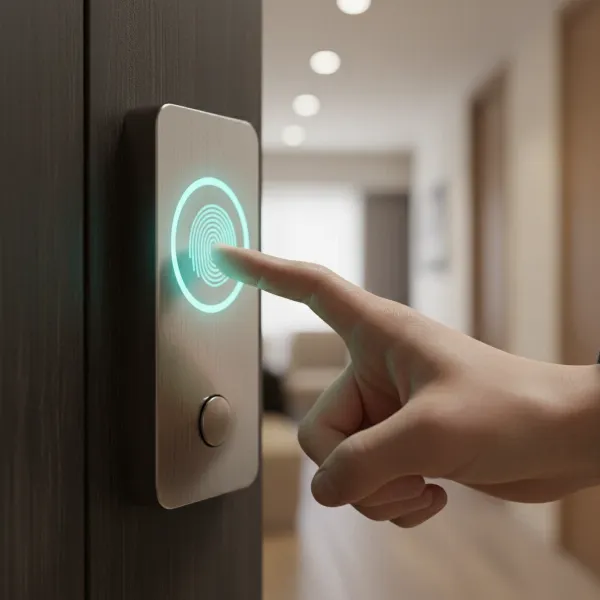 A person's thumb is shown pressing a sleek, modern biometric fingerprint smart lock on a dark door.
Keypad Smart Locks: Code-Based Convenience
Keypad smart locks provide access through a numerical code, or PIN, entered on a digital or mechanical keypad. This method has become incredibly popular due to its straightforward nature and versatility.
Advantages:
- Familiarity and Ease of Use: Keypads are a well-understood interface, making them intuitive for almost anyone to use, even those less familiar with smart home technology.
- Versatile Access Management: Electronic keypad locks allow you to create, modify, and delete multiple user codes easily. This is ideal for granting temporary access to guests, service providers, or family members without needing to share a physical key.
- No Physical Keys Required: Similar to fingerprint locks, keypads eliminate the need for traditional keys, reducing the risk of lost or misplaced keys.
- Often More Affordable: Keypad locks typically come at a lower price point than biometric systems, making them an accessible entry into smart home security.
Disadvantages:
- Risk of Forgotten Codes: Users can forget their access codes, leading to lockout situations, especially if a backup method isn’t readily available.
- Shoulder Surfing and Code Sharing: Codes can be compromised through “shoulder surfing,” where an intruder observes the code being entered, or through casual sharing with untrusted individuals.
- Wear Patterns: On physical keypads, frequently used digits can show wear over time, potentially giving clues to an intruder attempting to guess the code.
- Vulnerability to Brute-Force Attacks: If codes are weak or easily guessable, a determined intruder might attempt numerous combinations until they find the correct one, though most modern locks have lockout features after multiple failed attempts.
Ideal Users: Keypad locks are well-suited for budget-conscious individuals or those who prefer a traditional code-based entry system. They are also highly practical for rental properties, businesses, or homes where frequent code changes and the management of multiple temporary users are necessary.
Head-to-Head: Fingerprint vs. Keypad – The Safety Showdown
When it comes to the ultimate question of safety, both fingerprint and keypad smart locks offer significant security enhancements over traditional mechanical locks. However, their inherent vulnerabilities and strengths differ, influencing which might be considered “safer” depending on the context.
Fingerprint locks generally hold an edge in raw security due to the uniqueness and difficulty of replicating biometric data. It’s almost impossible for an intruder to duplicate a fingerprint in a way that would reliably bypass a modern, well-engineered sensor. This makes the access method itself incredibly secure, relying on an intrinsic part of the user.
Keypad locks, conversely, rely heavily on user behavior. A strong, complex, and frequently changed code makes a keypad lock very secure. However, human factors like choosing weak codes, writing them down, sharing them carelessly, or being susceptible to “shoulder surfing” can compromise their security. The security of a keypad lock is as strong as its weakest code and the vigilance of its users.
| Feature | Fingerprint Smart Lock | Keypad Smart Lock |
|---|---|---|
| Security | Extremely high; relies on unique biological data, difficult to replicate or guess. | High, but dependent on code strength and user behavior; vulnerable to shoulder surfing and weak codes. |
| Vulnerabilities | Potential for spoofing (though rare with modern tech), sensor issues (dirt, damage). | Shoulder surfing, worn keypads, forgotten/shared codes, brute-force attempts on weak codes. |
| Convenience | Very high; instant access, no memorization needed. | High; familiar interface, easy to manage multiple codes. |
| Cost | Generally higher. | Generally lower. |
| Reliability | Can be affected by finger condition (dirt, moisture). | Highly reliable, unless batteries fail or code is forgotten. |
| User Management | Easy to add/remove authorized fingerprints. | Easy to add/remove/change codes remotely or locally. |
“While biometric locks offer a highly personal and nearly unforgeable key, the true safety of any smart lock system ultimately hinges on how conscientiously it is used and maintained.” – Alex Chen, Smart Lock Security Expert
Beyond Security: Factors Influencing Your Choice
While security is paramount, other practical considerations should guide your decision between a fingerprint and keypad smart lock.
Installation and Integration
Consider your comfort level with installation. Many smart locks are designed for DIY installation, replacing existing deadbolts. However, more advanced systems might benefit from professional installation, especially if you’re integrating them into a complex smart home ecosystem. Compatibility with existing smart home platforms (like Google Home, Amazon Alexa, Apple HomeKit) and communication protocols (Wi-Fi, Bluetooth, Z-Wave, Zigbee) is also essential for seamless operation.
User Experience and Management
Think about how you and others will interact with the lock daily. Fingerprint locks offer unparalleled speed and convenience for authorized users. Keypad locks provide flexibility in granting temporary or recurring access to a wider range of individuals without permanent registration. Features like audit trails, which record entry and exit times, can be invaluable for monitoring access to your property.
Power and Maintenance
Smart locks require power, typically from batteries. Battery life varies significantly between models and usage frequency. Both types of locks will usually provide low-battery warnings, and many include emergency backup options, such as a hidden physical key slot or USB power port for temporary access. Regular maintenance, such as cleaning fingerprint sensors or periodically changing keypad codes, contributes to the longevity and security of the device.
Durability and Weather Resistance
If your smart lock is for an exterior door, its durability and weather resistance are critical. Look for models designed to withstand various environmental conditions, including extreme temperatures, rain, and dust, to ensure reliable operation year-round.
Top Smart Lock Brands: A Brief Overview
The smart lock market is robust, with several leading brands offering both fingerprint and keypad options, often with hybrid models that combine multiple access methods. Brands like Yale, Samsung, August, Kwikset, and Schlage are renowned for their innovation, reliability, and security features. These manufacturers frequently offer a range of products that incorporate fingerprint sensors, robust keypads, and advanced connectivity, allowing consumers to choose devices that best fit their specific security and convenience requirements. When considering a purchase, researching offerings from these reputable brands is a good starting point.
Making Your Decision: A Buying Guide
Choosing the right smart lock for your home requires careful consideration of several factors beyond just the access method.
Assess Your Security Needs
Evaluate the level of security required for your property. Is it a main entry door in a high-traffic area, or a less-frequented side door? Are you protecting valuable assets or simply seeking convenience? A higher security need might sway you towards a biometric solution.
Consider Your Lifestyle
Think about who will be using the lock and how often. Do you have children who might struggle with complex codes but would find a fingerprint scan easy? Do you frequently host guests or need to grant access to service personnel? Keypads excel in temporary access management. Your comfort level with technology also plays a role; fingerprint locks, while intuitive, might feel more “high-tech” than a keypad.
Budget Considerations
Smart locks represent an investment. Fingerprint locks typically reside at the higher end of the price spectrum due to their advanced technology. Keypad locks offer excellent security and convenience at a more accessible price point. Balance your desired features with what you are willing to spend.
Read Reviews and Consult Experts
Before making a final decision, delve into user reviews and expert assessments. Real-world experiences can highlight practical pros and cons not immediately apparent in product specifications. Consulting with a security professional can also provide tailored advice for your specific property and needs.
Setting Up and Maintaining Your Smart Lock
Proper installation and ongoing maintenance are crucial for maximizing the security and longevity of your smart lock, regardless of whether you choose fingerprint or keypad access.
Basic Installation Steps
Most smart locks are designed to replace existing deadbolts and come with detailed instructions. Generally, the process involves removing your old lock, installing the new smart lock hardware, and then pairing it with its accompanying app or smart home system. Always ensure the door frame and strike plate are aligned correctly for smooth operation.
Maximizing Security and Lifespan
For keypad locks, regularly change your codes, especially after guests or service providers no longer need access. Use strong, unpredictable codes. For fingerprint locks, ensure multiple angles of each authorized finger are registered for optimal recognition. Keep both types of locks clean, especially the sensors and keypads, to prevent operational issues. Periodically check and replace batteries to avoid unexpected lockouts.
Troubleshooting Common Issues
Common issues for fingerprint locks include failed reads due to dirt, moisture, or improper finger placement. Cleaning the sensor and re-registering fingerprints often resolves these. Keypad lock issues can range from forgotten codes (which may require using a physical key or a master code) to battery drain or unresponsive buttons. Many smart lock apps offer diagnostic tools and support resources to help resolve problems quickly.
Essential Smart Lock Accessories
To enhance the functionality and convenience of your smart lock, several accessories can be beneficial. A Wi-Fi bridge or hub is often necessary for remote access and integration with broader smart home systems if your lock only has Bluetooth. Extra batteries are always good to have on hand. For outdoor installations, protective covers can shield the lock from harsh weather, extending its lifespan and reliability. Some keypad locks may offer optional remote controls for added convenience.
Conclusion
Choosing between a fingerprint and keypad smart lock involves weighing distinct advantages in security, convenience, and cost. Fingerprint locks offer unparalleled personalized security and swift, keyless entry through unique biometrics, ideal for those seeking cutting-edge protection. Keypad locks provide flexible access management and a familiar interface, making them a versatile and often more affordable choice. Both methods significantly enhance home security beyond traditional locks, but their effectiveness ultimately depends on careful selection, proper installation, and diligent user practices.
Which smart lock access method aligns best with your security priorities and daily routine? The right choice empowers you with advanced control and peace of mind for your home.
Frequently Asked Questions
Are fingerprint locks hack-proof?
While highly secure due to unique biometric data, no technology is entirely hack-proof. However, modern fingerprint locks employ advanced encryption and anti-spoofing technologies, making them extremely difficult for unauthorized individuals to compromise.
What if I forget my keypad code?
Most keypad smart locks offer backup options, such as a master code, a physical key override, or the ability to reset or retrieve codes via a connected smartphone app. Always ensure you have a reliable backup plan in place.
Can smart locks work without internet?
Many smart locks can operate locally via Bluetooth or Z-Wave without a continuous internet connection for basic locking and unlocking functions. However, features like remote control, real-time alerts, and integration with other smart home devices typically require a Wi-Fi bridge or hub and an active internet connection.
How often should I change my keypad code?
It is recommended to change your keypad codes regularly, especially if you have shared them with temporary users, or if there’s any suspicion of compromise. For critical access points, changing codes every few months or even more frequently can enhance security.
