Are you tired of fumbling for keys or worrying about lost spares? The world of smart door locks offers unparalleled convenience and enhanced security, transforming how we protect our homes. Among the myriad options available, the Tediton Smart Door Lock, often powered by the versatile TTLock system, emerges as a compelling choice for homeowners seeking a reliable and feature-rich access solution. But does it truly live up to the promise of modern home security? Let’s unlock the details and see if the Tediton Smart Door Lock is the right fit for your needs.
What is a Smart Lock? Why Should You Use One?
A smart lock is an electromechanical lock that allows authorized users to open and close a door using various digital methods rather than a traditional physical key. These devices leverage technologies like Bluetooth, Wi-Fi, and biometric sensors to provide keyless entry and advanced access control. They fundamentally redefine home security by integrating with smart home ecosystems, offering remote management and real-time monitoring capabilities.
The benefits of upgrading to a smart lock like the Tediton system are numerous compared to conventional locks. They offer unmatched convenience, allowing entry via fingerprint, PIN codes, RFID cards, or a smartphone app. This eliminates the hassle of carrying keys and the risk of being locked out. Smart locks also bolster security through advanced encryption, audit trails that log entry and exit, and the ability to grant temporary access to guests or service providers. For instance, many Tediton models offer five distinct locking/unlocking mechanisms, providing flexible access while enhancing control. Common applications range from residential homes and rental properties to modern offices and hotels, where dynamic access management is a significant advantage.
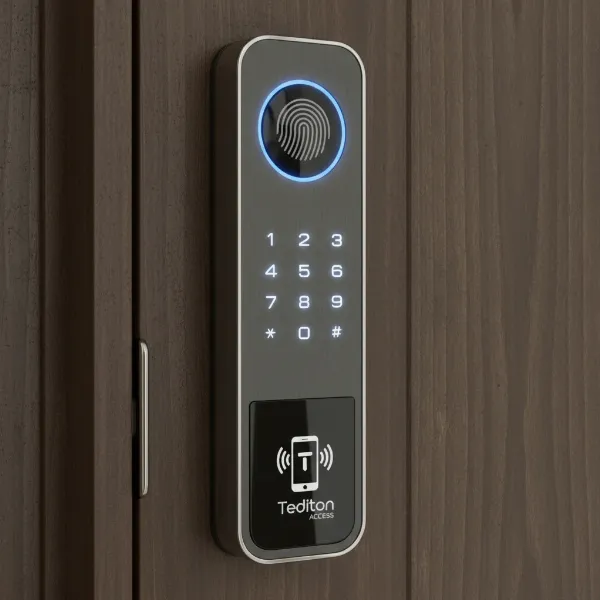 Tediton smart lock displaying multiple access options: fingerprint, keypad, and smartphone app icon
Popular Tediton Smart Lock Access Methods
Tediton Smart Locks are known for their multifunctional capabilities, offering a range of access methods to suit various preferences and situations. Many models operate via the intuitive TTLock app, providing a unified control hub for all these features.
Fingerprint Smart Lock
Fingerprint recognition is a cornerstone feature of many Tediton Smart Locks, offering swift and secure biometric authentication. This method allows users to unlock the door with a simple touch, making physical keys obsolete for daily use. Some advanced Tediton models even boast double-sided fingerprint recognition for enhanced convenience.
- Pros: Extremely convenient and fast, highly secure (fingerprints are unique to individuals), no physical items to carry or lose.
- Cons: Can sometimes be finicky with wet or dirty fingers, less ideal for children or the elderly whose fingerprints might be less defined.
- Target User: Ideal for busy individuals, families, and those who prioritize speed and biometric security.
|
Our Picks for the Best Smart Lock in 2026
As an Amazon Associate I earn from qualifying purchases.
|
||
| Num | Product | Action |
|---|---|---|
| 1 | Electronic Passwords Keyless Entry Door Locks Smart Deadbolt Metal Lock Auto Time Delay Locking Secure Durable Low Battery Alert Type-C Port for Emergency Charging |

|
| 2 | ULTRALOQ U-Bolt Pro WiFi Smart Lock with Door Sensor, 8-in-1 Keyless Entry Door Lock with Fingerprint ID, App Remote Control, Built-in WiFi Keypad Deadbolt, Auto Unlock, IP65 Waterproof, Easy Install |
|
| 3 | TEEHO TE001 Keyless Entry Door Lock with Keypad - Smart Deadbolt Lock for Front Door with 2 Keys - Auto Lock - Easy Installation - Satin Nickel |
|
| 4 | eufy Security Smart Lock C220, Fingerprint Keyless Entry Door Lock, Built-in Wi-Fi, App Remote Control, Front Door Smart Deadbolt, IP53 Waterproof, 8-Months Battery, Nickel |
|
| 5 | TEEHO TE001 Keyless Entry Door Lock with Keypad - Smart Deadbolt Lock for Front Door with 2 Keys - Auto Lock - Easy Installation - Matte Black |
|
| 6 | Philips Wi-Fi Door Lock, WiFi Smart Lock Keyless Entry Deadbolt for Front Door, Remote Control, Built-in WiFi, APP Fingerprint Passcode Unlock, Auto Locking |
|
| 7 | TEEHO TE001 Keyless Entry Door Lock with Keypad - Smart Deadbolt Lock for Front Door with 2 Keys - Auto Lock - Easy Installation - Oil-Rubbed Bronze |
|
| 8 | Philips Wi-Fi Door Lock, WiFi Smart Lock Keyless Entry Deadbolt for Front Door, Compatible with Alexa & Google Assistant, Remote Control, Built-in WiFi, APP Fingerprint Passcode Unlock, Auto Locking |
|
| 9 | Schlage Encode Smart WiFi Deadbolt Lock for Front Door - Keyless Entry with App or Touchscreen - Works with Alexa, Hey Google, & Airbnb - Create Codes for Guests - Matte Black |
|
| 10 | eufy Security Smart Lock C220, Fingerprint Keyless Entry Door Lock, Built-in Wi-Fi, App Remote Control, Front Door Smart Lock Deadbolt, 8Months Battery, Reliable Power, IP53 Waterproof, BHMA Grade 3 |
|
Passcode Smart Lock
Keypad entry, or passcode access, is another standard feature, allowing users to unlock the door by entering a unique numerical code. This is particularly useful for temporary access or when you need to grant entry to someone without a smartphone or fingerprint access.
- Pros: Easy to share temporary access codes, eliminates the need for physical keys, simple to change codes as needed.
- Cons: Passcodes can be forgotten or potentially observed by others; less secure than biometric methods if not managed carefully.
- Target User: Perfect for short-term rentals, service providers, or family members who prefer a numerical entry method.
RFID Card Smart Lock
Many Tediton locks come with RFID card compatibility, often including several key fobs upon purchase. Users can simply tap a card or fob against the lock to gain entry.
- Pros: Quick and easy access, useful for guests or employees who may not use the app or fingerprint, fobs are convenient to carry.
- Cons: Cards/fobs can be lost or stolen, potentially less secure than biometric if not promptly deactivated. Specific RFID implants (like xSeries) may have finicky compatibility.
- Target User: Offices, multi-unit buildings, or individuals who prefer a tap-and-go entry system.
Remote Control Smart Lock
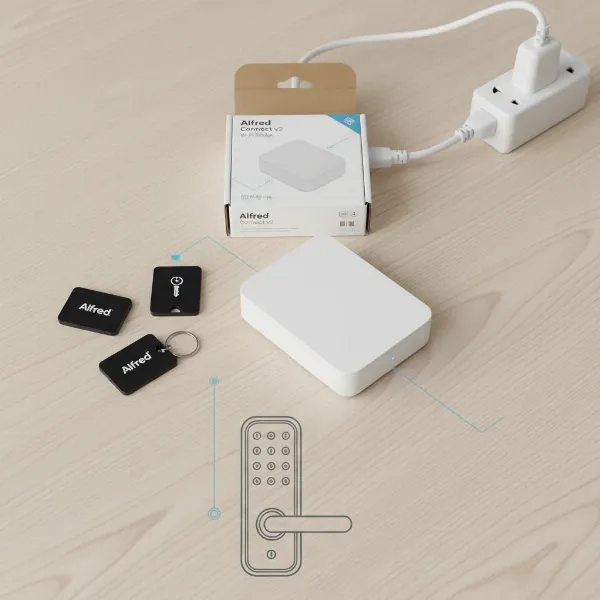
While Tediton locks often feature Bluetooth connectivity out of the box, true remote control requires a separate WiFi gateway. This gateway links the lock to your home network, enabling remote management via the TTLock app from anywhere with an internet connection.
- Pros: Unlocks endless possibilities for remote management, including checking lock status, granting access, and receiving real-time notifications from afar. Compatible with smart home assistants like Alexa and Google Home when connected via the gateway.
- Cons: Requires an additional purchase (the WiFi gateway), reliance on internet connectivity for remote features.
- Target User: Homeowners who travel frequently, property managers, or those who want full smart home integration.
Multi-Method Smart Lock
Most Tediton Smart Locks combine several of these access methods into a single device, offering a robust and flexible security solution. A typical Tediton lock might include fingerprint, PIN, RFID, app control, and a traditional mechanical key.
- Pros: Provides ultimate flexibility and redundancy, ensuring you always have a way to enter your home.
- Cons: The convenience of multiple access points is sometimes viewed as a potential security weakness by some experts, as it creates more avenues for exploitation.
- Target User: Anyone seeking maximum versatility and peace of mind through diverse entry options.
Comparing Tediton Smart Lock with Leading Brands
When evaluating smart locks, Tediton products often stand out for their blend of affordability, comprehensive features, and reliable performance, particularly for devices within the TTLock ecosystem. While direct comparisons with every top brand like Yale, Samsung, August, and Nuki require specific model matching, we can generally assess Tediton’s position.
| Feature / Brand | Tediton Smart Lock (TTLock) | Yale (e.g., Assure Lock) | Samsung (e.g., SHS Series) | August (e.g., Smart Lock Pro) | Nuki (e.g., Smart Lock 3.0) |
|---|---|---|---|---|---|
| Access Methods | Fingerprint, PIN, RFID, App (BT/WiFi Gateway), Key | PIN, Key, App (BT/WiFi) | PIN, RFID, Fingerprint, Key | App (BT/WiFi), Key, Voice | App (BT/WiFi), Key, Keypad |
| Connectivity | Bluetooth (Standard), WiFi (with Gateway) | Bluetooth, WiFi (with module) | Z-Wave, Bluetooth | Bluetooth, WiFi (with Connect) | Bluetooth, WiFi (with Bridge) |
| Security | Robust physical build, multiple authentication, audit trails. Concern about multiple access points as a vulnerability. | High-security Yale cylinder, advanced encryption. | Advanced encryption, anti-hacking features. | Strong encryption, activity feed. | End-to-end encryption, activity log. |
| Price Point | Generally budget-friendly, high value for features | Mid to high-range | Mid to high-range | Mid to high-range | High-range |
| Ease of Install | Easy, clear instructions, template included | Moderate | Moderate | Very easy (replaces thumbturn) | Easy (attaches to existing cylinder) |
| Smart Home Integr. | Alexa, Google Home (with Gateway) | Broad (Alexa, Google Home, HomeKit, etc.) | Limited (SmartThings) | Broad (Alexa, Google Home, HomeKit, etc.) | Broad (Alexa, Google Home, HomeKit, etc.) |
| Battery Life | ~6 months (4x AAA) | ~6-12 months | ~10-12 months | ~6-12 months | ~6-12 months |
Objective Assessment:
Tediton locks excel in offering a wide array of access methods, including integrated fingerprint readers, at a competitive price point. Their build quality is often praised as robust, with some models featuring stainless steel construction and a good finish. While the core Bluetooth functionality is always present, the necessity of a separate WiFi gateway for full remote control and smart home integration is a consideration. This is similar to how many other brands offer modular upgrades for Wi-Fi capabilities.
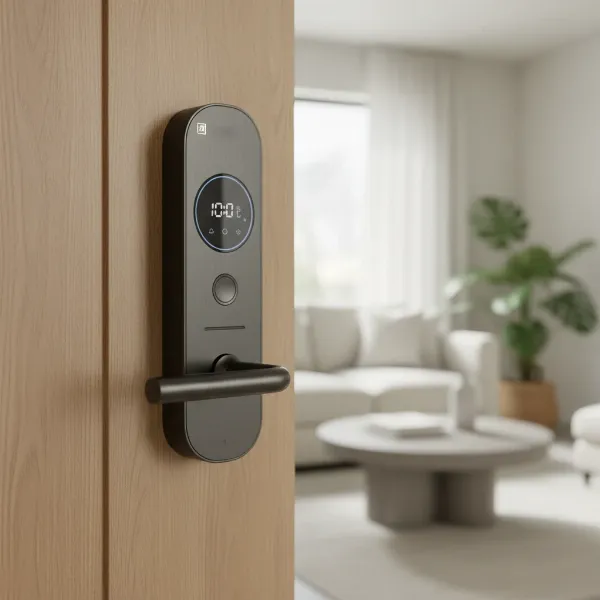 Sleek, modern Tediton smart door lock installed on a contemporary home entrance door
“For their price, Tediton and other TTLock-enabled locks offer exceptional value and a comprehensive feature set that rivals more expensive brands.” – SmartLockChoice Admin, Experienced Smart Lock Technician
Recommendation: If you’re seeking a cost-effective smart lock that doesn’t compromise on core features like fingerprint access, PIN codes, and app control, the Tediton Smart Lock is an excellent candidate. It offers a strong foundation for smart access, with the option to expand to full remote capabilities with an additional gateway.
Buying Guide: Choosing the Right Tediton Smart Lock
Selecting the perfect Tediton Smart Lock involves a thoughtful evaluation of your specific needs, the type of door you have, and your budget. With many variations available within the TTLock ecosystem, understanding these factors will guide you to an informed decision.
1. Determine Your Usage Needs
Start by assessing where and how the lock will be used.
- Door Type: Tediton locks are designed for various door types, including standard wooden doors, aluminum doors, and iron gates. Ensure the lock’s mortise size and design match your door’s specifications. Some models even feature weather-resistant designs suitable for outdoor use.
- Security Level: Consider the level of security required. While all smart locks enhance security, if you need advanced features like double-sided fingerprint recognition or superior anti-tamper mechanisms, look for models that explicitly offer these.
- Budget: Tediton locks are generally known for their good value. Define your budget, but also factor in the potential cost of a WiFi gateway if remote access is a priority.
2. Explore Essential Features
Dive into the specific features that will impact your daily use.
- Unlocking Methods: Decide which access methods are most important to you: fingerprint, PIN code, RFID card, smartphone app, or mechanical key. Tediton typically offers a combination of these.
- Connectivity: Bluetooth is standard for local control. If remote management, real-time notifications, or integration with Alexa/Google Home are desired, plan to purchase the WiFi gateway.
- Smart Features: Look for features like temporary passcodes, user management, and activity logs within the TTLock app.
3. Consider Security Aspects
Security is paramount for any lock.
- Encryption: Ensure the lock uses robust encryption for its Bluetooth and (if applicable) Wi-Fi communications.
- Physical Durability: Many Tediton locks feature solid aluminum alloy or stainless steel construction, which contributes to their durability and resistance to tampering.
- Backup Options: A physical key override and an emergency power bypass port (for dead batteries) are crucial backup features, which Tediton locks typically include.
4. Read User Reviews
Before making a final decision, delve into what actual users are saying. Reviews can offer invaluable insights into real-world performance, ease of installation, battery life, and any potential quirks. Pay attention to comments regarding the responsiveness of the fingerprint reader, the reliability of the TTLock app, and the durability over time.
5. Choose a Reputable Supplier
Purchase your Tediton Smart Lock from a trusted retailer. Verify their warranty policy, return options, and technical support availability. A good supplier can make a significant difference in your post-purchase experience, particularly for installation guidance or troubleshooting.
Installation and Usage Guide for Tediton Smart Locks
Installing and using your Tediton Smart Lock is designed to be a straightforward process, enabling you to quickly enhance your home’s security and convenience.
Basic Installation Steps
Most Tediton Smart Locks come with clear English instructions and an installation template, making DIY installation feasible for many homeowners.
- Remove Old Lock: Carefully remove your existing door lock, including the deadbolt and handle set.
- Install Mortise/Latch: Insert the new mortise (or latch) into the edge of your door. Ensure it’s correctly oriented for your door’s swing.
- Mount Exterior Panel: Attach the exterior unit of the Tediton lock, feeding the necessary cables through the door.
- Mount Interior Panel: Connect the cables to the interior unit and secure it to the door using screws. Ensure all components are aligned and fit snugly.
- Insert Batteries: Install 4x AAA alkaline batteries into the interior unit. Tediton locks typically require these for power.
- Test: Before closing the door, test the physical handle and latch mechanism to ensure smooth operation.
Utilizing Smart Features
The TTLock app is the central hub for managing your Tediton Smart Lock.
- Download TTLock App: Download the TTLock app from your smartphone’s app store.
- Pair Lock: Follow the in-app instructions to pair your lock via Bluetooth.
- Admin Setup: Set up your administrative password and fingerprint (if applicable).
- Add Users: Easily add new users, assigning them fingerprint, PIN, or RFID card access. You can grant permanent, timed, or one-time access, perfect for guests or service personnel.
- Remote Access (with Gateway): If you have the WiFi gateway, connect it to your home network and link it to the TTLock app to enable remote control and real-time notifications from anywhere.
- Smart Home Integration: With the gateway, you can link your Tediton lock to Google Home or Amazon Alexa for voice control and integration into smart home routines.
Maintenance Tips
To ensure the longevity and optimal performance of your Tediton Smart Lock:
- Battery Replacement: Replace AAA batteries approximately every 6 months, or sooner if you receive low battery warnings. The lock usually provides an emergency power bypass port for temporary power if batteries die completely.
- Cleanliness: Keep the fingerprint sensor and keypad clean from dirt and grime for consistent performance. Use a soft, dry cloth.
- Firmware Updates: Regularly check the TTLock app for firmware updates to ensure your lock has the latest security patches and features.
Common Issues and Troubleshooting
- Fingerprint Not Reading: Ensure your finger is clean and dry. Try re-enrolling your fingerprint if issues persist.
- App Connectivity Issues: Check your phone’s Bluetooth and ensure it’s close to the lock. If using a gateway, verify its internet connection.
- Lock Not Responding: Replace batteries. If the issue persists, use the emergency power bypass or the mechanical key override.
- PIN Code Issues: Double-check the code. Ensure the keypad is clean and responsive.
Essential Smart Lock Accessories
While a Tediton Smart Lock is a complete solution on its own, certain accessories can enhance its functionality and your overall smart home experience.
- WiFi Gateway: This is arguably the most crucial accessory. It bridges your Bluetooth-enabled Tediton lock to your home’s Wi-Fi network, unlocking remote access, real-time alerts, and compatibility with voice assistants like Amazon Alexa and Google Home.
- Key Fobs/RFID Cards: While some fobs are typically included, having extra RFID cards or key fobs can be beneficial for family members, housekeepers, or short-term guests who might prefer a physical tag over a fingerprint or app.
- Backup Power Bank: Although Tediton locks have an emergency power bypass port, a small portable power bank can be a lifesaver in case the batteries die and you don’t have a spare 9V battery on hand. You simply plug it into the emergency port to provide temporary power for entry.
- Wireless Keypad (for specific models): Some Tediton/TTLock systems allow for external wireless keypads, offering another discreet option for PIN entry, especially useful for gates or secondary access points.
The benefits of using these accessories revolve around increased convenience, enhanced redundancy, and seamless integration into your broader smart home ecosystem. When selecting accessories, ensure they are compatible with the TTLock system to guarantee optimal performance.
Conclusion
The Tediton Smart Door Lock stands out as a robust and feature-rich solution for modern home security, offering a versatile range of access methods including fingerprint, PIN, RFID, and smartphone control. Its integration with the intuitive TTLock app provides comprehensive management, from granting temporary access to monitoring activity logs. While remote access requires an additional WiFi gateway, the overall value and performance, particularly considering its competitive price point, make it an attractive option for homeowners. For those looking to upgrade to a keyless, convenient, and secure entry system, the Tediton Smart Lock represents a smart investment in contemporary home protection.
Are you ready to experience the convenience and peace of mind that a Tediton Smart Lock can bring to your home?
Frequently Asked Questions
What app does the Tediton Smart Lock use?
Tediton Smart Locks primarily use the TTLock app, which is available for both iOS and Android devices. This app allows you to manage all aspects of your lock, including adding users, generating passcodes, viewing access logs, and connecting to a WiFi gateway for remote control.
Can I install a Tediton Smart Lock myself?
Yes, Tediton Smart Locks are designed for relatively easy DIY installation. They typically come with clear English instructions and an installation template, making the process straightforward for most homeowners. Many users report the installation and setup to be intuitive.
How long do the batteries last in a Tediton Smart Lock?
Tediton Smart Locks usually operate on 4x AAA alkaline batteries, which can last for approximately 6 months or up to 5,000 unlocks, depending on usage frequency. The lock often provides low battery warnings and includes an emergency power bypass port for access if the batteries unexpectedly die.
Is the Tediton Smart Lock compatible with smart home systems?
Yes, with the addition of a separate WiFi gateway, Tediton Smart Locks (via the TTLock app) can be integrated with popular smart home assistants like Amazon Alexa and Google Home. This allows for voice control and inclusion in automated smart home routines.
Is a Tediton Smart Lock truly secure?
Tediton Smart Locks offer enhanced security through multiple authentication methods like fingerprint and encrypted passcodes, along with a robust physical build. While convenient, some experts suggest that having many access points could theoretically present more opportunities for exploitation compared to simpler systems. However, the inclusion of a physical key override and audit trails adds significant layers of security.