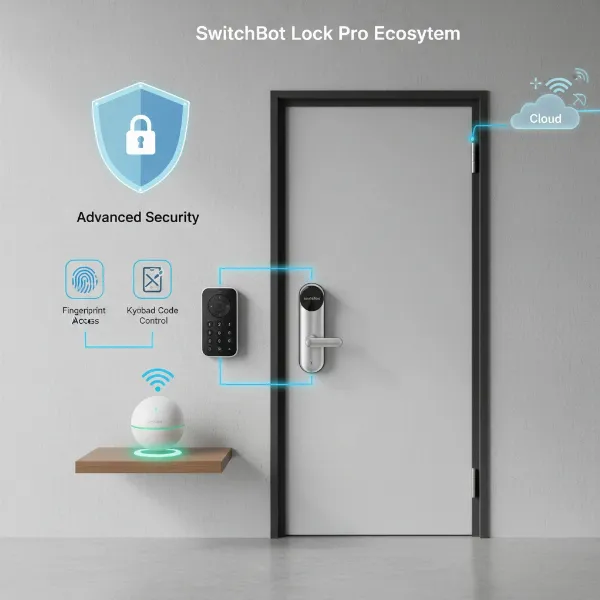
Securing your home with intelligent technology has never been more straightforward, and at the heart of a truly connected smart home lies the perfect smart lock integration. For Samsung SmartThings users, the quest for a compatible, reliable, and feature-rich smart lock is paramount. A truly smart lock not only grants keyless entry but also orchestrates a symphony of home automation when paired with the robust SmartThings ecosystem. Imagine your doors locking automatically as you leave, lights turning on when you unlock the front door, or receiving instant notifications about who is coming and going. This guide explores the best smart locks designed to integrate flawlessly with Samsung SmartThings, ensuring your home is secure, convenient, and truly smart. We’ll delve into the features that matter, compare top brands, and provide a comprehensive buying guide to help you make the best choice for your smart sanctuary.
What is a Smart Lock and Why Integrate with Samsung SmartThings?
A smart lock is an electromechanical lock that allows you to open or lock a door with a mobile device, key card, biometric data, or a keypad instead of a traditional physical key. These devices leverage various communication protocols like Z-Wave, Zigbee, Wi-Fi, or Bluetooth to connect with other smart home devices and systems, offering enhanced control and monitoring capabilities. They provide a modern alternative to conventional locks, bringing convenience, increased security, and sophisticated access management to your fingertips.
Integrating a smart lock with Samsung SmartThings elevates its functionality from a standalone device to an integral part of your home’s automated ecosystem. SmartThings acts as a central hub, allowing your smart lock to communicate with other connected devices like lights, thermostats, cameras, and security sensors. This synergy enables advanced automation scenarios, such as automatically adjusting your home’s climate when the door locks, triggering security cameras upon an unexpected entry, or creating personalized routines for daily activities. The convenience of remote control, the peace of mind from real-time alerts, and the power of unified automation are compelling reasons to choose a SmartThings-compatible smart lock.
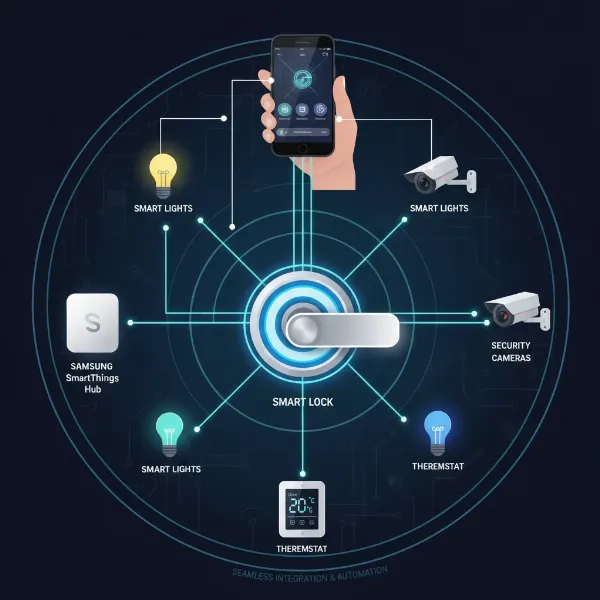 Smart lock integrated into a Samsung SmartThings smart home ecosystem with various connected devices.
Types of Smart Locks for SmartThings Ecosystems
The market offers a diverse range of smart locks, each catering to different preferences and security needs within the SmartThings framework. Understanding the common types can help you pinpoint the best fit for your home.
Keypad Smart Locks
|
Our Picks for the Best Smart Lock in 2026
As an Amazon Associate I earn from qualifying purchases.
|
||
| Num | Product | Action |
|---|---|---|
| 1 | ULTRALOQ U-Bolt Pro WiFi Smart Lock with Door Sensor, 8-in-1 Keyless Entry Door Lock with Fingerprint ID, App Remote Control, Built-in WiFi Keypad Deadbolt, Auto Unlock, IP65 Waterproof, Easy Install |

|
| 2 | TEEHO TE001 Keyless Entry Door Lock with Keypad - Smart Deadbolt Lock for Front Door with 2 Keys - Auto Lock - Easy Installation - Oil-Rubbed Bronze |
|
| 3 | Schlage Encode Smart WiFi Deadbolt Lock for Front Door - Keyless Entry with App or Touchscreen - Works with Alexa, Hey Google, & Airbnb - Create Codes for Guests - Matte Black |
|
| 4 | Philips Wi-Fi Door Lock, WiFi Smart Lock Keyless Entry Deadbolt for Front Door, Remote Control, Built-in WiFi, APP Fingerprint Passcode Unlock, Auto Locking |
|
| 5 | eufy Security Smart Lock C220, Fingerprint Keyless Entry Door Lock, Built-in Wi-Fi, App Remote Control, Front Door Smart Lock Deadbolt, 8Months Battery, Reliable Power, IP53 Waterproof, BHMA Grade 3 |
|
| 6 | eufy Security Smart Lock C220, Fingerprint Keyless Entry Door Lock, Built-in Wi-Fi, App Remote Control, Front Door Smart Deadbolt, IP53 Waterproof, 8-Months Battery, Nickel |
|
| 7 | TEEHO TE001 Keyless Entry Door Lock with Keypad - Smart Deadbolt Lock for Front Door with 2 Keys - Auto Lock - Easy Installation - Matte Black |
|
| 8 | TEEHO TE001 Keyless Entry Door Lock with Keypad - Smart Deadbolt Lock for Front Door with 2 Keys - Auto Lock - Easy Installation - Satin Nickel |
|
| 9 | Philips Wi-Fi Door Lock, WiFi Smart Lock Keyless Entry Deadbolt for Front Door, Compatible with Alexa & Google Assistant, Remote Control, Built-in WiFi, APP Fingerprint Passcode Unlock, Auto Locking |
|
| 10 | Electronic Passwords Keyless Entry Door Locks Smart Deadbolt Metal Lock Auto Time Delay Locking Secure Durable Low Battery Alert Type-C Port for Emergency Charging |
|
Keypad smart locks replace traditional keyholes with a numerical pad, allowing access via a custom code. They are highly popular for their straightforward operation and the ability to issue temporary codes for guests or service providers without distributing physical keys. Many models integrate seamlessly with SmartThings, enabling remote code management, entry logs, and automation based on code usage.
Fingerprint Smart Locks
For biometric security, fingerprint smart locks offer an unparalleled level of convenience and personalized access. A quick touch of your finger is all it takes to unlock your door, eliminating the need to remember codes or carry keys. These locks typically store multiple fingerprints, making them ideal for families. When integrated with SmartThings, they can trigger specific home routines linked to individual users, adding an intelligent layer to your entry experience.
Retrofit Smart Locks
Retrofit smart locks are designed to fit over your existing deadbolt on the inside of your door, allowing you to retain your original exterior hardware and keys. This is an excellent option for renters or those who prefer to maintain their door’s aesthetic. While the exterior looks unchanged, the interior component provides smart functionality, including app control, auto-lock/unlock features, and often Z-Wave or Zigbee modules for SmartThings integration.
Lever Locks and Multi-Method Smart Locks
Beyond deadbolts, some smart locks come in lever or knob styles, suitable for various doors within your home or office. Many modern smart locks also combine multiple entry methods into a single unit, offering keypads, physical key access, app control, and sometimes fingerprint scanning. These multi-method locks provide maximum flexibility and redundancy, ensuring you always have a way to access your home, all while linking into your SmartThings setup for comprehensive control.
Top Smart Lock Brands for Samsung SmartThings Integration
When selecting a smart lock for your SmartThings setup, certain brands consistently rise to the top due to their reliability, feature sets, and robust integration capabilities.
Yale Assure Lock Series
Yale is a frontrunner in the smart lock space, and its Assure Lock series, particularly the Yale Assure Lock 2, is often cited as a top choice for SmartThings users. These locks offer a range of options, including keyed and key-free designs, touchscreen keypads, and even biometric fingerprint scanners (Assure Lock 2 Touch). They are known for their ease of installation, durable build quality, and versatile connectivity. The ability to swap out communication modules (Z-Wave, Zigbee, Wi-Fi, and now Matter) makes them highly adaptable to the SmartThings ecosystem, ensuring remote access, customized user codes, and seamless integration into Smart automations.
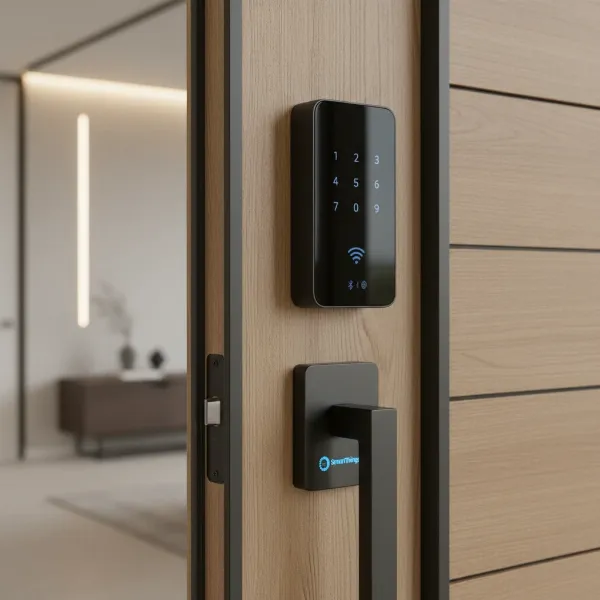 Yale Assure Lock 2 touchscreen smart lock installed on a modern door, showing SmartThings integration.
August Smart Lock
The August Smart Lock is renowned for its elegant retrofit design, which allows you to keep your existing deadbolt hardware while adding smart capabilities. This makes it a favorite for those who value aesthetics or are unable to replace their entire lock. August locks excel in features like auto-unlock (unlocks as you approach) and auto-lock (locks behind you), digital key sharing, and a comprehensive activity log. Many August models come with Z-Wave or Wi-Fi modules, making them highly compatible with SmartThings for remote management and integration into routines. August has also partnered with Yale on various full-replacement smart lock solutions that leverage both brands’ strengths.
Kwikset SmartCode
Kwikset offers a range of SmartCode smart locks that provide a solid balance of features and affordability. Often available with Z-Wave or Zigbee connectivity, these locks can be easily paired with your SmartThings hub for basic remote control, access code management, and status monitoring. While generally considered a budget-friendly option compared to premium brands, Kwikset locks deliver reliable keypad entry and are a good entry point for users seeking straightforward SmartThings integration without a hefty price tag.
Schlage Smart Locks
Schlage has a long-standing reputation for security and offers several smart lock models, such as the Schlage Encode and Schlage Connect, which can integrate with SmartThings. The Schlage Connect (with a Z-Wave module) is a popular choice for its robust build and dependable keypad. However, some users have historically reported network stability issues with certain Schlage models when integrated with smart home hubs. Despite these occasional concerns, Schlage remains a strong contender for its quality and feature set.
“The true power of a smart lock isn’t just keyless entry, but its ability to become an intelligent agent within your home, reacting to your presence and absence, and orchestrating security with other devices. Samsung SmartThings provides the perfect stage for this synergy.” – Dr. Elena Petrova, Smart Home Systems Architect
Choosing the Right Smart Lock for Your SmartThings Home (Buying Guide)
Selecting the ideal smart lock involves more than just picking a brand; it requires careful consideration of your specific needs and how it will interact with your Samsung SmartThings setup.
Assess Your Door and Existing Hardware
Before anything else, examine your door type (standard, heavy-duty, multi-point lock), bore hole dimensions, and current deadbolt. Most smart locks are designed for standard single-cylinder deadbolts. Ensure the new lock’s specifications match your door’s requirements. Retrofit locks like August are great if you want to keep your existing exterior hardware.
Consider Connectivity
For seamless SmartThings integration, prioritize locks with Z-Wave, Zigbee, or built-in Wi-Fi. Z-Wave and Zigbee locks require a SmartThings hub to function remotely, offering excellent reliability and battery life. Wi-Fi locks connect directly to your home network, often providing robust remote access but potentially consuming more battery power. Increasingly, locks supporting Matter will simplify integration across various ecosystems, including SmartThings, offering future-proof compatibility.
Desired Unlocking Methods
Think about how you and your family prefer to access your home.
- Keypad: Simple codes for daily use, easy for guests.
- Fingerprint: Fast, secure, personal access.
- Smartphone App: Remote control, activity logs, digital key sharing.
- Voice Control: Convenient with Alexa or Google Assistant (via SmartThings).
- Traditional Key: A good backup for emergencies or battery depletion.
Choose a lock that offers a combination of methods that best suits your lifestyle.
Security Features and Certifications
A smart lock’s primary function is security. Look for locks with ANSI/BHMA certifications (Grade 1 being the highest), indicating superior strength and durability. Advanced encryption for wireless communication, tamper alarms, and robust physical construction are essential. Consider features like auto-lock, forced entry alarms, and secure user code management.
Budget and Design Preferences
Smart locks vary significantly in price, from budget-friendly keypad models to high-end biometric options. Determine your budget and balance it with the features and aesthetics you desire. Many brands offer different finishes (satin nickel, bronze, black) to match your home’s decor.
Read User Reviews and Support
Before finalizing your choice, read reviews from other SmartThings users. This provides real-world insights into installation, daily use, and specific SmartThings integration experiences. Also, research the brand’s customer support and warranty policies.
Installation and Maintenance Tips for SmartThings Compatible Smart Locks
Once you’ve chosen your ideal smart lock, proper installation and ongoing maintenance are crucial for optimal performance within your SmartThings ecosystem.
Basic Installation Steps
Most smart locks are designed for DIY installation and can be fitted using common household tools. Generally, the process involves removing your old deadbolt, installing the new exterior and interior lock components, and securing them with screws. Always follow the manufacturer’s specific instructions, as steps can vary between models. If you’re not comfortable with the installation, consider hiring a professional locksmith or smart home installer.
Integrating with SmartThings App
After physical installation, you’ll need to pair your smart lock with your Samsung SmartThings hub and app.
- Open the SmartThings app and tap the “+” icon to add a new device.
- Select “Device” and allow SmartThings to scan for nearby devices.
- For Z-Wave or Zigbee locks, you may need to initiate a pairing mode on the lock itself (refer to your lock’s manual).
- Once detected, follow the on-screen prompts to connect the lock and assign it to a room.
This process typically takes only a few minutes, after which your lock will appear in your SmartThings dashboard.
Creating SmartThings Automations
The true magic of a SmartThings compatible lock lies in its ability to participate in intelligent automations.
- “Goodnight” Routine: When you activate “Goodnight,” SmartThings can lock your doors, turn off lights, and adjust the thermostat.
- Welcome Home: Unlocking the door can disarm your alarm, turn on entry lights, and set the perfect ambiance.
- Guest Access: Grant temporary access codes that are only active during specific hours or days, and receive notifications when they are used.
- Security Alerts: Link your lock to motion sensors or security cameras, so that if an unauthorized entry is attempted, an alarm sounds and a camera records footage.
Battery Life and Maintenance
Smart locks are battery-powered, and battery life can vary depending on usage frequency, connectivity type (Wi-Fi generally drains faster than Z-Wave/Zigbee), and environmental factors. Most locks will provide low-battery warnings via the SmartThings app. It’s good practice to replace batteries annually or as recommended by the manufacturer. Regularly clean the keypad or fingerprint reader to ensure smooth operation and check for any physical obstructions.
Troubleshooting Common Issues
Common issues include connectivity problems or unresponsive locks.
- Connectivity: Ensure your SmartThings hub is powered on and within range. For Z-Wave/Zigbee, a strong mesh network is crucial; consider adding repeaters if the lock is far from the hub.
- Unresponsive Lock: Check batteries first. If the problem persists, try unpairing and re-pairing the lock with SmartThings. A factory reset might be necessary in some cases, but this should be a last resort. Always consult your lock’s troubleshooting guide.
Essential Smart Lock Accessories for Enhanced SmartThings Control
To further optimize your SmartThings-integrated smart lock experience, consider these useful accessories:
- Smart Modules (Z-Wave/Zigbee/Matter): If your chosen lock doesn’t come with the desired communication protocol built-in, many brands (like Yale) offer interchangeable smart modules. These allow you to upgrade a Bluetooth-only lock to seamlessly integrate with your SmartThings hub for remote access and automation.
- External Keypads: For retrofit locks like the August Smart Lock, an external keypad can provide a convenient code-based entry method, offering a backup to smartphone access and catering to those who prefer a physical keypad.
- SmartThings Hub: While many modern Samsung devices can act as a basic SmartThings hub, a dedicated SmartThings Hub (like the Aeotec Smart Home Hub) provides the most robust and stable platform for managing a large number of Z-Wave and Zigbee devices, including your smart locks. It enhances the reliability and range of your smart home network.
These accessories can expand the functionality and versatility of your smart lock setup, providing more ways to interact with your home security and integrate deeper into your SmartThings routines.
Conclusion
Choosing the best smart lock for Samsung SmartThings integration transforms your home security from a passive barrier to an active, intelligent guardian. Brands like Yale, August, and Kwikset offer reliable, feature-rich options that blend seamlessly with the SmartThings ecosystem, delivering unparalleled convenience, enhanced security, and powerful home automation. By considering connectivity, unlocking methods, security certifications, and your specific needs, you can select a smart lock that not only protects your home but also elevates your daily living experience. Embrace the future of home security and unlock the full potential of your SmartThings connected home.
What features are most important to you when considering a smart lock for your connected home?
Frequently Asked Questions
How do I connect my Yale Assure Lock 2 to Samsung SmartThings?
To connect your Yale Assure Lock 2, first ensure it has the appropriate Z-Wave, Zigbee, or Matter module installed. Then, open the SmartThings app, navigate to “Add Device,” and follow the on-screen prompts. You will likely need to put your Yale lock into pairing mode by pressing a specific button sequence, which can be found in its user manual. The hub will then discover and connect to your lock.
Do all Z-Wave smart locks work with SmartThings?
Most Z-Wave smart locks are designed to be compatible with Z-Wave certified hubs like Samsung SmartThings. However, specific features or advanced configurations might sometimes require custom device handlers. For basic lock/unlock and status reporting, compatibility is generally high, ensuring a broad range of choices for your SmartThings setup.
What are the benefits of using SmartThings scenes with smart locks?
SmartThings scenes allow you to trigger multiple actions simultaneously with a single command or event. When integrated with smart locks, this means you can create a “Leaving Home” scene that locks all doors, turns off lights, and sets your thermostat, or a “Welcome Home” scene that unlocks the door and activates your preferred lighting and music. This enhances convenience and automates routines efficiently.
Can I remotely control my SmartThings compatible smart lock?
Yes, if your smart lock is connected to a Samsung SmartThings hub via Z-Wave, Zigbee, Wi-Fi, or Matter, you can remotely control it from anywhere using the SmartThings app on your smartphone. This includes locking/unlocking your door, checking its status, and managing user codes, providing peace of mind and flexibility.
Are Matter-compatible smart locks better for SmartThings integration?
Matter is an emerging smart home standard designed for universal compatibility and enhanced local control. While SmartThings already supports many Z-Wave and Zigbee locks, Matter-compatible smart locks promise even more seamless, reliable, and secure integration across various platforms. As Matter adoption grows, these locks are likely to offer a highly robust and future-proof experience within the SmartThings ecosystem.