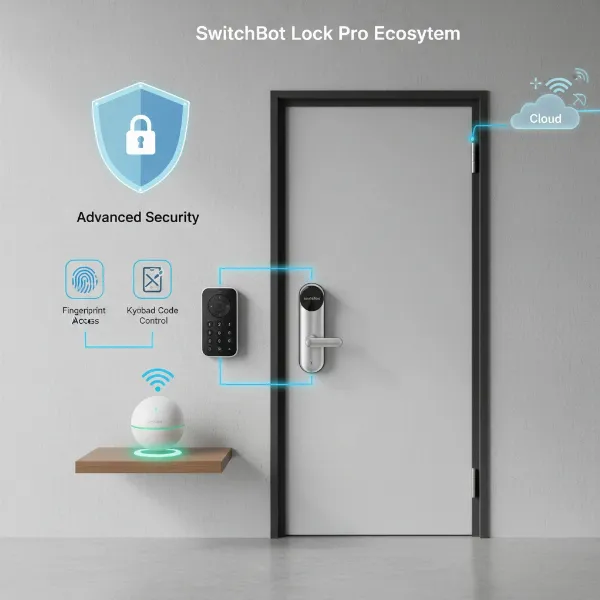
In an increasingly connected world, smart locks have emerged as a cornerstone of modern home security, offering unparalleled convenience and control. Among the various communication protocols, Zigbee stands out for its efficiency and robustness, particularly when paired with a dedicated smart home hub. While some smart devices promise direct Wi-Fi connectivity, understanding why Zigbee smart locks thrive with a hub is crucial for building a reliable, secure, and truly integrated smart home ecosystem. This guide will delve into the technology, advantages, and practical considerations of Zigbee smart locks, explaining why a hub is not just an accessory, but a necessity for unlocking their full potential.
Understanding Zigbee Smart Locks: More Than Just Keyless Entry
At its core, a smart lock is an electromechanical device that enables keyless access and remote management of your door. It replaces traditional keys with digital credentials, allowing you to lock or unlock your door using a smartphone app, keypad code, fingerprint, or even voice commands. This transformation offers a blend of convenience and enhanced security, letting you manage access for family, friends, or service providers from anywhere.
Zigbee is a low-power, wireless communication protocol specifically designed for smart home devices like lights, sensors, and, crucially, smart locks. Unlike Wi-Fi, which is built for high-bandwidth data streaming, Zigbee focuses on efficient, short-burst data transmission. This design makes it ideal for devices that require long battery life and reliable, consistent communication without consuming excessive power. One of Zigbee’s most significant advantages is its mesh networking capability. In a Zigbee network, each device (especially those powered by an outlet, often referred to as “router” devices) can relay signals for other devices. This creates a highly resilient and self-healing network, extending the range and strengthening the connection throughout your home, ensuring your smart lock remains responsive even in larger spaces or areas with signal interference.
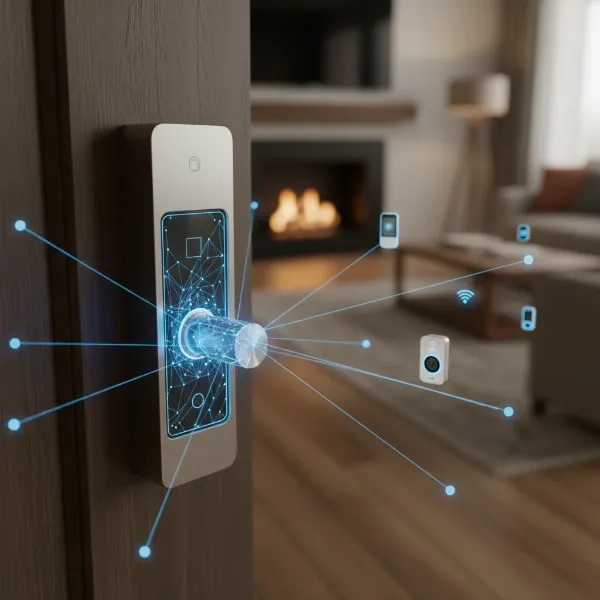 Illustrates a modern Zigbee smart lock with its internal components and mesh network connections.
The Indispensable Role of a Smart Home Hub for Zigbee Locks
While Zigbee smart locks possess inherent advantages, they typically require a smart home hub to function optimally and unlock their full suite of smart features. Your smartphone, by itself, doesn’t natively “speak” the Zigbee protocol. This is where the hub comes in, acting as the central interpreter and coordinator for your Zigbee network.
A smart home hub, sometimes referred to as a gateway or bridge, provides the essential Zigbee functionality within your smart home ecosystem. It serves multiple critical roles:
- Bridging Communication: The hub translates Zigbee signals from your smart lock into a language your home network (Wi-Fi) and smartphone can understand, enabling remote control and monitoring.
- Unlocking Advanced Functionality: Without a hub, a Zigbee lock might offer basic local control. However, a hub is what allows you to add and configure devices, create complex automation routines (like having lights turn on when the door unlocks), and integrate your lock with broader smart home platforms like Amazon Alexa, Google Home, or Apple HomeKit.
- Building a Robust Mesh Network: The hub initiates and manages the Zigbee mesh network. It directs devices to relay signals, effectively extending the communication range far beyond what a single device could achieve. This means your smart lock, even if located at the far end of your house, can reliably communicate with the hub through other Zigbee devices.
- Enabling Local Control and Reliability: Many advanced hubs allow for local processing of commands and automations. This means that even if your internet connection goes down, your Zigbee smart locks and programmed routines can continue to function, providing uninterrupted security and convenience. Furthermore, it reduces reliance on manufacturer cloud services, offering a layer of future-proofing against services being discontinued.
- Centralized Security Management: The hub acts as a “Trust Center” for your Zigbee network, managing the security keys (network and link keys) that encrypt communications between devices. This centralized control ensures a secure and private environment for your smart lock operations.
Key Advantages of a Hub-Driven Zigbee Smart Lock System
Integrating a Zigbee smart lock with a dedicated hub offers a multitude of benefits that elevate your home security and smart living experience.
Exceptional Battery Life
|
Our Picks for the Best Smart Lock in 2026
As an Amazon Associate I earn from qualifying purchases.
|
||
| Num | Product | Action |
|---|---|---|
| 1 | TEEHO TE001 Keyless Entry Door Lock with Keypad - Smart Deadbolt Lock for Front Door with 2 Keys - Auto Lock - Easy Installation - Oil-Rubbed Bronze |

|
| 2 | ULTRALOQ U-Bolt Pro WiFi Smart Lock with Door Sensor, 8-in-1 Keyless Entry Door Lock with Fingerprint ID, App Remote Control, Built-in WiFi Keypad Deadbolt, Auto Unlock, IP65 Waterproof, Easy Install |
|
| 3 | TEEHO TE001 Keyless Entry Door Lock with Keypad - Smart Deadbolt Lock for Front Door with 2 Keys - Auto Lock - Easy Installation - Satin Nickel |
|
| 4 | TEEHO TE001 Keyless Entry Door Lock with Keypad - Smart Deadbolt Lock for Front Door with 2 Keys - Auto Lock - Easy Installation - Matte Black |
|
| 5 | Schlage Encode Smart WiFi Deadbolt Lock for Front Door - Keyless Entry with App or Touchscreen - Works with Alexa, Hey Google, & Airbnb - Create Codes for Guests - Matte Black |
|
| 6 | eufy Security Smart Lock C220, Fingerprint Keyless Entry Door Lock, Built-in Wi-Fi, App Remote Control, Front Door Smart Deadbolt, IP53 Waterproof, 8-Months Battery, Nickel |
|
| 7 | Electronic Passwords Keyless Entry Door Locks Smart Deadbolt Metal Lock Auto Time Delay Locking Secure Durable Low Battery Alert Type-C Port for Emergency Charging |
|
| 8 | eufy Security Smart Lock C220, Fingerprint Keyless Entry Door Lock, Built-in Wi-Fi, App Remote Control, Front Door Smart Lock Deadbolt, 8Months Battery, Reliable Power, IP53 Waterproof, BHMA Grade 3 |
|
| 9 | Philips Wi-Fi Door Lock, WiFi Smart Lock Keyless Entry Deadbolt for Front Door, Remote Control, Built-in WiFi, APP Fingerprint Passcode Unlock, Auto Locking |
|
| 10 | Philips Wi-Fi Door Lock, WiFi Smart Lock Keyless Entry Deadbolt for Front Door, Compatible with Alexa & Google Assistant, Remote Control, Built-in WiFi, APP Fingerprint Passcode Unlock, Auto Locking |
|
One of the most compelling reasons to choose Zigbee for battery-powered devices like smart locks is its ultra-low power consumption. Zigbee devices are designed to operate for extended periods—often over a year—on a single set of batteries. In contrast, Wi-Fi smart locks, constantly connected to your network, tend to drain batteries much faster, requiring more frequent replacements or recharges. This efficiency makes Zigbee a more practical and eco-friendly choice for door locks.
Superior Network Stability and Range
The mesh networking capabilities of Zigbee, facilitated by the hub, provide a highly stable and far-reaching network. Each powered Zigbee device acts as a repeater, allowing signals to hop from device to device. This not only extends the network’s overall coverage, making it suitable for larger homes, but also creates redundant pathways for communication. If one device goes offline, the network automatically reroutes the signal, ensuring your smart lock remains connected and responsive. This avoids the common “dead zones” or performance issues often experienced by Wi-Fi devices in crowded wireless environments.
Enhanced Security
Security is paramount for any door lock. Zigbee employs robust 128-bit AES encryption, a standard also used in online banking, to protect data transmitted across its network. With the hub acting as the “Trust Center” for managing these encryption keys, the system offers a secure and private communication channel. This dedicated security layer, separate from your main Wi-Fi network, makes Zigbee smart locks less susceptible to common Wi-Fi vulnerabilities and unauthorized access.
Seamless Interoperability
Zigbee adheres to open standards set by the Connectivity Standards Alliance (CSA), promoting broad interoperability between devices from various manufacturers. This means you can mix and match Zigbee-certified smart locks with different Zigbee hubs and other smart home devices, creating a customized and flexible ecosystem without being locked into a single brand. This compatibility ensures that your smart home grows with your needs, rather than being limited by proprietary restrictions.
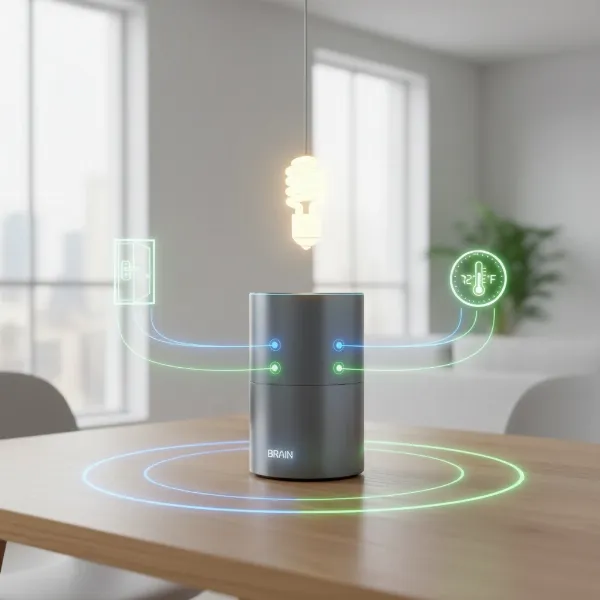 Shows a central smart home hub managing various connected Zigbee devices, including a door lock.
Offline Functionality & Privacy
Many Zigbee hubs enable local processing of commands. This crucial feature means that your smart lock can continue to operate and execute pre-programmed automations even if your internet connection is down. Unlike many Wi-Fi-only devices that become “dumb” without internet, a hub-driven Zigbee system maintains core functionality, ensuring you’re never locked out or unable to secure your home due to an outage. Furthermore, local control enhances privacy by keeping sensitive data within your home network rather than relying solely on cloud services.
Zigbee vs. Other Smart Lock Protocols: A Comparative Look
Choosing the right communication protocol is vital for your smart lock. Let’s compare Zigbee with its main competitors: Wi-Fi and Z-Wave.
Zigbee vs. Wi-Fi Smart Locks
- Power Consumption: Wi-Fi devices are notorious power-hungry, leading to shorter battery life for locks that are constantly connected. Zigbee’s low-power design ensures significantly longer battery life.
- Network Congestion: Wi-Fi networks can become congested with numerous devices, leading to slower response times and reliability issues. Zigbee operates on a separate, dedicated network, reducing strain on your Wi-Fi and ensuring smoother performance.
- Reliance on Cloud: Many Wi-Fi devices heavily rely on manufacturer cloud services, meaning they can lose significant functionality or even become inoperable if the internet goes down or the service is discontinued. Zigbee with a hub often offers local control, reducing this dependency.
- Security: While Wi-Fi can be secure, the dedicated, encrypted Zigbee network, managed by a hub, can offer a more contained and potentially more robust security posture for devices like locks.
Zigbee vs. Z-Wave Smart Locks
Both Zigbee and Z-Wave are mesh networking protocols designed for smart homes and share many benefits over Wi-Fi, such as low power consumption and robust networks. However, there are distinctions:
- Frequency: Zigbee operates on the 2.4 GHz frequency (shared with Wi-Fi and Bluetooth), while Z-Wave uses lower, sub-gigahertz frequencies (e.g., 908.42 MHz in the US). Z-Wave’s frequency can sometimes experience less interference from other common household electronics.
- Range and Hops: Z-Wave typically boasts a longer range per individual device hop (up to 100 feet) compared to Zigbee (around 35-60 feet). However, Zigbee allows for theoretically unlimited hops in its mesh network, whereas Z-Wave Plus is limited to four hops. This means Zigbee can potentially cover larger, more complex layouts if enough repeater devices are present.
- Cost and Ecosystem: Zigbee devices tend to be more numerous and often more affordable due to the open nature of the standard and lack of licensing fees. Z-Wave, historically a proprietary standard, sometimes results in more expensive devices, though it is often considered highly reliable for critical devices like door locks due to strict certification processes. Many advanced smart home enthusiasts use both protocols through a multi-protocol hub for the best of both worlds.
Choosing the Right Zigbee Smart Lock and Hub for Your Home
Selecting the ideal Zigbee smart lock and compatible hub requires careful consideration of your specific needs and existing smart home setup.
Identifying Your Needs
Start by evaluating your door type, the level of security you desire, and your budget. Do you need a full smart lock replacement or a conversion kit for your existing deadbolt? What unlocking methods are most important to you (keypad, fingerprint, app, traditional key backup)? Consider weather resistance if the lock will be exposed to outdoor elements.
Key Features to Look For in a Zigbee Lock
Look for features like:
- Multiple Unlocking Options: Keypad, fingerprint reader, smartphone app control, mechanical key override, and temporary password capabilities.
- Weather Resistance: Especially for exterior doors, an IP rating (e.g., IP65) indicates durability against dust and water.
- Security Certifications: Look for ANSI/BHMA ratings, which indicate the lock’s grade of security and durability.
- Integration with Ecosystems: Ensure compatibility with your preferred smart home platforms (e.g., Apple HomeKit, Google Home, Alexa, Samsung SmartThings) and emerging standards like Matter.
Selecting a Compatible Zigbee Hub
Your choice of hub is critical for a seamless Zigbee experience. Popular multi-protocol hubs that support Zigbee include Samsung SmartThings, Hubitat, Homey, and devices like Amazon Echo Show/Plus and Apple HomePod Mini (which also act as Thread/Matter controllers, often supporting Zigbee). Some smart lock manufacturers, like Aqara, also offer their own dedicated Zigbee hubs that provide optimized performance for their ecosystem. Ensure the hub you choose is compatible with the specific Zigbee smart lock model you intend to purchase.
Top Zigbee Smart Lock Brands
Some well-regarded brands offering Zigbee smart locks or Zigbee modules for their locks include:
- Aqara: Known for their robust ecosystem and strong HomeKit integration, with models like the Aqara Smart Lock U100 and U50.
- Yale: The Yale Assure Lock series offers Zigbee modules for integration into various smart home systems.
- Kwikset: Offers options like the Kwikset Convert Zigbee 3.0 Conversion Kit and the Kwikset 914 SmartCode Electronic Deadbolt.
- Schlage: The Schlage Camelot Zigbee lock has a reputation for reliability.
Setting Up and Optimizing Your Zigbee Smart Lock System
Once you’ve selected your Zigbee smart lock and a compatible hub, installation and setup are typically straightforward.
Basic Installation Steps
- Physical Installation: Follow the manufacturer’s instructions to replace your existing deadbolt with the smart lock. This usually involves basic tools and can often be done by a DIY enthusiast.
- Hub Setup: Power on your Zigbee hub and connect it to your home network (if required). Download the hub’s accompanying app and follow the on-screen instructions to set it up.
- Pairing the Lock: Put your smart lock into pairing mode (refer to its manual) and use your hub’s app to discover and connect the lock to your Zigbee network.
- Configuration: Set up user codes, fingerprints, and other access methods through the lock’s or hub’s app.
Leveraging Smart Home Automations
With a hub, the true power of your Zigbee smart lock comes alive through automations:
- Auto-Lock/Unlock: Program your door to automatically lock when you leave or unlock as you approach (geofencing).
- Security Routines: Integrate with other smart devices, such as having your lights turn on and security cameras activate when the lock detects unusual activity.
- Guest Access: Easily create temporary access codes for visitors or service providers that expire automatically.
Maintenance Tips for Longevity
- Battery Management: Keep an eye on battery levels through your app and replace them proactively to avoid being locked out. Zigbee’s efficiency helps extend these intervals significantly.
- Firmware Updates: Regularly check for and install firmware updates for both your lock and hub to ensure optimal performance, security, and compatibility.
- Network Health: Ensure your Zigbee mesh network has enough powered repeater devices (like smart plugs or light bulbs) to maintain strong connectivity throughout your home.
Troubleshooting Common Issues
Most issues can be resolved with simple steps: check battery levels, ensure your hub is powered and connected, and verify the lock is within range of the Zigbee network (or a repeater). If problems persist, restarting the hub or re-pairing the lock can often resolve connectivity glitches.
Essential Accessories for Your Zigbee Smart Lock Setup
To further enhance your Zigbee smart lock experience, consider these accessories:
- Zigbee Range Extenders/Repeaters: If your door is far from your main hub or you have a large home with many walls, adding a Zigbee-compatible smart plug or dedicated range extender can significantly boost signal strength and reliability.
- Backup Power Solutions: For hubs that require power, a small UPS (Uninterruptible Power Supply) can ensure your smart home network remains active during power outages, maintaining your lock’s smart functionality.
- Wireless Keypads: While many smart locks have built-in keypads, external wireless keypads can offer additional placement flexibility or serve as an alternative entry method.
Choosing a Zigbee smart lock and integrating it with a robust smart home hub offers a powerful blend of security, convenience, and efficiency that surpasses standalone solutions. By understanding the critical role of the hub in enabling a stable mesh network, extending battery life, enhancing security, and facilitating seamless smart home automations, you can make an informed decision that future-proofs your home. Embrace the intelligence of a hub-driven Zigbee system to transform your doorway into a truly smart and secure entry point.
Frequently Asked Questions
Why can’t Zigbee smart locks connect directly to Wi-Fi?
Zigbee smart locks use a low-power wireless protocol distinct from Wi-Fi. Smartphones and Wi-Fi routers don’t natively understand Zigbee signals, requiring a dedicated hub to translate and manage communication for remote access and advanced features.
Do all Zigbee devices need a hub to work?
While some basic Zigbee devices might offer limited peer-to-peer functionality, a hub is almost always required to unlock the full potential of Zigbee devices, including smart locks, enabling remote control, automations, and integration into a larger smart home ecosystem.
What are the main benefits of using a Zigbee hub with a smart lock?
A Zigbee hub extends battery life for locks, creates a robust and reliable mesh network, enhances security through dedicated encryption, allows for complex home automations, and provides local control even without an internet connection.
How does Zigbee compare to Z-Wave for smart locks?
Both Zigbee and Z-Wave are excellent low-power mesh networks. Zigbee typically has a shorter per-hop range but unlimited hops, operates on 2.4 GHz, and is often more affordable. Z-Wave has a longer per-hop range (4-hop limit), uses sub-gigahertz frequencies, and is sometimes considered more robust for locks due to its controlled ecosystem.
Can I control my Zigbee smart lock remotely without the internet?
If your Zigbee hub supports local processing, you can still control your smart lock and run pre-programmed automations within your home network even if your internet connection goes down. However, remote control from outside your home will require an active internet connection to your hub.
How do I improve the range of my Zigbee smart lock?
To improve the range and reliability of your Zigbee smart lock, ensure you have other powered Zigbee devices (like smart plugs or light bulbs) acting as repeaters strategically placed between your lock and the hub. Each powered device strengthens the mesh network.