In an era where home security meets unparalleled convenience, smart locks have transformed how we interact with our entryways. Among the myriad options, the Ultraloq U-Bolt Pro Wi-Fi stands out as a feature-rich contender, promising a seamless blend of advanced technology and robust security. With its 6-in-1 keyless entry system, including a prominent fingerprint scanner and built-in Wi-Fi, it aims to redefine your daily routine. This comprehensive review delves into its core functionalities, performance benchmarks—especially the touted fingerprint speed—installation nuances, and overall user experience, helping you determine if this smart lock is the ultimate guardian for your home.
What is the Ultraloq U-Bolt Pro Wi-Fi and Why Consider It?
The Ultraloq U-Bolt Pro Wi-Fi is an advanced smart deadbolt designed to replace traditional locks, offering a multitude of keyless entry options and integrated Wi-Fi connectivity. It’s built for modern homeowners seeking both enhanced security and unparalleled convenience. This lock eliminates the need for a separate Wi-Fi bridge, streamlining setup and operation.
Its array of key features includes a 360° Live Fingerprint ID for quick biometric access, an anti-peep keypad for secure code entry, smartphone control via the U-tec app, automatic unlocking through geofencing, a unique “Magic Shake” function, and a traditional mechanical key for backup. These diverse methods ensure you’re never locked out and always in control, whether you’re at home or miles away.
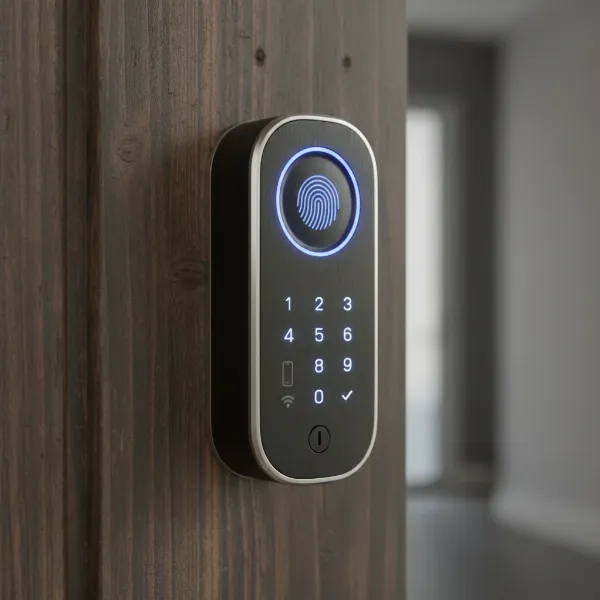 Ultraloq U-Bolt Pro Wi-Fi smart lock with its multiple keyless entry options displayed.
The Heart of Convenience: Fingerprint Scanner Performance
The fingerprint scanner is arguably the most compelling feature of the Ultraloq U-Bolt Pro Wi-Fi, offering a quick and intuitive way to access your home.
Speed and Accuracy Test
|
Our Picks for the Best Smart Lock in 2026
As an Amazon Associate I earn from qualifying purchases.
|
||
| Num | Product | Action |
|---|---|---|
| 1 | ULTRALOQ U-Bolt Pro WiFi Smart Lock with Door Sensor, 8-in-1 Keyless Entry Door Lock with Fingerprint ID, App Remote Control, Built-in WiFi Keypad Deadbolt, Auto Unlock, IP65 Waterproof, Easy Install |

|
| 2 | eufy Security Smart Lock C220, Fingerprint Keyless Entry Door Lock, Built-in Wi-Fi, App Remote Control, Front Door Smart Deadbolt, IP53 Waterproof, 8-Months Battery, Nickel |
|
| 3 | TEEHO TE001 Keyless Entry Door Lock with Keypad - Smart Deadbolt Lock for Front Door with 2 Keys - Auto Lock - Easy Installation - Satin Nickel |
|
| 4 | Philips Wi-Fi Door Lock, WiFi Smart Lock Keyless Entry Deadbolt for Front Door, Compatible with Alexa & Google Assistant, Remote Control, Built-in WiFi, APP Fingerprint Passcode Unlock, Auto Locking |
|
| 5 | Philips Wi-Fi Door Lock, WiFi Smart Lock Keyless Entry Deadbolt for Front Door, Remote Control, Built-in WiFi, APP Fingerprint Passcode Unlock, Auto Locking |
|
| 6 | TEEHO TE001 Keyless Entry Door Lock with Keypad - Smart Deadbolt Lock for Front Door with 2 Keys - Auto Lock - Easy Installation - Matte Black |
|
| 7 | eufy Security Smart Lock C220, Fingerprint Keyless Entry Door Lock, Built-in Wi-Fi, App Remote Control, Front Door Smart Lock Deadbolt, 8Months Battery, Reliable Power, IP53 Waterproof, BHMA Grade 3 |
|
| 8 | TEEHO TE001 Keyless Entry Door Lock with Keypad - Smart Deadbolt Lock for Front Door with 2 Keys - Auto Lock - Easy Installation - Oil-Rubbed Bronze |
|
| 9 | Electronic Passwords Keyless Entry Door Locks Smart Deadbolt Metal Lock Auto Time Delay Locking Secure Durable Low Battery Alert Type-C Port for Emergency Charging |
|
| 10 | Schlage Encode Smart WiFi Deadbolt Lock for Front Door - Keyless Entry with App or Touchscreen - Works with Alexa, Hey Google, & Airbnb - Create Codes for Guests - Matte Black |
|
U-tec highlights the U-Bolt Pro Wi-Fi’s fingerprint recognition with an impressive 0.3-second unlock speed and 99.8% accuracy, powered by an AI-driven algorithm that continuously learns and improves over time. This 360° Live Fingerprint ID means you can unlock your door with a single touch from any angle, removing the need for precise finger placement.
In real-world testing, many users praise the scanner’s responsiveness and reliability, describing it as “super fast and responds instantly.” However, user experiences can vary. While many find it works flawlessly, some report occasional inconsistencies, sometimes requiring a second attempt, especially for older users or when fingers are wet. Despite these minor variances, the general consensus is that the fingerprint scanner is a highly effective and convenient entry method, capable of storing up to 100 unique fingerprints (two per user).
How it Compares to Other Smart Locks
The inclusion of a live fingerprint scanner as a primary entry method truly sets the Ultraloq U-Bolt Pro Wi-Fi apart in the competitive smart lock market. Many competing models either lack biometric access entirely or offer less sophisticated versions. This feature provides a level of security and convenience that often surpasses standard keypad or app-only entry systems, positioning the U-Bolt Pro Wi-Fi as a premium option for those prioritizing quick, touch-based access.
Comprehensive Entry Methods: Beyond the Fingerprint
While the fingerprint scanner is a highlight, the Ultraloq U-Bolt Pro Wi-Fi offers a versatile suite of entry methods, ensuring security and accessibility in various scenarios.
The keypad features an anti-peep function, allowing you to input extra random digits before or after your actual code to deter prying eyes without compromising security. It supports up to 50 distinct 4- to 8-digit access codes, which can be managed and scheduled through the app.
The smartphone app (available for iOS and Android) provides both Bluetooth and Wi-Fi control. This enables remote access, allowing you to lock or unlock your door from anywhere, share temporary e-keys or codes with guests, and view detailed activity logs to monitor who enters and when.
For hands-free convenience, the Auto-Unlock feature uses geofencing technology to automatically unlock your door as you approach, with optional door sensors to prevent locking while the door is ajar. A unique Magic Shake function also allows you to unlock the door by simply shaking your phone.
Finally, a mechanical key serves as a reliable backup. A hidden keyhole is accessible by flipping down the front panel, and in case of a complete battery drain, a micro-USB port allows for emergency power input from an external source, ensuring you’re never stranded outside.
Installation and Design: A Seamless Upgrade?
Upgrading your door security should be straightforward, and the Ultraloq U-Bolt Pro Wi-Fi has made significant strides in this area.
Installation Process
One of the notable improvements of the U-Bolt Pro Wi-Fi over its predecessors is the simplified installation process. What once required specialized tools like a hacksaw is now a straightforward DIY task. Most users report an easy installation that can be completed in about 20 to 30 minutes, especially when replacing an existing deadbolt on a standard door. The lock is designed to fit standard US doors with a thickness range of 1-3/8 inches to 1-3/4 inches and adjustable backsets. Clear instructions and accompanying videos further aid the process.
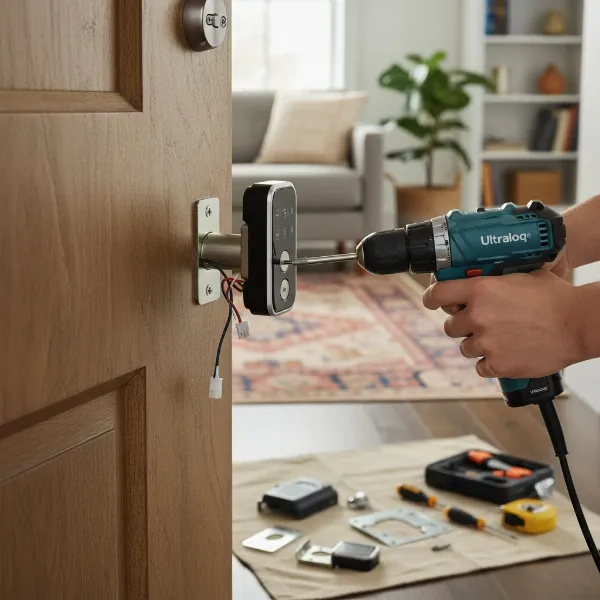 Step-by-step installation of the Ultraloq U-Bolt Pro Wi-Fi smart lock on a standard door.
Design and Durability
The U-Bolt Pro Wi-Fi boasts a compact and modern aesthetic, constructed from premium zinc alloy, which contributes to its robust feel. It is ANSI/BHMA A156.36 Commercial Grade 1 certified, indicating high security and durability, capable of withstanding significant force. Furthermore, the exterior assembly is IP65-rated, offering excellent protection against dust and weather, making it resilient to temperatures ranging from -22°F to 149°F. This robust construction ensures the lock can endure various environmental conditions, providing long-lasting performance.
Connectivity, Battery Life, and Smart Home Integration
A smart lock’s true intelligence comes from its connectivity and how seamlessly it integrates into your smart home ecosystem.
Wi-Fi Connectivity
A significant advantage of the U-Bolt Pro Wi-Fi is its built-in 2.4GHz Wi-Fi, which eliminates the need for an external bridge or hub to connect to your home network. This allows for remote access and real-time notifications directly from the lock. However, it’s important to note that the lock only supports 2.4GHz Wi-Fi networks. Some users have reported minor difficulties during the initial setup if their mobile device is connected to a 5GHz network, requiring temporary adjustments to the network settings.
Power and Longevity
The Ultraloq U-Bolt Pro Wi-Fi is powered by four AA batteries. Battery life can vary based on usage frequency and connectivity. While some users report a battery life of 3-6 months with consistent Wi-Fi use, others claim up to a year, especially when using lithium batteries or Matter over Thread connectivity. The lock features a low battery alarm, notifying you both on the lock itself and through the smartphone app when power levels are critical. As a fail-safe, a micro-USB port is available for emergency power if the batteries unexpectedly die, preventing lockouts.
Smart Home Ecosystem
The Ultraloq U-Bolt Pro Wi-Fi integrates well with popular smart home platforms, including Amazon Alexa, Google Assistant, IFTTT, and SmartThings. This compatibility allows for voice control and the creation of automated routines with other smart devices in your home. However, it does not currently support Apple HomeKit, which might be a consideration for users deeply entrenched in the Apple ecosystem.
Security Features and User Experience
At the core of any lock, smart or traditional, is its ability to provide reliable security. The U-Bolt Pro Wi-Fi incorporates several features to safeguard your home.
Robust Security Protocols
The Ultraloq U-Bolt Pro Wi-Fi is built with security in mind, holding an ANSI/BHMA A156.36 Commercial Grade 1 certification, signifying the highest standard for residential locks in terms of strength and durability. It employs dual data encryption using 128-bit AES and a Dynamic Key system, designed to prevent unauthorized access to your lock and personal data. The anti-peep keypad adds an extra layer of protection by allowing you to enter random digits before or after your actual code, making it difficult for onlookers to guess your PIN. While these features offer strong protection, some reviews note the absence of two-factor authentication (2FA) for the accompanying app as a potential area for improvement in account security.
Real-World Usability
The overall user experience with the Ultraloq U-Bolt Pro Wi-Fi is generally positive, with many praising its reliability and versatility. The U-tec app is often described as user-friendly, allowing for intuitive management of users, access schedules, and activity logs. Remote access functionality is highly valued, providing peace of mind and control from anywhere.
However, like any technology, it’s not without minor quirks. Some users have reported occasional connectivity issues with the Wi-Fi, particularly during initial setup, and issues with the auto-lock feature becoming fussy when battery levels are low or due to door sensor misalignment. Despite these infrequent issues, the convenience of multiple entry options and remote management typically outweighs these concerns for most users.
“The Ultraloq U-Bolt Pro Wi-Fi truly offers a comprehensive security solution, blending advanced biometric access with versatile smart features for the modern homeowner.”
Conclusion
The Ultraloq U-Bolt Pro Wi-Fi stands as a formidable contender in the smart lock arena, offering a compelling package of features for those seeking enhanced home security and unprecedented convenience. Its standout 360° Live Fingerprint ID provides swift and accurate access, complemented by a robust array of alternative entry methods, including a secure keypad, versatile smartphone control, and reliable mechanical backup. With straightforward installation, a durable, weather-resistant design, and seamless integration with popular smart home ecosystems, the U-Bolt Pro Wi-Fi delivers a high level of control and peace of mind.
While some minor inconsistencies with fingerprint recognition or occasional Wi-Fi connectivity during setup may arise, these are often outweighed by the lock’s overall performance and comprehensive security features, including ANSI Grade 1 certification and dual data encryption. For homeowners prioritizing swift keyless entry, remote management, and a secure, intelligent deadbolt, the Ultraloq U-Bolt Pro Wi-Fi presents a strong case.
Is the Ultraloq U-Bolt Pro Wi-Fi the perfect blend of speed, security, and smart features for your home?
Frequently Asked Questions
Is the Ultraloq U-Bolt Pro Wi-Fi easy to install?
Yes, the Ultraloq U-Bolt Pro Wi-Fi is generally considered easy to install for DIY enthusiasts, typically taking 20-30 minutes when replacing an existing deadbolt. It comes with clear instructions and fits most standard US doors without requiring complex modifications.
How many fingerprints can the Ultraloq U-Bolt Pro Wi-Fi store?
The Ultraloq U-Bolt Pro Wi-Fi can store up to 100 unique fingerprints, allowing for two fingerprints per user across up to 50 users. This high capacity makes it suitable for households with multiple residents or frequent guests.
What smart home systems does the Ultraloq U-Bolt Pro Wi-Fi work with?
The Ultraloq U-Bolt Pro Wi-Fi integrates with several popular smart home ecosystems, including Amazon Alexa, Google Assistant, IFTTT, and SmartThings. This allows for voice control and automation with other compatible devices in your home.
What happens if the battery dies on the Ultraloq U-Bolt Pro Wi-Fi?
If the batteries die, the Ultraloq U-Bolt Pro Wi-Fi offers multiple backup options. You can use the traditional mechanical key through a hidden keyhole, or provide emergency power via a micro-USB port on the exterior, allowing you to regain access.
Is the fingerprint scanner reliable for everyone?
The fingerprint scanner is highly reliable and fast for most users, often unlocking in 0.3 seconds with high accuracy. However, some users, particularly older individuals or those with wet fingers, may experience occasional inconsistencies requiring multiple attempts.
