Have you ever wished for a smart lock that was so discreet it blended seamlessly with your door, yet packed a powerful punch in terms of security and convenience? In the rapidly evolving landscape of smart home technology, the search for the perfect smart lock often feels like a quest for the holy grail—balancing aesthetics, functionality, and robust security. The Tedee GO smart lock emerges as a strong contender, frequently lauded as one of the smallest on the market. But does its diminutive size compromise its capabilities, or does it redefine what we expect from modern door security? Let’s delve into a comprehensive review to uncover if the Tedee GO truly lives up to its bold claims.
What is a Smart Lock and Why Should You Use One?
A smart lock is an electromechanical lock designed to perform locking and unlocking operations when it receives instructions from an authorized device using a wireless protocol and a cryptographic key. Beyond simply securing your door, these devices often integrate with smart home ecosystems, leveraging technologies like Bluetooth, Wi-Fi, and sophisticated encryption to offer enhanced control and monitoring.
Compared to traditional locks, smart locks provide a multitude of benefits that elevate home security and convenience. They eliminate the need for physical keys, allowing keyless entry via smartphone apps, keypads, or even biometric authentication. This not only prevents lockouts but also simplifies access management, enabling you to grant temporary or scheduled access to family, friends, or service providers remotely. With features like real-time activity logs and instant alerts for unusual activity, smart locks offer unparalleled peace of mind.
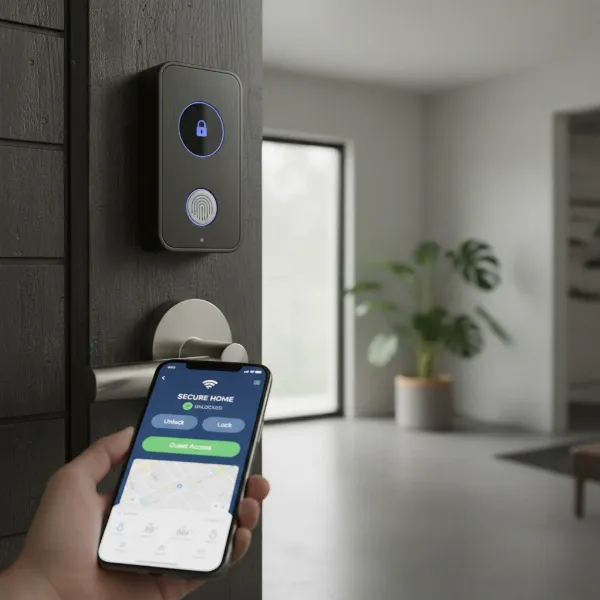 A modern smart lock on a residential door, showcasing keyless entry and remote access features.
Smart locks are versatile and find applications in various settings, from private homes seeking modern security upgrades to rental properties requiring flexible access solutions, and even small offices needing streamlined entry management. Their ability to integrate into broader smart home systems makes them a cornerstone of modern, connected living.
Tedee GO: The Smallest Smart Lock on the Market?
The Tedee GO has garnered significant attention for its remarkably compact design, often prompting the question: is it truly the smallest smart lock available? While the Tedee Pro is an even smaller option aimed at professionals, the Tedee GO certainly stands out as one of the most compact and discreet smart locks for general consumer use, particularly within the HomeKit ecosystem. Its sleek form factor allows it to integrate unobtrusively on the inside of your door, leaving no visible trace of a smart lock from the exterior.
Design and Build Quality
|
Our Picks for the Best Smart Lock in 2026
As an Amazon Associate I earn from qualifying purchases.
|
||
| Num | Product | Action |
|---|---|---|
| 1 | Schlage Encode Smart WiFi Deadbolt Lock for Front Door - Keyless Entry with App or Touchscreen - Works with Alexa, Hey Google, & Airbnb - Create Codes for Guests - Matte Black |

|
| 2 | eufy Security Smart Lock C220, Fingerprint Keyless Entry Door Lock, Built-in Wi-Fi, App Remote Control, Front Door Smart Deadbolt, IP53 Waterproof, 8-Months Battery, Nickel |
|
| 3 | Electronic Passwords Keyless Entry Door Locks Smart Deadbolt Metal Lock Auto Time Delay Locking Secure Durable Low Battery Alert Type-C Port for Emergency Charging |
|
| 4 | ULTRALOQ U-Bolt Pro WiFi Smart Lock with Door Sensor, 8-in-1 Keyless Entry Door Lock with Fingerprint ID, App Remote Control, Built-in WiFi Keypad Deadbolt, Auto Unlock, IP65 Waterproof, Easy Install |
|
| 5 | eufy Security Smart Lock C220, Fingerprint Keyless Entry Door Lock, Built-in Wi-Fi, App Remote Control, Front Door Smart Lock Deadbolt, 8Months Battery, Reliable Power, IP53 Waterproof, BHMA Grade 3 |
|
| 6 | TEEHO TE001 Keyless Entry Door Lock with Keypad - Smart Deadbolt Lock for Front Door with 2 Keys - Auto Lock - Easy Installation - Oil-Rubbed Bronze |
|
| 7 | TEEHO TE001 Keyless Entry Door Lock with Keypad - Smart Deadbolt Lock for Front Door with 2 Keys - Auto Lock - Easy Installation - Satin Nickel |
|
| 8 | Philips Wi-Fi Door Lock, WiFi Smart Lock Keyless Entry Deadbolt for Front Door, Remote Control, Built-in WiFi, APP Fingerprint Passcode Unlock, Auto Locking |
|
| 9 | Philips Wi-Fi Door Lock, WiFi Smart Lock Keyless Entry Deadbolt for Front Door, Compatible with Alexa & Google Assistant, Remote Control, Built-in WiFi, APP Fingerprint Passcode Unlock, Auto Locking |
|
| 10 | TEEHO TE001 Keyless Entry Door Lock with Keypad - Smart Deadbolt Lock for Front Door with 2 Keys - Auto Lock - Easy Installation - Matte Black |
|
The Tedee GO boasts a minimalist design, with its entire smart mechanism cleverly housed within a small, turnable knob on the inside of the door. The initial impression is one of quality, with much of the lock constructed from metal. This gives it a reassuringly weighty feel. However, the front face, which doubles as an additional button for various functions like opening or closing with a delay, is made of ABS plastic, a detail some users might find slightly disappointing given the otherwise premium feel.
Despite its compact dimensions (approximately Ø 58mm x 65mm), the Tedee GO is designed for robustness. It functions as a key turner, fitting over your existing European-profile cylinder without requiring any complex modifications or drilling. This retrofit design means you can retain your original physical keys, offering a convenient manual override option even if the battery depletes.
Key Features
At its core, the Tedee GO is powered by Bluetooth BLE 5.0, enabling direct communication with your smartphone. For extended functionality, such as remote access, automatic firmware updates, and comprehensive activity logs, the Tedee Bridge is an essential accessory. The Bridge connects the lock to your Wi-Fi network, unlocking its full potential.
The lock utilizes 3x CR123/CR123A batteries, offering a reported battery life of up to 6-8 months with an average of eight operations per day. Some earlier models or professional versions reportedly offered up to 14 months, but for the Tedee GO, the 6-8 month range appears to be a more realistic expectation based on recent reviews, varying significantly with usage frequency and door type.
Security is paramount for any smart lock, and the Tedee GO doesn’t disappoint. It employs high-level TLS 1.3 encryption and secure authentication methods to safeguard your entry. Furthermore, the lock is AV-Test certified, ensuring it meets stringent security standards. It can even send alerts if your door is left ajar, adding another layer of protection to your home security system.
Performance in Action
The Tedee GO is engineered for exceptional performance. It features a powerful motor with 1.6 Nm of torque, allowing for fast response times and smooth operation, even with heavy-duty doors or multi-point locks. Users consistently praise its swift execution of commands from the Tedee app.
One aspect that often sparks debate among users is the lock’s noise level. While some reviews suggest it’s “noisy,” recording up to 70 decibels at 60cm, others contend it falls into the category of “more silent locks” compared to some competitors. This subjective experience often depends on the type of door it’s mounted on and the acoustics of the surrounding environment. However, it’s generally acknowledged that a mechanical turning action will produce some sound.
The auto-lock and auto-unlock features are significant highlights. The auto-lock can be configured to engage after a set time following an unlock, or if the lock is only partially closed. For auto-unlock, the Tedee app uses geolocation to detect when you’re approaching your home, then initiates a Bluetooth connection to unlock the door automatically as you get within a few meters. An advanced “Check Wi-Fi” function further enhances reliability, preventing unintended unlocking when you’re simply passing by or already inside.
Choosing the Right Smart Lock: A Tedee GO Buying Guide
Selecting the ideal smart lock involves more than just picking the trendiest gadget; it requires careful consideration of your specific circumstances and priorities. The Tedee GO is an excellent choice for many, but here’s how to determine if it’s the right fit for you.
Assess Your Needs
Before anything else, consider your existing door hardware. The Tedee GO is designed for European profile cylinders, so verify compatibility. Think about the level of security you desire – are basic smart features enough, or do you need advanced integrations and robust monitoring? Finally, establish your budget, remembering that accessories like the Tedee Bridge or Keypad might add to the overall cost.
Important Features
When evaluating smart locks, look beyond just basic locking. For the Tedee GO, consider its multiple unlocking methods (app, physical key, optional keypad). Its Bluetooth connectivity is great for proximity, but for remote access and smart home integration, the Tedee Bridge is crucial. Smart features like auto-lock, auto-unlock, and custom access schedules significantly enhance convenience.
Security Considerations
Security should never be an afterthought. The Tedee GO’s TLS 1.3 encryption and AV-Test certification are strong indicators of its robust protection. Always ensure any smart lock you choose has recognized security certifications and offers features like door open alerts to keep you informed of your home’s status.
User Reviews and Support
Real-world user experiences offer invaluable insights. The Tedee app consistently receives high ratings (4.8 stars on the App Store, 4.7 stars on Google Play), reflecting widespread user satisfaction with its usability and functionality. Moreover, customer service is often highlighted as responsive and helpful, which is a significant advantage when troubleshooting or seeking assistance.
Reputable Providers
Always purchase from reputable suppliers to ensure you receive genuine products and adequate after-sales support. Check for warranty policies and the availability of technical assistance. Tedee offers a 5-year warranty on its products, demonstrating confidence in their durability.
Installation and Management of Your Tedee GO
One of the most appealing aspects of the Tedee GO is its straightforward installation and user-friendly management. You don’t need to be a seasoned DIY expert to get it up and running.
Step-by-Step Installation
The Tedee GO is a retrofit smart lock, meaning it installs over your existing European-profile cylinder without requiring any drilling or permanent modifications to your door. This makes it an ideal solution for renters or those hesitant to alter their door frame. The process typically involves unscrewing your existing lock knob, attaching an adapter (if necessary, like the Nordic Adapter for specific cylinder types), and then mounting the Tedee GO itself. The entire process is designed to be completed in minutes, often with just an Allen key provided in the box. After physical installation, a simple calibration step via the Tedee app ensures precise operation.
Using the Tedee App
The Tedee app serves as the central hub for managing your smart lock. Its intuitive interface allows you to:
- Lock and Unlock: Control your door remotely or via Bluetooth.
- Manage Access: Generate and revoke virtual keys for guests, family members, or service providers. You can set time-restricted access, define specific days, and even limit remote access capabilities.
- Monitor Activity: View a chronological log of all lock events, including who unlocked the door, when, and how.
- Configure Features: Adjust settings for auto-lock, auto-unlock, and the physical button on the lock itself (e.g., single press to unlock, hold for delayed closing).
- Integrate Smart Home Systems: The app facilitates pairing with the Tedee Bridge, which then enables compatibility with platforms like HomeKit, Google Assistant, and Amazon Alexa.
The app is praised for its optimization and ease of use, with updates often improving functionality and adding new features.
Maintenance Tips
To ensure your Tedee GO provides reliable service for years to come, consider these maintenance tips:
- Battery Management: The lock uses 3x CR123/CR123A batteries. While they offer a decent lifespan (6-8 months), keep an eye on battery notifications from the app. Charging or replacing batteries when prompted prevents unexpected power loss. The magnetic charging cable (for the Tedee Smart Lock, which uses a LiPo battery, implying the GO is CR123) is a convenient feature for some models, protecting against cable damage.
- Firmware Updates: Regularly check for and install firmware updates via the Tedee app. These updates often bring security enhancements, bug fixes, and new features.
- Door Condition: Ensure your door and existing lock mechanism are in good working order. A sticking door or a misaligned strike plate can put undue stress on the smart lock’s motor and reduce its lifespan.
- Calibration: While the Tedee GO is noted for retaining its calibration well, if you ever notice inconsistencies in its operation, a quick recalibration through the app can often resolve the issue.
Common Issues and Troubleshooting
Like any smart device, you might encounter minor issues with your Tedee GO.
- Connectivity Problems: If the lock isn’t responding, check your phone’s Bluetooth connection. For remote access issues, ensure the Tedee Bridge is powered on, connected to Wi-Fi, and within range of the lock.
- Battery Drain: If battery life seems shorter than expected, review your usage patterns, especially frequent auto-unlock/lock activations or a high number of daily operations.
- Noise: While some noise is inherent to a motor-driven lock, excessive or unusual sounds might indicate an issue with the door’s alignment or the lock’s internal mechanism. Ensure the lock is calibrated correctly.
Essential Tedee GO Accessories
While the Tedee GO smart lock functions well on its own via Bluetooth, a few key accessories can significantly enhance its capabilities and convenience.
Tedee Bridge
The Tedee Bridge is arguably the most crucial accessory for the Tedee GO. It acts as a Wi-Fi gateway, connecting your Bluetooth-only smart lock to your home network and the internet. This connectivity unlocks:
- Remote Control: Lock and unlock your door from anywhere in the world.
- Smart Home Integration: Seamlessly integrate the Tedee GO with popular smart home ecosystems like Google Assistant, Amazon Alexa, and HomeKit, enabling voice control and complex automations.
- Real-time Notifications: Receive instant alerts about your door’s status, even when you’re away.
- API Access: For advanced users, the Bridge provides API access, allowing for custom integrations with home automation platforms like Home Assistant.
Without the Bridge, the Tedee GO’s functionality is limited to Bluetooth range, making it a “smart” lock primarily when you’re within close proximity.
Tedee Keypad
For those who prefer alternative keyless entry methods, the Tedee Keypad is an excellent addition. This accessory allows you to:
- PIN Code Entry: Open your door using a unique 5-8 digit PIN code, ideal for children, guests, or situations where carrying a smartphone isn’t convenient.
- Guest Access Management: Create and manage up to 100 active PIN codes through the Tedee app, assigning unique codes to different users with customizable access schedules.
- NFC Functionality: Some versions of the Keypad include an NFC reader, offering another quick and secure way to unlock your door.
- Doorbell Function: A dedicated button on the Keypad can send a notification to your Tedee app, effectively acting as a smart doorbell.
The Keypad offers a robust and user-friendly experience, providing flexibility for various scenarios where smartphone access might not be ideal or preferred.
Conclusion
The Tedee GO smart lock presents a compelling blend of compact design, robust security, and smart functionality. Its discreet aesthetic, coupled with easy installation and a highly-rated app, makes it an attractive option for homeowners and renters alike seeking to upgrade their door security. While the perceived noise level and the necessity of the Tedee Bridge for full remote functionality are considerations, its strong performance, advanced security features, and excellent customer support paint a very positive picture.
Ultimately, if you’re looking for a smart lock that prioritizes stealth, seamless integration with existing hardware, and a reliable user experience, the Tedee GO is certainly a top contender in the affordable smart lock category. It’s a testament to how intelligent engineering can deliver big features in a small package. Could the Tedee GO be the missing piece in your smart home security puzzle?
Frequently Asked Questions
What kind of doors is the Tedee GO compatible with?
The Tedee GO is primarily designed for European-profile cylinders and is a retrofit solution, meaning it installs over your existing lock without drilling. It’s crucial to verify your door’s cylinder type for compatibility.
How long does the Tedee GO battery last, and is it rechargeable?
The Tedee GO uses 3x CR123/CR123A batteries, offering a battery life of approximately 6-8 months with typical usage (8 operations per day). These batteries are replaceable. Some Tedee models feature a rechargeable LiPo battery, so confirm the specific model’s power source.
Is the Tedee Bridge necessary for the Tedee GO?
The Tedee Bridge is not strictly necessary for basic Bluetooth functionality (locking/unlocking when near the door). However, it is essential for remote access, integration with most smart home systems (like HomeKit, Alexa, Google Assistant), and receiving real-time notifications.
How secure is the Tedee GO smart lock?
The Tedee GO offers robust security features, including high-level TLS 1.3 encryption and secure authentication methods. It is also AV-Test certified, which means it has been independently verified to meet high security standards for IoT devices.
Can I use my physical keys with the Tedee GO installed?
Yes, the Tedee GO is designed as a key turner that fits over your existing cylinder. This means you can continue to use your traditional physical keys from the outside, providing a reliable manual override in any situation.
