Tired of fumbling for keys or worrying about lost spares? An Elemake keypad door lock could be the modern solution you’ve been searching for, offering both convenience and enhanced security. This comprehensive review will delve into the various Elemake keypad lock offerings, exploring their features, benefits, and considerations to help you determine if they’re the right fit for your home or business.
What is an Elemake Keypad Door Lock and Why Choose One?
An Elemake keypad door lock provides keyless entry through a numerical pad, allowing access via a programmed code rather than a traditional key. These locks come in two primary forms: purely mechanical models that operate without power and smart electronic versions that incorporate advanced features. The core functionality across both types is to simplify access and bolster security.
Choosing an Elemake keypad lock offers several compelling advantages over conventional locking mechanisms. They eliminate the hassle of physical keys, provide greater control over who enters your property, and often come with robust construction for added peace of mind. From residential homes to small offices and rental properties, Elemake keypad locks deliver a practical and efficient way to manage access.
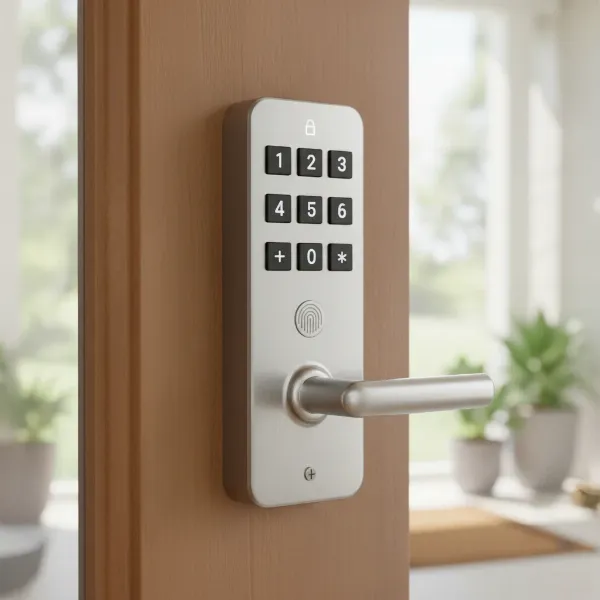 A modern Elemake keypad door lock installed on a wooden door, showing its numerical pad.
Types of Elemake Keypad Door Locks Available
Elemake offers a diverse range of keypad door locks, catering to different security needs and budgets. Understanding the distinction between their mechanical and smart lock offerings is crucial for making an informed decision.
Elemake Mechanical Keypad Locks
Elemake mechanical keypad locks are known for their simplicity and robust nature. These locks operate entirely without batteries or external power, relying on a purely mechanical mechanism for code entry.
- Pros: Mechanical locks are highly durable, often constructed from materials like stainless steel 304, making them resistant to corrosion and difficult to pry open. Their keypads are wear-free, ensuring the numbers don’t fade over time. They are bump-proof and pick-proof, offering a fundamental level of security without the complexities of electronics. Installation is generally straightforward, and they require zero maintenance concerning power.
- Cons: These locks typically require drilling additional holes for installation, which might not suit all doors. Some models do not automatically lock; the handle must be pulled up to secure the door. They are also not designed to be used in conjunction with a deadbolt due to potential space constraints and are limited in features compared to smart locks.
- Best for: Mechanical Elemake locks are ideal for gates, sheds, utility rooms, garages, or any interior door where basic, reliable keyless entry is needed without the concern for power or advanced features.
|
Our Picks for the Best Smart Lock in 2026
As an Amazon Associate I earn from qualifying purchases.
|
||
| Num | Product | Action |
|---|---|---|
| 1 | TEEHO TE001 Keyless Entry Door Lock with Keypad - Smart Deadbolt Lock for Front Door with 2 Keys - Auto Lock - Easy Installation - Satin Nickel |

|
| 2 | Philips Wi-Fi Door Lock, WiFi Smart Lock Keyless Entry Deadbolt for Front Door, Compatible with Alexa & Google Assistant, Remote Control, Built-in WiFi, APP Fingerprint Passcode Unlock, Auto Locking |
|
| 3 | eufy Security Smart Lock C220, Fingerprint Keyless Entry Door Lock, Built-in Wi-Fi, App Remote Control, Front Door Smart Deadbolt, IP53 Waterproof, 8-Months Battery, Nickel |
|
| 4 | Electronic Passwords Keyless Entry Door Locks Smart Deadbolt Metal Lock Auto Time Delay Locking Secure Durable Low Battery Alert Type-C Port for Emergency Charging |
|
| 5 | TEEHO TE001 Keyless Entry Door Lock with Keypad - Smart Deadbolt Lock for Front Door with 2 Keys - Auto Lock - Easy Installation - Matte Black |
|
| 6 | Philips Wi-Fi Door Lock, WiFi Smart Lock Keyless Entry Deadbolt for Front Door, Remote Control, Built-in WiFi, APP Fingerprint Passcode Unlock, Auto Locking |
|
| 7 | ULTRALOQ U-Bolt Pro WiFi Smart Lock with Door Sensor, 8-in-1 Keyless Entry Door Lock with Fingerprint ID, App Remote Control, Built-in WiFi Keypad Deadbolt, Auto Unlock, IP65 Waterproof, Easy Install |
|
| 8 | TEEHO TE001 Keyless Entry Door Lock with Keypad - Smart Deadbolt Lock for Front Door with 2 Keys - Auto Lock - Easy Installation - Oil-Rubbed Bronze |
|
| 9 | Schlage Encode Smart WiFi Deadbolt Lock for Front Door - Keyless Entry with App or Touchscreen - Works with Alexa, Hey Google, & Airbnb - Create Codes for Guests - Matte Black |
|
| 10 | eufy Security Smart Lock C220, Fingerprint Keyless Entry Door Lock, Built-in Wi-Fi, App Remote Control, Front Door Smart Lock Deadbolt, 8Months Battery, Reliable Power, IP53 Waterproof, BHMA Grade 3 |
|
Elemake Smart Keypad Locks (Bluetooth, Wi-Fi, Biometric)
Elemake’s smart keypad locks represent a significant leap in functionality, integrating modern technology for enhanced control and convenience. These electronic locks often combine a keypad with other unlocking methods.
- Pros: Smart keypad locks from Elemake typically offer multiple ways to unlock, including passcodes, fingerprints (biometric models), physical keys, and even smartphone apps via Bluetooth or Wi-Fi. Wi-Fi enabled locks allow for remote management, letting you lock/unlock your door from anywhere, generate temporary codes for guests, and monitor access logs. Many users praise the ease of installation and programming through dedicated apps, often citing clear video instructions as a major benefit. They are well-built and designed to integrate seamlessly into a smart home ecosystem.
- Cons: The main drawback of smart locks is their reliance on batteries, which require periodic replacement. While generally secure, electronic locks can theoretically be susceptible to vulnerabilities if not properly designed or updated. They also come at a higher price point than their mechanical counterparts. Some models might not include a handle, which could be an aesthetic consideration for some users.
- Best for: These locks are perfect for front doors, main entry points, and rental properties where advanced security features, remote management, and multiple access options are highly valued.
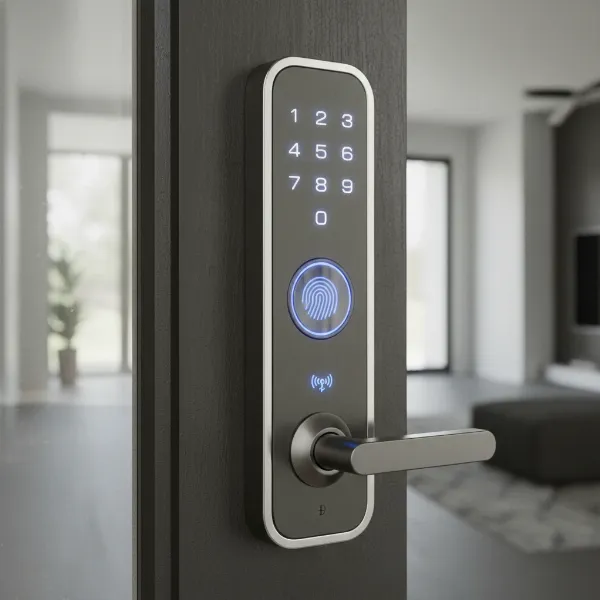 An Elemake smart keypad lock with biometric fingerprint scanner and numerical pad.
Key Features and Performance of Elemake Keypad Locks
Elemake keypad locks, whether mechanical or smart, generally focus on a blend of security, durability, and user-friendliness.
Security: Mechanical locks typically offer 4-8 digit combination options, with wear-resistant keypads that prevent number patterns from being revealed. They are often described as bump-proof and pick-proof. Smart locks enhance this with encrypted communication, secure code management, and activity logs. Some smart models include fingerprint readers for an extra layer of biometric security.
Durability: The use of high-quality materials like stainless steel 304 in mechanical locks ensures resistance to corrosion and physical tampering. Reviews frequently highlight the “well-built” nature of Elemake locks, suggesting good overall construction quality for both mechanical and smart variants.
Ease of Use: Both types of locks are designed for straightforward operation. Changing codes is typically a simple process, and smart locks benefit from intuitive app interfaces for programming and management. The wear-free keypads contribute to long-term usability without visual degradation.
Installation: Elemake often provides clear installation instructions, including helpful video guides for their smart locks. While mechanical locks might require drilling up to four additional holes, smart locks generally fit standard door preparations, making installation accessible for many homeowners.
Connectivity (Smart Locks): For smart keypad locks, Bluetooth functionality allows for local control and programming via a smartphone. Wi-Fi connectivity, often achieved through an optional gateway or built-in module, enables remote access and integration with other smart home devices.
Power Source: This is a key differentiator. Mechanical locks require no external power, making them incredibly reliable in any circumstance. Smart locks, however, rely on standard batteries, typically lasting for an extended period, but requiring eventual replacement.
Pros and Cons of Elemake Keypad Door Locks
Like any product, Elemake keypad door locks come with their own set of advantages and disadvantages.
Pros:
- Affordability: Elemake locks are often cited as providing good value for their price, offering quality features without a premium cost.
- Variety of Options: The range from basic mechanical to advanced biometric and Wi-Fi smart locks means there’s an Elemake solution for almost any need.
- Easy Installation: Many users report simple installation, especially for smart locks with accompanying video guides.
- Good Build Quality: The locks are generally considered sturdy and well-built, with mechanical models using durable stainless steel.
- User-Friendly: Keypads are wear-resistant, and smart lock apps are intuitive for programming and management.
- Enhanced Security & Convenience: Offers keyless entry, eliminating the need for physical keys, and provides modern security features.
Cons:
- Installation Requirements: Some mechanical models may necessitate drilling additional holes, which might be a deterrent for some.
- Aesthetic Design: While functional, some user feedback suggests that the aesthetic design could be improved to look more modern or integrated.
- Battery Dependency (Smart Locks): Smart locks require batteries, which means periodic replacement and a slight risk of being locked out if power runs out without a backup key or power source.
- Limited Features (Mechanical Locks): Mechanical locks, by nature, lack the advanced features like remote access, activity logs, or temporary codes that smart locks offer.
How to Choose the Right Elemake Keypad Door Lock for Your Needs (Buying Guide)
Selecting the ideal Elemake keypad door lock involves assessing your specific requirements and aligning them with the features each model offers.
Assess Your Security Needs
First, consider where the lock will be installed. Is it for a high-traffic front door requiring remote access and detailed logs, or a low-traffic storage room that simply needs reliable keyless entry? For primary entrances, a smart lock with multiple access methods and connectivity might be preferred. For less critical doors, a robust mechanical lock could suffice.
Consider Installation Requirements
Examine your existing door and frame. Mechanical locks often require additional drilling, so ensure you are comfortable with this or seek professional installation. Smart locks generally fit standard boreholes, making them an easier swap for existing deadbolts or handle sets. Also, consider the door’s handing (left or right open inward) as some mechanical models are specific.
Budget Considerations
Elemake is known for its affordability. Mechanical locks will be the most budget-friendly option, providing core keyless functionality without additional frills. Smart locks, with their advanced electronics and connectivity, will naturally come at a higher price point but offer a richer feature set. Determine your budget range early to narrow down options.
Read User Reviews
Always consult reviews from other users. These provide invaluable insights into real-world performance, installation challenges, battery life, app functionality, and overall satisfaction with specific Elemake models. Look for feedback on durability, ease of programming, and customer support experiences.
Installation and Maintenance Tips for Your Elemake Keypad Lock
Proper installation and routine maintenance are key to ensuring the longevity and optimal performance of your Elemake keypad door lock.
Installation Overview
For smart locks, Elemake often provides comprehensive video guides that walk you through each step, making the process generally manageable for DIY enthusiasts. Ensure you have the right tools and carefully follow the instructions, especially regarding door handing and calibration for smart locks. Mechanical locks require precise drilling for additional fasteners; double-check measurements before making any permanent alterations to your door.
Programming and Daily Use
After installation, the next step is programming your access codes. For mechanical locks, this usually involves a series of internal tumblers or pins that you set. For smart locks, programming is typically done via a smartphone app, which simplifies the creation and management of user codes, temporary access, and even fingerprint enrollment. Familiarize yourself with all the lock’s features through its manual or app tutorial.
Maintenance to Ensure Longevity
To keep your Elemake lock in top condition:
- Clean the Keypad: Regularly wipe the keypad with a soft, damp cloth to remove dirt and grime, preventing wear patterns from showing.
- Battery Replacement (Smart Locks): Pay attention to low battery warnings from your smart lock or its accompanying app. Replace batteries promptly with high-quality alkaline cells. Most smart locks will have a backup key or a way to provide emergency power if the batteries die completely.
- Check Components: Periodically inspect the lock for any loose screws or components and tighten them as needed to maintain structural integrity.
Essential Elemake Keypad Door Lock Accessories (Optional)
While Elemake keypad locks function perfectly on their own, certain accessories can enhance their utility and convenience.
- Key Fobs: Some smart lock models might support key fobs, offering an alternative touch-and-go access method, especially useful for children or elderly family members who might prefer not to use a code or fingerprint.
- Additional Physical Keys: Even with keyless entry, having spare physical keys stored securely can be a valuable backup in case of electronic malfunction or dead batteries.
- Wi-Fi Gateway: For Bluetooth-only smart locks, an optional Wi-Fi gateway can bridge the connection to your home network, enabling remote control and full smart home integration from anywhere.
- Power Banks (for emergency charging): Many smart locks feature external terminals to connect a 9V battery or a portable power bank, offering a temporary power boost to open the lock if the internal batteries are completely depleted.
Conclusion
Elemake keypad door locks offer a compelling blend of security, convenience, and affordability, making keyless entry accessible to a broad audience. Whether you opt for a durable, no-nonsense mechanical lock or a feature-rich smart lock with Wi-Fi and biometric capabilities, Elemake provides robust solutions designed to simplify access management and enhance the safety of your property. By considering your specific needs, installation requirements, and desired features, you can confidently select an Elemake keypad lock that provides reliable, modern security for years to come.
Are you ready to embrace the future of keyless entry with an Elemake keypad door lock?
Frequently Asked Questions
Are Elemake keypad locks waterproof?
While many Elemake locks are designed to be weather-resistant, especially those made from stainless steel 304, full waterproofing varies by model. Mechanical locks generally handle outdoor conditions well, but for smart electronic locks, always check the specific product’s IP rating to ensure it’s suitable for direct exposure to rain and extreme weather.
Can I use an Elemake mechanical lock with a deadbolt?
Most Elemake mechanical keypad locks are not designed to be used in conjunction with a deadbolt due to potential space constraints and differing functionalities. They often serve as a standalone locking mechanism. If you require both a keypad and a deadbolt, consider an Elemake smart deadbolt keypad lock or a compatible smart lock system.
How do I change the code on my Elemake keypad lock?
Changing the code on an Elemake mechanical lock typically involves disassembling part of the lock to reset internal tumblers or pins, following the provided instructions. For smart Elemake keypad locks, the code change process is usually much simpler, managed through its dedicated smartphone app, allowing for quick and frequent updates to your access codes.
Do Elemake smart locks integrate with smart home systems?
Many Elemake smart keypad locks, particularly those with Wi-Fi or Bluetooth connectivity, are designed to integrate with popular smart home ecosystems like Google Home or Amazon Alexa, often through their companion app or an optional gateway. This allows for voice control and the creation of smart routines, enhancing overall home automation.
What happens if the batteries die on an Elemake smart lock?
If the batteries in an Elemake smart lock die, most models come with a backup solution. This commonly includes an emergency physical key override that allows you to open the lock manually. Some models also feature external terminals where a 9V battery can be temporarily connected to provide enough power for an emergency entry using the keypad.
