In today’s fast-paced world, the convenience and security of our homes are paramount. Smart door locks have revolutionized how we protect our properties, offering features far beyond traditional deadbolts. Among the many options, the Bosma Aegis Smart Door Lock stands out as an intriguing choice, promising robust security and effortless remote access. But does it truly deliver on its promises for a smarter, more secure home?
This comprehensive review delves into the Bosma Aegis Smart Lock, examining its features, performance, ease of installation, and overall value. We’ll explore how its remote access capabilities integrate into your daily life and whether this affordable device can compete with more established smart lock brands. If you’re considering an upgrade to your home security, understanding the nuances of the Aegis is crucial to making an informed decision.
What is a Smart Lock and Why Should You Use One?
A smart lock is an electromechanical lock designed to perform locking and unlocking operations on a door when it receives instructions from an authorized device using a wireless protocol. These innovative devices leverage technologies like Bluetooth and Wi-Fi to provide enhanced control and monitoring over your home’s entry points. They often integrate with broader smart home ecosystems, allowing for automated routines and centralized management.
The benefits of smart locks significantly outweigh those of traditional locks, primarily offering unparalleled convenience, advanced security, and simplified access management. Imagine unlocking your door for a family member from miles away, or never having to worry if you remembered to lock up after leaving the house. Smart locks provide features such as auto-locking, guest access with temporary codes, and activity logs that track who enters and exits your home. They can be particularly useful for homeowners, renters, and even businesses seeking to enhance security and streamline operations.
Smart locks find common applications in residential homes, providing peace of mind through remote control and monitoring. They are also increasingly popular in rental properties, allowing property managers to issue and revoke access codes remotely for guests. Beyond homes, smart locks are used in offices for enhanced access control and in hotels to modernize guest check-in processes.
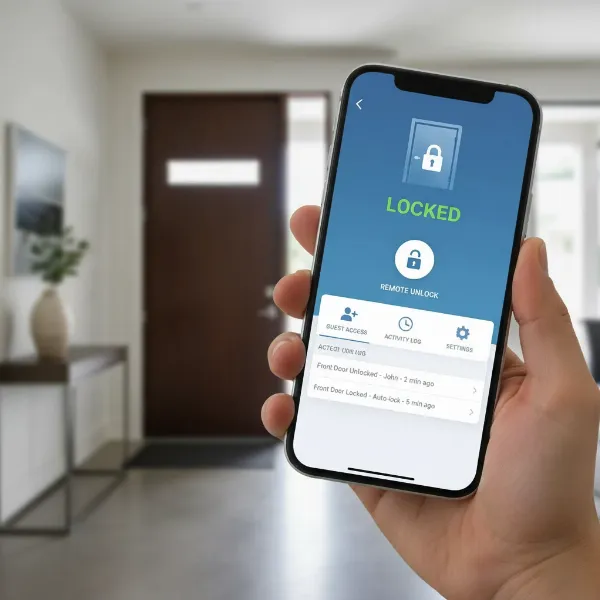 Smartphone displaying smart lock app interface for remote home security control.
Popular Smart Lock Types on the Market
The smart lock market offers a diverse range of devices, each catering to different needs and preferences. Understanding these categories is essential when considering which smart lock, like the Bosma Aegis, might be right for your home.
Fingerprint Smart Locks
Fingerprint smart locks utilize biometric technology to grant access, requiring a registered fingerprint to unlock the door.
- Pros: Highly secure, keyless convenience, fast entry.
- Cons: Can be affected by dirty or wet fingers, may struggle with elderly or very young fingerprints, initial setup requires careful registration.
- Ideal for: Users prioritizing biometric security and quick access, families with multiple members who want keyless entry, individuals who frequently misplace keys or forget codes.
|
Our Picks for the Best Smart Lock in 2026
As an Amazon Associate I earn from qualifying purchases.
|
||
| Num | Product | Action |
|---|---|---|
| 1 | Schlage Encode Smart WiFi Deadbolt Lock for Front Door - Keyless Entry with App or Touchscreen - Works with Alexa, Hey Google, & Airbnb - Create Codes for Guests - Matte Black |

|
| 2 | TEEHO TE001 Keyless Entry Door Lock with Keypad - Smart Deadbolt Lock for Front Door with 2 Keys - Auto Lock - Easy Installation - Oil-Rubbed Bronze |
|
| 3 | eufy Security Smart Lock C220, Fingerprint Keyless Entry Door Lock, Built-in Wi-Fi, App Remote Control, Front Door Smart Lock Deadbolt, 8Months Battery, Reliable Power, IP53 Waterproof, BHMA Grade 3 |
|
| 4 | TEEHO TE001 Keyless Entry Door Lock with Keypad - Smart Deadbolt Lock for Front Door with 2 Keys - Auto Lock - Easy Installation - Matte Black |
|
| 5 | Philips Wi-Fi Door Lock, WiFi Smart Lock Keyless Entry Deadbolt for Front Door, Compatible with Alexa & Google Assistant, Remote Control, Built-in WiFi, APP Fingerprint Passcode Unlock, Auto Locking |
|
| 6 | Philips Wi-Fi Door Lock, WiFi Smart Lock Keyless Entry Deadbolt for Front Door, Remote Control, Built-in WiFi, APP Fingerprint Passcode Unlock, Auto Locking |
|
| 7 | TEEHO TE001 Keyless Entry Door Lock with Keypad - Smart Deadbolt Lock for Front Door with 2 Keys - Auto Lock - Easy Installation - Satin Nickel |
|
| 8 | ULTRALOQ U-Bolt Pro WiFi Smart Lock with Door Sensor, 8-in-1 Keyless Entry Door Lock with Fingerprint ID, App Remote Control, Built-in WiFi Keypad Deadbolt, Auto Unlock, IP65 Waterproof, Easy Install |
|
| 9 | eufy Security Smart Lock C220, Fingerprint Keyless Entry Door Lock, Built-in Wi-Fi, App Remote Control, Front Door Smart Deadbolt, IP53 Waterproof, 8-Months Battery, Nickel |
|
| 10 | Electronic Passwords Keyless Entry Door Locks Smart Deadbolt Metal Lock Auto Time Delay Locking Secure Durable Low Battery Alert Type-C Port for Emergency Charging |
|
Keypad Smart Locks
Keypad smart locks use a numeric keypad where users enter a unique code to unlock the door.
- Pros: Eliminates the need for physical keys, easy to share temporary codes with guests or service providers, generally reliable.
- Cons: Codes can be forgotten, “shoulder surfing” (someone watching you enter your code) is a risk, buttons can wear over time revealing frequently used digits.
- Ideal for: Rental properties, homes with frequent visitors, users who prefer a straightforward keyless entry method without a smartphone.
Smart Locks with Card Access
These locks grant entry via RFID cards, fobs, or sometimes NFC-enabled devices.
- Pros: Quick and easy to use, ideal for environments with multiple users like offices or hotels, cards can be easily disabled if lost.
- Cons: Requires carrying a card, cards can be lost or stolen, not as common for residential use.
- Ideal for: Commercial spaces, rental units where a physical card is preferred over a code, users who prefer a tap-to-enter method.
Remote Control Smart Locks
Remote control smart locks, like the Bosma Aegis, allow users to lock and unlock their doors using a smartphone app or a dedicated remote control, often from anywhere in the world.
- Pros: Ultimate convenience for remote access, ideal for granting access to deliveries or guests when not home, real-time status monitoring.
- Cons: Relies on internet connectivity, potential for app or network issues, battery life is crucial.
- Ideal for: Tech-savvy users, those who frequently travel, people who manage rental properties, or anyone desiring maximum control and flexibility over their door.
Hybrid/Multi-Method Smart Locks
Many modern smart locks combine several access methods, offering fingerprint, keypad, and remote access all in one device.
- Pros: Provides maximum flexibility and redundancy, caters to different user preferences, enhanced security layers.
- Cons: Can be more expensive, potentially more complex to set up and manage due to multiple features.
- Ideal for: Users who want the best of all worlds, larger households with diverse access needs, those who prioritize versatility and robust security.
Comparing Top Smart Lock Brands
While the Bosma Aegis offers a compelling package, it’s helpful to see how it stacks up against other prominent brands in the smart lock arena. This comparison focuses on common features, allowing you to gauge where the Aegis fits in the broader market.
| Feature | Bosma Aegis | Yale | August | Nuki | Xiaomi |
|---|---|---|---|---|---|
| Connectivity | Bluetooth, Wi-Fi (via hub) | Wi-Fi, Bluetooth, Z-Wave (model dependent) | Wi-Fi, Bluetooth (model dependent) | Bluetooth, Wi-Fi (via Bridge) | Bluetooth, Wi-Fi (via hub) |
| Installation Type | Retrofit (retains existing deadbolt) | Full replacement, retrofit (model dependent) | Retrofit (retains existing deadbolt) | Retrofit (retains existing deadbolt) | Full replacement, retrofit (model dependent) |
| Remote Access | Yes (via app/hub) | Yes (via app) | Yes (via app/Wi-Fi Connect) | Yes (via app/Bridge) | Yes (via app/hub) |
| Voice Control | Alexa, Google Assistant | Alexa, Google Assistant, HomeKit | Alexa, Google Assistant, HomeKit | Alexa, Google Assistant, HomeKit | Alexa, Google Assistant (model dependent) |
| Auto-Lock/Unlock | Yes (geofencing, door sensor) | Yes | Yes (geofencing, DoorSense) | Yes (geofencing) | Yes |
| Guest Access | Yes (temporary app codes) | Yes (codes) | Yes (virtual keys) | Yes (virtual keys) | Yes (temporary codes) |
| Keypad Option | External accessory (separate purchase) | Integrated or external accessory | External accessory (separate purchase) | External accessory (separate purchase) | Integrated or external accessory |
| Security Features | AES 128-bit encryption, break-in detection | Advanced encryption, tamper alarms | DoorSense, 2-factor authentication | End-to-end encryption | Advanced encryption, anti-peep codes |
| Price Point | Affordable (~$120) | Mid-range to High | Mid-range to High | Mid-range to High | Affordable to Mid-range |
The Bosma Aegis offers a strong feature set, especially considering its affordable price point. Its retrofit design is a significant advantage for renters or those who prefer not to change their existing exterior hardware. While it requires a hub for Wi-Fi capabilities, this is often included in the package, making it competitive. It excels in core smart lock functionalities like remote access, auto-lock/unlock, and voice control.
However, brands like August and Nuki are often lauded for their seamless integration with HomeKit and more refined app experiences. Yale and Samsung (often under different regional brands) provide robust, often more industrial designs, frequently requiring full deadbolt replacement. Xiaomi offers a range of price-conscious options, but their ecosystem might be less universally integrated.
Ultimately, the best brand depends on your specific needs, budget, and existing smart home ecosystem. The Bosma Aegis presents a compelling value proposition for those seeking a feature-rich smart lock without breaking the bank, particularly if HomeKit integration isn’t a priority.
Buying Guide: Choosing the Right Smart Lock for You
Selecting the ideal smart lock involves more than just picking the cheapest option. It requires a thoughtful assessment of your specific needs, the type of door you have, and the level of security you desire.
1. Determine Your Usage Needs
Start by asking yourself: What problem am I trying to solve with a smart lock?
- Door Type: Is it a standard deadbolt, a European cylinder, or something else? The Bosma Aegis is a retrofit lock, meaning it works with most existing single-cylinder deadbolts. This is crucial as some locks require full replacement.
- Security Level: Are you comfortable with a basic smart lock, or do you need advanced features like tamper alarms and 2-factor authentication for maximum protection?
- Budget: Smart locks range from under $100 to several hundred dollars. Define your budget early to narrow down choices. The Aegis sits firmly in the budget-friendly category while offering premium features.
2. Research Important Features
Dive into the specifics of what a smart lock can do.
- Unlocking Methods: Do you prefer keypad codes, fingerprint recognition, smartphone app control, or traditional keys? The Aegis offers app control and retains your existing physical key. A keypad is an optional add-on.
- Connectivity: Wi-Fi allows remote access from anywhere, while Bluetooth typically offers proximity-based control. The Aegis uses Bluetooth locally and Wi-Fi via its included hub for remote access.
- Smart Features: Look for auto-lock/unlock (often via geofencing or door sensors), guest access management, activity logs, and voice assistant compatibility (Alexa, Google Assistant). The Aegis supports all these, with reliable auto-lock/unlock and robust voice command integration.
3. Consider Security Factors
A lock’s primary purpose is security.
- Certifications: While not all smart locks have specific security certifications, look for features like AES 128-bit encryption, which the Aegis employs. This is the same standard used by governments for securing classified data.
- Tamper Alarms: Features like “Break-In Detection” and “Door Security Alarm” (found in the Aegis) can alert you to unauthorized attempts to tamper with or force open your door.
- Privacy: Ensure the brand has a clear privacy policy regarding your data, especially if guest access or activity logs are utilized.
4. Read User Reviews
Real-world experiences are invaluable.
- Pros and Cons: User reviews often highlight common frustrations or unexpected benefits not found in official product descriptions.
- Reliability: Look for consistent feedback on connectivity, battery life, and the responsiveness of the lock. Many users praise the Bosma Aegis for its quiet operation and reliable app commands.
- Support: Reviews can also give insight into the quality of customer support and warranty services offered by the manufacturer.
5. Choose a Reputable Provider
The longevity and functionality of your smart lock depend on good support.
- Warranty: Understand the warranty period and what it covers.
- Technical Support: Ensure the company offers accessible technical support in case you encounter issues during installation or use.
- After-Sales Service: A good provider will offer firmware updates and continuous app improvements to keep your lock secure and functional.
By carefully considering these aspects, you can confidently select a smart lock that not only meets your security needs but also seamlessly integrates into your smart home ecosystem and daily routine.
Installing and Using Your Bosma Aegis Smart Lock
One of the Bosma Aegis’s strongest selling points is its straightforward installation process. Designed as a retrofit unit, it cleverly works with your existing deadbolt, meaning you don’t have to change your exterior lock hardware or keys.
Basic Installation Steps for the Bosma Aegis
- Prepare Your Door: Ensure your existing deadbolt is in good working order. With the door open, put the deadbolt in the locked position. Apply adhesive tape over your exterior key cylinder to prevent it from falling when you remove the interior thumb-turn.
- Remove Existing Thumb-Turn: Unscrew the two bolts holding your current interior thumb-turn in place and carefully remove it.
- Attach Mounting Plate: Use the same bolts to attach the Aegis mounting plate to the exterior cylinder. The Aegis’s plate is designed to accommodate various bolt positions.
- Select Tailpiece Adapter: Choose the correct tailpiece adapter from the included options that fits your deadbolt’s tailpiece. This adapter connects your deadbolt to the Aegis.
- Mount the Aegis: Install the four AA batteries into the Aegis unit. Align the Aegis over the mounting plate, ensuring the tailpiece adapter fits correctly into the lock’s mechanism. Swing down the side wings of the Aegis to grip the base plate tightly.
- Connect the Hub: Plug in the small Wi-Fi hub near your door.
- App Setup: Download the Bosma mobile app (available for Android and iOS). Follow the in-app instructions to pair the Aegis lock with the app and connect it to your home’s Wi-Fi network via the hub. This typically involves a few simple steps to get the lock online and configured.
Using Smart Features and Maintenance Tips
Once installed, the Bosma Aegis offers a suite of smart features accessible through its intuitive mobile app:
- Remote Locking/Unlocking: Tap the large circle in the app to lock or unlock your door from anywhere.
- Auto-Lock and Auto-Unlock: Configure these features in the app. Auto-Unlock can activate based on your location (geofencing) or when you’re within Bluetooth range, while Auto-Lock can automatically secure the door after a set period or when it detects the door is closed.
- Guest Access: Create temporary passcodes or virtual keys for guests, cleaners, or service providers that can expire after a specific time.
- Activity History: View a detailed log of when the door was locked or unlocked, and by whom.
- Integrations: Connect the Aegis to Amazon Alexa or Google Assistant for voice commands, or use IFTTT to link it with other smart home devices.
Maintenance and Troubleshooting:
- Battery Life: The Aegis runs on four AA batteries. The app provides a battery level indicator; replace batteries proactively to avoid unexpected lockouts.
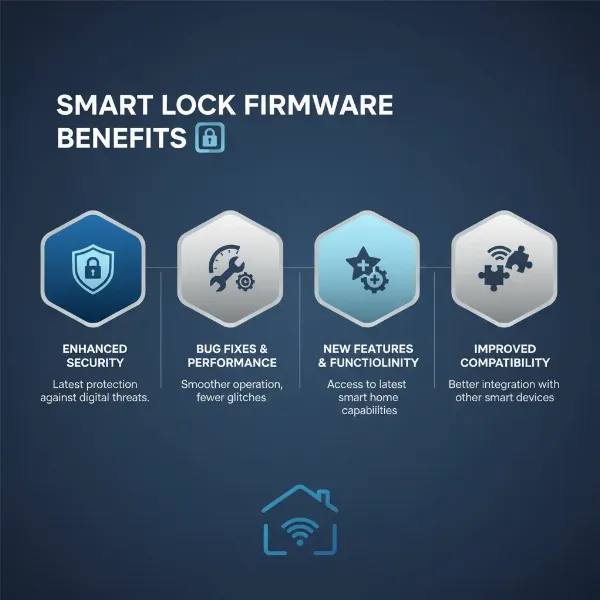
- Firmware Updates: Regularly check the Bosma app for firmware updates for both the lock and the hub, as these often improve performance and security.
- Door Alignment: Ensure your door and deadbolt are properly aligned. A misaligned deadbolt can cause the lock to jam or drain batteries faster due to increased motor strain.
- Connectivity Issues: If remote access is intermittent, check your Wi-Fi signal strength near the hub and the lock. Restarting the hub or your router can sometimes resolve minor connectivity glitches.
- Break-In Detection: While useful, some users report this feature can be overly sensitive. Adjust sensitivity settings in the app if you experience false alarms.
“The true beauty of a smart lock like the Aegis lies in its ability to adapt to your lifestyle. Remote access isn’t just a gimmick; it’s a fundamental shift in how we manage our home security, offering control and peace of mind on the go.” – Dr. Alex Chen, Smart Home Technology Analyst
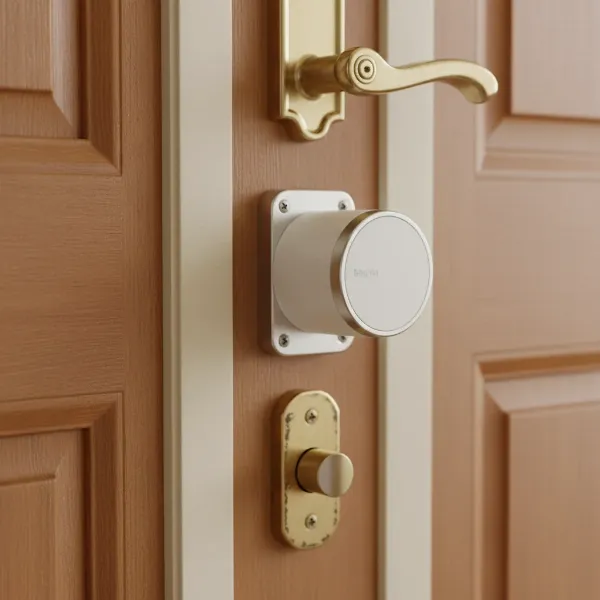 Bosma Aegis smart lock installed on an interior side of a modern door.
Essential Smart Lock Accessories
While a smart lock itself offers significant benefits, certain accessories can further enhance its functionality, convenience, and overall user experience.
1. Wireless Keypad
Many smart locks, including the Bosma Aegis, offer an optional wireless keypad. This accessory allows keyless entry via a numeric code for those who prefer not to use a smartphone or traditional key.
- Benefits: Ideal for children, housekeepers, or guests who don’t have the app; provides a backup entry method if your phone battery dies.
- Consideration: Usually a separate purchase, ensure compatibility with your specific smart lock model.
2. Remote Control Fob
For users who want a simple, button-press solution without a smartphone, a remote control fob can be a handy accessory.
- Benefits: Convenient for quick locking/unlocking, especially for elderly family members or children; provides an alternative to app control.
- Consideration: Fobs have their own battery life and can be lost.
3. Door/Window Sensors
While the Aegis has built-in door open/close detection, integrating additional door or window sensors into your smart home system can provide a more comprehensive security overview.
- Benefits: Enhance security by monitoring all entry points; can trigger automated actions (e.g., lights turn on when a door opens).
- Consideration: May require a separate smart home hub or ecosystem for integration.
4. Backup Power Solutions
Although smart locks are designed for efficiency, battery failure is always a possibility.
- Benefits: A portable charger or battery pack can provide temporary power to jump-start your lock if its internal batteries die, allowing you to gain entry.
- Consideration: Ensure the charging port (if any) on your lock is accessible and you have the correct cable. The Bosma Aegis uses standard AA batteries, making replacement easy.
By strategically choosing compatible accessories, you can tailor your smart lock setup to perfectly fit your lifestyle, adding layers of convenience and redundancy to your home security system.
Conclusion
The Bosma Aegis Smart Door Lock emerges as a strong contender in the smart lock market, particularly for those seeking an affordable yet feature-rich option with reliable remote access. Its retrofit design makes installation a breeze, preserving your existing exterior hardware and keys, a significant advantage for many homeowners and renters. With quiet operation, robust app control, and seamless integration with popular voice assistants like Alexa and Google Assistant, the Aegis delivers on its promise of modern convenience and enhanced security.
While it requires a hub for Wi-Fi capabilities and a separate purchase for a keypad, its core functionalities—such as auto-lock/unlock, guest management, and break-in detection—perform admirably. For its price point, the Bosma Aegis offers exceptional value, providing peace of mind through its ability to control and monitor your door from anywhere. It might not have the brand prestige or HomeKit integration of some competitors, but it effectively solves the need for smart, remote-controlled access without a hefty investment.
Are you ready to embrace the future of home security and experience the unparalleled convenience of remote access with the Bosma Aegis Smart Lock?
Frequently Asked Questions
Is the Bosma Aegis Smart Lock easy to install for a DIY homeowner?
Yes, the Bosma Aegis is designed for DIY installation, typically taking less than 15 minutes. It’s a retrofit lock, meaning it replaces only the interior thumb-turn of your existing deadbolt, allowing you to keep your current exterior hardware and keys, making the process very straightforward.
Does the Bosma Aegis Smart Lock require a Wi-Fi hub for remote access?
Yes, the Bosma Aegis uses Bluetooth for local control and requires a small plug-in Wi-Fi hub (usually included in the package) to connect to your home network, enabling remote access and control from anywhere via the Bosma app.
Can I still use my traditional key with the Bosma Aegis Smart Lock?
Absolutely. Since the Bosma Aegis is a retrofit smart lock, it works with your existing deadbolt and exterior key cylinder. This means you can always use your traditional physical key as a backup method to lock and unlock your door.
What smart home platforms is the Bosma Aegis compatible with?
The Bosma Aegis Smart Lock is compatible with Amazon Alexa and Google Assistant, allowing for voice control. It also supports IFTTT (If This Then That), which expands its interoperability with a wide range of other third-party smart home devices and services.
How long do the batteries last in the Bosma Aegis, and how will I know when to replace them?
The Bosma Aegis runs on four AA batteries, with battery life typically lasting several months depending on usage. The Bosma mobile app includes a convenient battery level indicator, which will notify you when the batteries are running low, prompting you to replace them.
What security features does the Bosma Aegis offer to protect my home?
The Bosma Aegis provides robust security features, including AES 128-bit encryption for secure communication, a “Break-In Detection” alarm that sounds if tampering is detected, and a “Door Security Alarm” to alert you if the door remains open for too long.