The modern home thrives on convenience and security, and smart locks are at the forefront of this revolution. No longer are you fumbling for keys; a simple code unlocks your door. But with this ease comes a critical responsibility: passcode management. Are your family’s smart lock codes truly secure, and more importantly, are they easy for everyone to remember without compromising safety? This guide will walk you through creating, managing, and maintaining safe passcodes, ensuring your home remains protected while embracing the benefits of smart living.
What Are Smart Locks and Why Are Passcodes Crucial?
Smart locks represent a significant leap from traditional key-and-tumbler systems, integrating seamlessly into your smart home ecosystem. They offer keyless entry, remote access control, and advanced monitoring features, providing unparalleled convenience and security. Instead of physical keys, smart locks rely on digital passcodes, fingerprints, RFID cards, or app-based controls for access.
The primary benefit of a smart lock lies in its ability to offer flexible access. You can grant entry to family members, guests, or service providers without ever needing to cut a new key. This digital control means enhanced security, as you can instantly revoke access or track entry attempts. However, this entire system hinges on the strength and management of your passcodes. A weak or poorly managed passcode can render even the most sophisticated smart lock vulnerable, making robust passcode practices not just advisable, but essential for your family’s safety.
Crafting Secure and Memorable Passcodes for Your Family
Creating a passcode that is both strong enough to deter unauthorized access and simple enough for every family member to remember is a delicate balance. The goal is to strike a perfect harmony between complexity and usability.
The Fundamentals of Strong Passcodes
|
Our Picks for the Best Smart Lock in 2026
As an Amazon Associate I earn from qualifying purchases.
|
||
| Num | Product | Action |
|---|---|---|
| 1 | Philips Wi-Fi Door Lock, WiFi Smart Lock Keyless Entry Deadbolt for Front Door, Remote Control, Built-in WiFi, APP Fingerprint Passcode Unlock, Auto Locking |

|
| 2 | TEEHO TE001 Keyless Entry Door Lock with Keypad - Smart Deadbolt Lock for Front Door with 2 Keys - Auto Lock - Easy Installation - Matte Black |
|
| 3 | eufy Security Smart Lock C220, Fingerprint Keyless Entry Door Lock, Built-in Wi-Fi, App Remote Control, Front Door Smart Lock Deadbolt, 8Months Battery, Reliable Power, IP53 Waterproof, BHMA Grade 3 |
|
| 4 | Schlage Encode Smart WiFi Deadbolt Lock for Front Door - Keyless Entry with App or Touchscreen - Works with Alexa, Hey Google, & Airbnb - Create Codes for Guests - Matte Black |
|
| 5 | eufy Security Smart Lock C220, Fingerprint Keyless Entry Door Lock, Built-in Wi-Fi, App Remote Control, Front Door Smart Deadbolt, IP53 Waterproof, 8-Months Battery, Nickel |
|
| 6 | ULTRALOQ U-Bolt Pro WiFi Smart Lock with Door Sensor, 8-in-1 Keyless Entry Door Lock with Fingerprint ID, App Remote Control, Built-in WiFi Keypad Deadbolt, Auto Unlock, IP65 Waterproof, Easy Install |
|
| 7 | Philips Wi-Fi Door Lock, WiFi Smart Lock Keyless Entry Deadbolt for Front Door, Compatible with Alexa & Google Assistant, Remote Control, Built-in WiFi, APP Fingerprint Passcode Unlock, Auto Locking |
|
| 8 | Electronic Passwords Keyless Entry Door Locks Smart Deadbolt Metal Lock Auto Time Delay Locking Secure Durable Low Battery Alert Type-C Port for Emergency Charging |
|
| 9 | TEEHO TE001 Keyless Entry Door Lock with Keypad - Smart Deadbolt Lock for Front Door with 2 Keys - Auto Lock - Easy Installation - Satin Nickel |
|
| 10 | TEEHO TE001 Keyless Entry Door Lock with Keypad - Smart Deadbolt Lock for Front Door with 2 Keys - Auto Lock - Easy Installation - Oil-Rubbed Bronze |
|
When designing a smart lock passcode, three core principles should guide your choices: length, randomness, and uniqueness. The longer the code, the more combinations an intruder would need to guess, significantly increasing its security. Aim for the maximum length your smart lock allows, often 6 or 8 digits. Randomness is equally vital; avoid sequential numbers or obvious patterns. Lastly, ensure your smart lock passcode is unique and not reused from other accounts or devices, as this prevents a “domino effect” if another account is compromised.
Making Codes Memorable for Everyone
Security doesn’t have to come at the expense of convenience, especially for family members. There are clever ways to make strong passcodes easier to recall:
- Acronyms and Jingles: Transform a memorable phrase or sentence into a numerical sequence. For instance, “Our Smart Lock Protects!” could become 6757 (using phone keypad numbers for OSLP) or a short jingle like “8564 will always get you through the door” can embed a random code in memory.
- Chunking Numbers: Instead of one long string, break a longer, random code into smaller, manageable chunks (e.g., “3-3” or “2-2-2”). Mentally assign a simple image or mini-scene to each chunk to aid recall.
- Randomized Meaningful Combinations: Combine significant numbers in a non-obvious, random order. For example, if your family members’ birth months are September, July, August, and January, a code could be 9781 rather than 09070801.
“The strongest codes combine randomness with a structure that is easy for specific users to recall, without revealing underlying personal data.” – Smart Lock Security Expert
What to Absolutely Avoid
Certain passcode choices are glaring security risks and should be completely avoided:
- Personal Information: Birthdates, anniversaries, street numbers, or phone numbers are easily guessable from publicly available information.
- Common Sequences: Passcodes like “1234,” “0000,” or “2580” (a vertical line on a keypad) are among the first an intruder would try.
- Repeated Digits: “1111,” “2222,” or similar patterns are highly vulnerable.
- Keyboard Patterns: Sequences like “QWERTY” (on a traditional keyboard) or adjacent numbers on a keypad.
Using such predictable codes negates the security benefits of your smart lock and leaves your home susceptible to unauthorized entry.
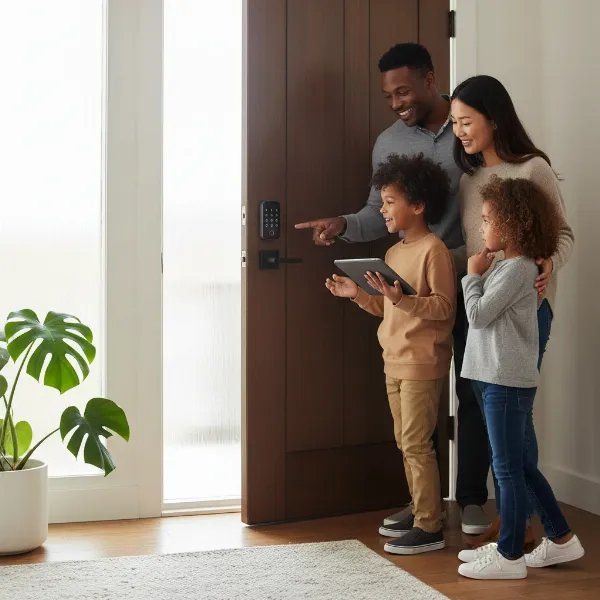 A family creating a secure and memorable smart lock passcode together, emphasizing collaboration and safety
Effective Passcode Management Strategies for Families
Beyond creating strong codes, how you manage and distribute them within your family is critical for maintaining robust home security. Modern smart locks offer a suite of features designed to streamline this process.
Unique Codes for Every Family Member
One of the most powerful features of smart locks is the ability to assign a unique access code to each individual. This means every family member, from older children to adults, can have their own personal entry code. This practice offers several advantages:
- Enhanced Accountability: When an access log shows which code was used at what time, it promotes a sense of responsibility among users.
- Simplified Troubleshooting: If a code is compromised, you can deactivate or change just that one code without affecting others.
- Granular Control: Some systems allow you to set specific access schedules for individual codes, perfect for managing children’s entry times.
Temporary and Scheduled Access
Smart locks excel at providing flexible access for non-permanent residents. You can generate temporary passcodes for:
- Guests: Friends or family staying for a visit can receive a code active only for the duration of their stay.
- Service Providers: Dog walkers, housekeepers, or contractors can be given codes that only work on specific days and times.
- Deliveries: One-time codes can be generated for secure package deliveries inside your home.
These temporary codes automatically expire, eliminating the need for manual changes or concerns about lingering access.
Remote Management and Access Logs
Many smart locks come with a companion mobile app that allows you to manage codes and monitor activity from anywhere. This remote capability is invaluable for family security:
- Real-time Notifications: Receive instant alerts when your door is unlocked or locked, and sometimes even when a specific code is used.
- Access History: Review detailed logs of who entered and exited, and at what time. This provides visibility and helps detect unusual activity.
- Remote Locking/Unlocking: Forgot to lock the door? Secure it from your phone. Need to let someone in unexpectedly? Grant access remotely.
Regularly reviewing access logs helps you spot suspicious patterns or repeated failed attempts, allowing you to take immediate action, such as changing codes.
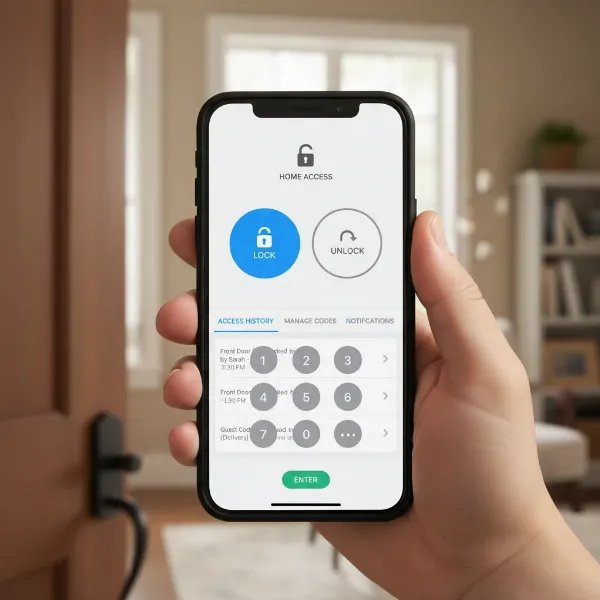 A hand holding a smartphone displaying a smart lock app with remote management features
Securing Your Smart Lock App
While keypad codes protect your physical door, the smart lock app on your phone protects the entire management system. Treat your app password with the same, if not greater, importance as your banking login.
- Strong, Unique Passwords: Use a long, complex password for your smart lock app that is distinct from all other accounts. Avoid common phrases or personal details.
- Multi-Factor Authentication (MFA): If your smart lock app supports MFA (like a code sent to your phone after entering your password), enable it immediately. This adds a crucial second layer of security, making it exponentially harder for unauthorized users to gain access even if they somehow obtain your password.
- Device Security: Protect the device running your smart lock app with a strong PIN or biometric security (fingerprint, facial recognition). In case of a lost or stolen device, use remote wipe features if available.
Training Your Family on Passcode Safety
Even the most sophisticated smart lock system is only as secure as its weakest link – often, human error. Educating your family on best practices is fundamental to maintaining a secure home environment.
Firstly, instill the importance of passcode privacy. Stress that smart lock codes are not to be shared with friends, even best friends, or casually mentioned in public. Children, especially, need to understand that anything that grants access to your home is private information that should remain strictly within the family.
Discuss clear protocols for who is authorized to open the door. If children are old enough to stay home alone, provide a short, clear list of trusted individuals who they can let in. Advise them never to disclose that they are home alone, even to people they know who are not on the pre-approved list. This vigilance extends to deliveries; packages should ideally be left outside rather than granting entry to unknown individuals.
Regularly reinforce these security habits. Periodically changing codes is also a good practice, especially if there has been a change in household members or service providers. This proactive approach ensures everyone understands their role in safeguarding the family’s security.
Conclusion
Smart lock technology offers unparalleled convenience and peace of mind, transforming how we interact with our homes. However, harnessing its full potential for security requires diligent passcode management. By understanding the fundamentals of creating strong, memorable codes, leveraging the advanced management features of your smart lock, and consistently educating your family on security best practices, you can build a robust defense for your home. Prioritizing passcode safety isn’t just about protecting your property; it’s about safeguarding your family and maintaining the secure sanctuary your home should always be.
Are you confident that your family’s smart lock passcodes are truly secure?
Frequently Asked Questions
How often should I change my smart lock passcodes?
It is a good practice to change your primary family passcodes every few months, or immediately after any significant event, such as a family member moving out, a relationship change, or if you suspect a code might have been compromised. Temporary codes for guests or service providers should expire automatically.
Can smart locks be hacked?
While no system is entirely impervious, the risk of a smart lock being “hacked” through its digital code is significantly reduced by following best practices like using long, random, unique codes and enabling multi-factor authentication for the controlling app. Most vulnerabilities arise from weak, guessable codes or compromised mobile devices rather than the lock itself.
What if my child forgets their smart lock code?
Most smart lock systems allow the administrator (typically a parent) to easily view, reset, or create a new code through the mobile app. It’s helpful to teach children how to communicate if they forget a code so you can assist them promptly without compromising security.
Is it safe to use a smart lock for rental properties?
Yes, smart locks are ideal for rental properties. They allow landlords to generate unique, temporary access codes for each tenant, which can be activated and deactivated remotely. This eliminates the need for physical key exchanges and enhances security by ensuring previous tenants no longer have access.
