In a world increasingly embracing technology, smart home devices offer unparalleled convenience and security. Among these innovations, the smart lock stands out, promising to revolutionize how we protect and access our homes. Yet, for many, the traditional bulky aesthetics of smart locks clash with a desire for seamless design. This is where the Level Bolt emerges as a groundbreaking solution, offering robust smart capabilities while remaining entirely out of sight. For minimalists and design enthusiasts alike, the Level Bolt presents an opportunity to upgrade home security without compromising on style.
What is a Smart Lock and Why Should You Consider One?
A smart lock is an electromechanical lock designed to perform locking and unlocking operations on a door when it receives instructions from an authorized device using a wireless protocol and cryptographic key. Unlike conventional locks, smart locks integrate with your digital life, offering a blend of enhanced security, effortless convenience, and intelligent management capabilities.
The benefits of upgrading to a smart lock are numerous. Imagine arriving home with arms full of groceries and your door unlocking automatically as you approach, or granting temporary access to a pet-sitter with a digital key that expires after their visit. Smart locks eliminate the need for physical keys, reducing the risk of being locked out or having keys lost or stolen. They often provide activity logs, allowing you to monitor who enters and exits your home. Furthermore, many smart locks offer advanced security features like tamper alerts and secure encryption, providing a superior level of protection compared to traditional deadbolts. These devices find common applications in residential homes, vacation rentals, and even small offices, simplifying access control for various users and scenarios.
Introducing the Level Bolt: The Epitome of Invisible Smart Home Tech
The Level Bolt distinguishes itself in the smart lock market by prioritizing aesthetics and discretion above all else. Its core innovation lies in its “invisible” design, which allows it to integrate entirely inside your existing deadbolt hardware. This means your door’s exterior and interior remain unchanged, preserving your home’s original look and architectural style. There are no bulky keypads, oversized thumb-turns, or modern gadgetry to detract from your door’s classic appearance.
The Level Bolt achieves this invisibility by replacing only the internal mechanism of your standard deadbolt. Once installed, it transforms a conventional lock into a sophisticated smart device, controllable via your smartphone, voice assistant, or even through automations. It’s truly a marvel of engineering for those who appreciate understated technology. This makes the Level Bolt an ideal choice for minimalists, homeowners with specific design preferences, or anyone living in an apartment or historic home where altering the external appearance of the door is not an option or desired. It’s for individuals who want all the benefits of a smart lock without broadcasting its presence.
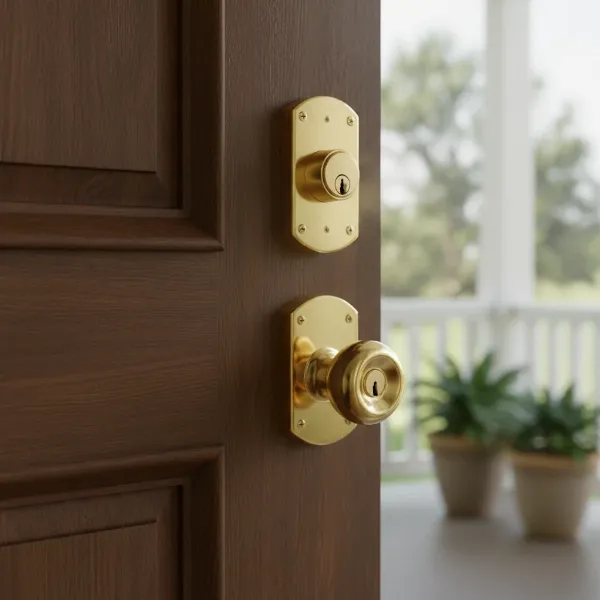 Level Bolt smart lock installed invisibly inside a standard deadbolt, maintaining door aesthetics.
Key Features and Technology Behind the Level Bolt
The Level Bolt packs a punch with its features, designed to deliver a seamless and secure smart home experience.
Access Methods
|
Our Picks for the Best Smart Lock in 2026
As an Amazon Associate I earn from qualifying purchases.
|
||
| Num | Product | Action |
|---|---|---|
| 1 | TEEHO TE001 Keyless Entry Door Lock with Keypad - Smart Deadbolt Lock for Front Door with 2 Keys - Auto Lock - Easy Installation - Oil-Rubbed Bronze |

|
| 2 | Schlage Encode Smart WiFi Deadbolt Lock for Front Door - Keyless Entry with App or Touchscreen - Works with Alexa, Hey Google, & Airbnb - Create Codes for Guests - Matte Black |
|
| 3 | Philips Wi-Fi Door Lock, WiFi Smart Lock Keyless Entry Deadbolt for Front Door, Remote Control, Built-in WiFi, APP Fingerprint Passcode Unlock, Auto Locking |
|
| 4 | Philips Wi-Fi Door Lock, WiFi Smart Lock Keyless Entry Deadbolt for Front Door, Compatible with Alexa & Google Assistant, Remote Control, Built-in WiFi, APP Fingerprint Passcode Unlock, Auto Locking |
|
| 5 | TEEHO TE001 Keyless Entry Door Lock with Keypad - Smart Deadbolt Lock for Front Door with 2 Keys - Auto Lock - Easy Installation - Satin Nickel |
|
| 6 | TEEHO TE001 Keyless Entry Door Lock with Keypad - Smart Deadbolt Lock for Front Door with 2 Keys - Auto Lock - Easy Installation - Matte Black |
|
| 7 | eufy Security Smart Lock C220, Fingerprint Keyless Entry Door Lock, Built-in Wi-Fi, App Remote Control, Front Door Smart Deadbolt, IP53 Waterproof, 8-Months Battery, Nickel |
|
| 8 | Electronic Passwords Keyless Entry Door Locks Smart Deadbolt Metal Lock Auto Time Delay Locking Secure Durable Low Battery Alert Type-C Port for Emergency Charging |
|
| 9 | ULTRALOQ U-Bolt Pro WiFi Smart Lock with Door Sensor, 8-in-1 Keyless Entry Door Lock with Fingerprint ID, App Remote Control, Built-in WiFi Keypad Deadbolt, Auto Unlock, IP65 Waterproof, Easy Install |
|
| 10 | eufy Security Smart Lock C220, Fingerprint Keyless Entry Door Lock, Built-in Wi-Fi, App Remote Control, Front Door Smart Lock Deadbolt, 8Months Battery, Reliable Power, IP53 Waterproof, BHMA Grade 3 |
|
With the Level Bolt, you gain flexible control over your home’s entry. You can lock and unlock your door using the intuitive Level Home app on your smartphone. For those who appreciate tradition, your original physical keys remain fully functional as a reliable backup. Furthermore, the Level Bolt supports Apple Home Key, allowing compatible iPhone or Apple Watch users to simply tap their device near the lock for effortless access. For enhanced convenience, an optional Level Keypad (sold separately) can be added, enabling keyless entry via custom codes.
Smart Home Integration
The Level Bolt is built for modern smart homes. It integrates seamlessly with Apple HomeKit, allowing you to control it through the Home app and Siri voice commands. With the addition of a compatible Matter-over-Thread hub, the Level Bolt also supports broader smart home ecosystems like Google Home and Amazon Alexa, enabling voice control and integration into smart routines. This connectivity ensures that your lock can work harmoniously with other smart devices in your home, from lighting to thermostats.
Automation and Convenience
Beyond basic locking and unlocking, the Level Bolt offers intelligent automations. Its auto-lock and auto-unlock features can detect when you leave and arrive, securing or opening your door without you lifting a finger. You can easily share temporary or permanent digital “keys” or “passes” with friends, family, or service providers, setting specific start and end times for access directly from the Level Home app. The app also provides an activity log, allowing you to track who has come and gone, offering peace of mind and enhanced oversight.
Power & Connectivity
The Level Bolt is powered by a single CR2 lithium battery, discreetly housed within the bolt itself, offering an impressive battery life of up to one year under typical conditions. It primarily communicates via Bluetooth Low Energy for local control. For remote access and wider smart home integrations (like Google Home or Alexa), a Level Connect Wi-Fi Bridge or a compatible Matter-over-Thread hub is required.
Security Standards
Despite its minimalist design, the Level Bolt does not compromise on security. It is engineered to meet rigorous industry standards, having been tested to ANSI 156.18 and 156.40 Grade 1/A standards. Many Level products also boast a BHMA AAA rating for strength and durability, indicating a robust and reliable locking mechanism designed for longevity and resilience against forced entry. The patented release mechanism ensures smooth and precise operation, further contributing to its robust build.
Level Bolt vs. The Competition: A Comparative Look
The smart lock market is diverse, offering various technologies and designs. Understanding where the Level Bolt fits in—and how it compares to other leading brands—is crucial for making an informed decision.
General Smart Lock Categories
Smart locks generally fall into several categories based on their primary access method:
- Fingerprint Smart Locks: Offer biometric access, often with a visible scanner on the lock’s exterior.
- Keypad Smart Locks: Feature a physical or touchscreen keypad for numerical code entry, usually integrated into the visible lock hardware.
- Card/Fob Smart Locks: Utilize RFID cards or key fobs for tap-to-unlock functionality.
- Remote Control Smart Locks: Primarily controlled via a smartphone app, often with Bluetooth or Wi-Fi connectivity.
- Multi-Method Smart Locks: Combine several of the above, offering various ways to unlock.
Level Bolt’s Unique Position
The Level Bolt stands apart by integrating into your existing deadbolt, effectively transforming it into a “remote control” smart lock with additional app and physical key access, all while maintaining complete visual invisibility. This retrofit approach is its defining characteristic, making it a dream for those who value the aesthetics of their current door hardware.
Comparison with Specific Brands
When comparing Level Bolt to other prominent smart lock brands like August, Schlage, Yale, Samsung, or Nuki, several distinctions emerge:
- Aesthetics vs. Features: Most smart locks, including those from Yale or Samsung, typically replace both the exterior and interior hardware, often resulting in a noticeable change in appearance. While these locks may offer integrated keypads, advanced sensors (like door-open detection), or built-in Wi-Fi, they sacrifice the discreet look that Level Bolt offers.
- Level Bolt vs. August Wi-Fi Smart Lock: The August Wi-Fi Smart Lock is another popular retrofit option, but it replaces the interior thumb-turn, making it visible from the inside. While August typically offers robust door-open sensing (a feature Level Bolt generally lacks) and often has built-in Wi-Fi for remote access, Level Bolt completely disappears, maintaining the existing interior aesthetic. August’s activity logging is sometimes considered more detailed.
- Level Bolt vs. Schlage Encode Plus: The Schlage Encode Plus is a full-replacement smart lock known for its high-security ratings and integrated keypad. Some reviews suggest that the Schlage Encode Plus might offer a more robust cylinder with security pins compared to the Level Bolt’s internal mechanism, which some critics have found less fortified than higher-end traditional deadbolts. However, Level Bolt’s BHMA AAA rating still attests to its strong security.
- Connectivity: Many competitors offer direct Wi-Fi connectivity, eliminating the need for an additional bridge for remote access. The Level Bolt, relying on Bluetooth and requiring a separate Level Connect Wi-Fi Bridge or Matter-over-Thread hub for full remote functionality, adds an extra component and cost for some users. However, this modular approach can offer flexibility.
- Door Status Sensing: A notable difference is that some smart locks, like the August, can detect if your door has been left ajar, providing an extra layer of security and peace of mind. The Level Bolt typically does not offer this feature.
Ultimately, the choice often comes down to prioritizing either an uncompromised aesthetic and invisible technology (Level Bolt) or a broader range of integrated features and built-in connectivity that may be more visible (many competitors).
Your Essential Guide to Choosing the Right Smart Lock
Selecting the perfect smart lock requires careful consideration of various factors to ensure it meets your specific needs and integrates seamlessly into your lifestyle.
Assessing Your Needs
Start by evaluating your existing door. Is it a standard deadbolt? Level Bolt works with most American standard deadbolts, compatible with 2 3/8″ or 2 3/4″ backsets and door thicknesses of 1 ¾” or greater. Consider your desired level of security, your budget, and who will be using the lock. Do you need shared access for multiple people, or is it primarily for personal use?
Crucial Features to Look For
- Access Methods: Decide if you prefer app control, keypad entry, fingerprint scanning, or traditional key backup. Level Bolt offers app control, physical key access, and Apple Home Key, with an optional keypad accessory.
- Connectivity: Bluetooth is standard for local control. For remote access, consider if you need Wi-Fi built-in or if a bridge (like Level Connect) or a Matter-over-Thread hub is suitable for your smart home setup.
- Smart Home Ecosystem: Ensure compatibility with your existing smart home platform (Apple HomeKit, Google Home, Amazon Alexa, SmartThings). Level Bolt excels in HomeKit integration and offers Matter support for wider compatibility.
- Smart Features: Look for auto-lock/unlock, guest management, and activity logs if these conveniences are important to you.
Prioritizing Security
Always check for security certifications. The Level Bolt is tested to ANSI 156.18 and 156.40 Grade 1/A standards, and some models are BHMA AAA rated, indicating a high level of durability and resistance to attack. Understanding the encryption technology used for wireless communication is also important for digital security. While no lock is entirely impenetrable, reputable brands invest in robust physical and digital safeguards.
The Importance of User Reviews
Reading reviews from other users provides invaluable real-world insights into a lock’s performance, ease of installation, and any potential quirks. Pay attention to feedback regarding battery life, app reliability, and customer support. For example, some users have noted occasional app glitches or Bluetooth range limitations with the Level Bolt, while others praise its flawless operation.
Selecting a Reputable Provider
Choose a reputable vendor and manufacturer that offers a solid warranty and reliable technical support. Good customer service can make a significant difference if you encounter installation challenges or operational issues.
Installation and Everyday Use of Your Level Bolt
One of the Level Bolt’s significant appeals is its relatively straightforward installation process, designed to allow most DIYers to upgrade their deadbolt in under an hour.
Preparation and Tools
Before you begin, ensure your existing deadbolt operates smoothly without any sticking or binding. You’ll typically need a Phillips screwdriver, painter’s tape, and a tape measure. Avoid using power tools, as they can easily strip screws or damage the lock.
Step-by-Step Installation Process
- Remove Existing Deadbolt: Carefully remove your current deadbolt, strike plate, and lock housing from the door. Keep the exterior and interior trim of your existing lock.
- Install Level Bolt: Insert the Level Bolt into the bore hole of your door, ensuring the “TOP” indicator is facing up. Secure it with the provided shorter screws.
- Install Level Motor: Slide the Level motor onto the bolt, making sure the tightening screw faces you. Secure it by tightening the screw.
- Install Tailpiece Adapter: Choose the correct tailpiece adapter that matches your old lock’s tailpiece and place it in the center hole of the motor.
- Reinstall Housings: Reattach your existing exterior and interior deadbolt trim and housings. Connect the tailpiece to the thumbturn side, ensuring all parts are aligned, then tighten the larger lock screws.
- Install Strike Plate: Replace your old strike plate with the new Level strike plate on the door frame, ensuring it aligns perfectly with the bolt for smooth operation.
- Insert Battery: Extend the bolt completely, then unscrew the battery cap at the end of the bolt. Insert the CR2 lithium battery with the positive side in first, then screw the cap back on. You’ll hear a chirp confirming power.
Setting Up with the Level Home App
Once installed, download the Level Home app (available for iOS and Android). Create an account and follow the on-screen prompts to connect your new Level Bolt. This involves scanning a QR code or manually entering a numerical code. The app will guide you through naming your lock, adding it to a location, and setting up smart home integrations like Apple HomeKit or Matter.
Tips for Optimal Performance and Maintenance
- Door Alignment: Crucially, the door and door frame must be perfectly aligned for the Level Bolt to operate seamlessly. Any binding or rubbing will hinder its function.
- Battery Management: The CR2 battery typically lasts up to a year. Monitor its level in the app and keep a spare on hand, as CR2 batteries may not be as readily available as AA or AAA.
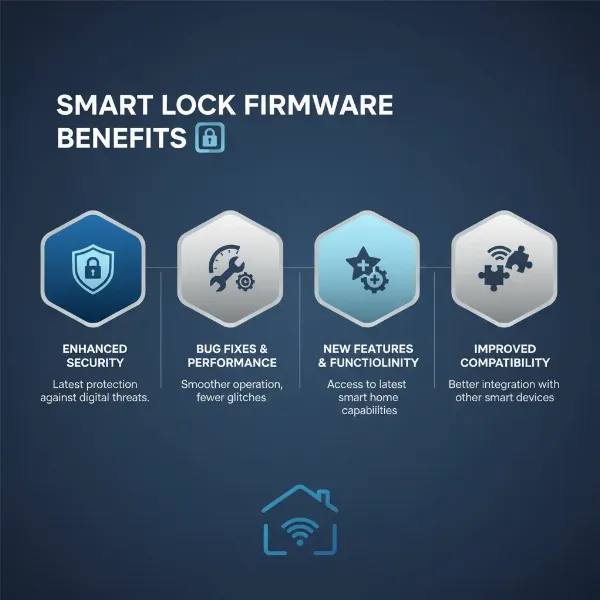
- Firmware Updates: Regularly update the lock’s firmware through the Level Home app to ensure you have the latest features and security enhancements.
Common Issues and Troubleshooting
Users occasionally report momentary glitches where the app takes a few seconds to communicate with the lock, especially for remote access without a strong hub connection. Bluetooth range can be a limitation for controlling the lock when not within close proximity. If the deadbolt doesn’t extend or retract smoothly, it often indicates an alignment issue with the existing hardware or the strike plate, which can usually be resolved by minor adjustments or loosening/retightening screws. If remote access is inconsistent, verify your Matter-over-Thread hub or Level Connect Wi-Fi Bridge is properly set up and within range.
Enhancing Your Level Bolt Experience: Essential Accessories
While the Level Bolt functions brilliantly on its own, a few accessories can significantly enhance its convenience and connectivity.
- Level Keypad: This optional, discreet keypad allows you and your guests to enter your home using custom 4-6 digit codes without needing a phone or key. It mounts wirelessly within 20 feet of your door, offering IP65-rated durability, making it suitable for outdoor use.
- Level Connect Wi-Fi Bridge: For users who desire remote control from anywhere without relying solely on a HomeKit hub or Matter-over-Thread setup, the Level Connect Wi-Fi Bridge provides essential Wi-Fi connectivity. This accessory enables real-time features, allows for setting access codes and adding key cards remotely, and extends compatibility with Amazon Alexa and Google Assistant without a dedicated Matter hub.
- Key Cards: Similar to hotel key cards, these small, convenient cards can be programmed to unlock your Level Bolt with a simple tap. They offer an excellent alternative for children, houseguests, or anyone who prefers a physical credential over a smartphone.
These accessories provide flexible ways to customize your Level Bolt setup, ensuring it perfectly matches your lifestyle and smart home preferences, making your minimalist smart lock even more versatile.
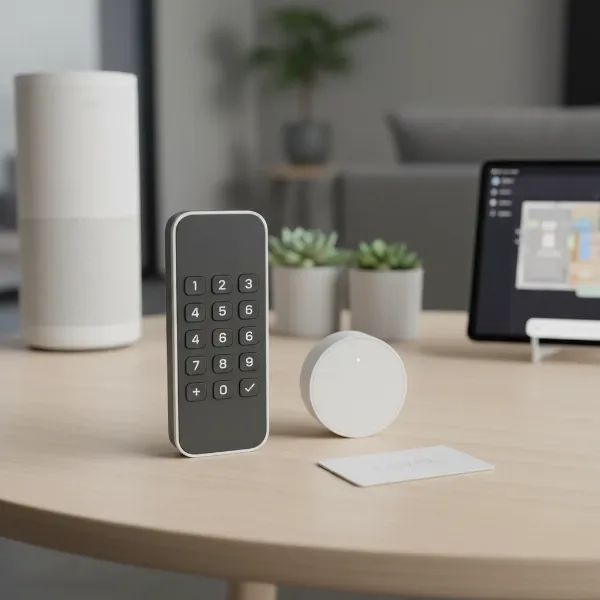 Level Bolt accessories, including a wireless keypad and a Wi-Fi bridge, for enhanced smart lock functionality.
The Level Bolt stands as a testament to intelligent design, proving that advanced smart home technology doesn’t need to be overtly visible. By integrating seamlessly into your existing deadbolt, it offers a powerful blend of convenience, security, and discreet aesthetics that resonates deeply with minimalists and design-conscious homeowners. From smartphone control and auto-lock features to guest access and robust security standards, the Level Bolt delivers a comprehensive smart lock experience. While it requires thoughtful installation and may benefit from additional accessories like a keypad or Wi-Fi bridge for full remote functionality, its commitment to preserving your home’s original look is unmatched. For those seeking to quietly elevate their home security without sacrificing an ounce of style, the Level Bolt is an exceptional choice. Are you ready to embrace the invisible future of home security?
Frequently Asked Questions
How is Level Bolt “invisible”?
The Level Bolt is designed to be completely invisible because it replaces only the internal mechanism of your existing deadbolt. This means your door’s exterior and interior hardware, including the handles and keyholes, remain unchanged, preserving your home’s original aesthetic.
Does Level Bolt work with my existing keys?
Yes, the Level Bolt is designed to work with your existing keys. It transforms your traditional deadbolt into a smart lock while retaining the functionality of your physical keys as a reliable backup access method.
What smart home platforms does Level Bolt support?
The Level Bolt natively integrates with Apple HomeKit. With a compatible Matter-over-Thread-enabled hub or the optional Level Connect Wi-Fi Bridge, it can also integrate with other major smart home platforms such as Google Home and Amazon Alexa, allowing for voice control and broader automation possibilities.
How long does the Level Bolt battery last?
The Level Bolt is powered by a single CR2 lithium battery, which is housed discreetly within the bolt mechanism. Under typical usage conditions, this battery can last for up to one year before needing to be replaced.
Is Level Bolt difficult to install?
No, the Level Bolt is generally considered easy for a DIY installation. It involves replacing the internal components of your existing deadbolt and typically takes less than an hour. Clear instructions and video guides are provided to assist with the process.