Securing your home with cutting-edge technology has become a top priority for many, and smart locks are at the forefront of this evolution. As an experienced technician in smart lock technology, I’ve seen countless innovations, but few offer the comprehensive package and value of the Aqara Smart Lock U100. This review delves into why the U100 is not just an alternative, but a leading choice for those seeking robust security, seamless smart home integration, and the convenience of Apple Home Key.
What is a Smart Lock? Why Should You Use One?
A smart lock is an electromechanical lock that allows you to open and close a door using authenticated authorization from a mobile device or other smart credentials rather than a traditional physical key. These devices leverage various technologies, including Bluetooth, Wi-Fi, Zigbee, and NFC, to provide enhanced control and monitoring capabilities. They integrate into your smart home ecosystem, offering convenience and security far beyond conventional deadbolts.
The benefits of upgrading to a smart lock are numerous. They provide unparalleled convenience, allowing keyless entry via fingerprint, passcodes, or your smartphone. Enhanced security features include encrypted communication, activity logs, and auto-locking functions, ensuring your home is always protected. Smart locks also simplify access management, enabling you to grant temporary or one-time access to guests or service providers remotely. Popular applications range from securing residential homes and apartments to streamlining access in small offices or rental properties.
Popular Smart Lock Types on the Market
The smart lock market offers a diverse range of options, each with distinct advantages. The Aqara U100 masterfully combines several of these popular methods, offering a versatile and secure access solution.
Fingerprint Smart Locks
Fingerprint smart locks utilize biometric technology for quick and secure access. By scanning a registered fingerprint, users can unlock their doors in less than a second.
- Advantages: Extremely convenient and fast, no need to carry keys or remember codes, highly secure as fingerprints are unique.
- Disadvantages: Can sometimes struggle with wet or dirty fingers, though modern sensors are improving.
- Ideal for: Everyday home use, families, individuals seeking maximum convenience and security. The Aqara U100 features a highly accurate and responsive fingerprint reader that performed flawlessly in testing, making it a standout in this category.
|
Our Picks for the Best Smart Lock in 2026
As an Amazon Associate I earn from qualifying purchases.
|
||
| Num | Product | Action |
|---|---|---|
| 1 | Philips Wi-Fi Door Lock, WiFi Smart Lock Keyless Entry Deadbolt for Front Door, Compatible with Alexa & Google Assistant, Remote Control, Built-in WiFi, APP Fingerprint Passcode Unlock, Auto Locking |

|
| 2 | TEEHO TE001 Keyless Entry Door Lock with Keypad - Smart Deadbolt Lock for Front Door with 2 Keys - Auto Lock - Easy Installation - Matte Black |
|
| 3 | TEEHO TE001 Keyless Entry Door Lock with Keypad - Smart Deadbolt Lock for Front Door with 2 Keys - Auto Lock - Easy Installation - Satin Nickel |
|
| 4 | Philips Wi-Fi Door Lock, WiFi Smart Lock Keyless Entry Deadbolt for Front Door, Remote Control, Built-in WiFi, APP Fingerprint Passcode Unlock, Auto Locking |
|
| 5 | Electronic Passwords Keyless Entry Door Locks Smart Deadbolt Metal Lock Auto Time Delay Locking Secure Durable Low Battery Alert Type-C Port for Emergency Charging |
|
| 6 | TEEHO TE001 Keyless Entry Door Lock with Keypad - Smart Deadbolt Lock for Front Door with 2 Keys - Auto Lock - Easy Installation - Oil-Rubbed Bronze |
|
| 7 | eufy Security Smart Lock C220, Fingerprint Keyless Entry Door Lock, Built-in Wi-Fi, App Remote Control, Front Door Smart Deadbolt, IP53 Waterproof, 8-Months Battery, Nickel |
|
| 8 | eufy Security Smart Lock C220, Fingerprint Keyless Entry Door Lock, Built-in Wi-Fi, App Remote Control, Front Door Smart Lock Deadbolt, 8Months Battery, Reliable Power, IP53 Waterproof, BHMA Grade 3 |
|
| 9 | Schlage Encode Smart WiFi Deadbolt Lock for Front Door - Keyless Entry with App or Touchscreen - Works with Alexa, Hey Google, & Airbnb - Create Codes for Guests - Matte Black |
|
| 10 | ULTRALOQ U-Bolt Pro WiFi Smart Lock with Door Sensor, 8-in-1 Keyless Entry Door Lock with Fingerprint ID, App Remote Control, Built-in WiFi Keypad Deadbolt, Auto Unlock, IP65 Waterproof, Easy Install |
|
Passcode Smart Locks
Passcode smart locks feature a keypad where users enter a numerical code to unlock the door.
- Advantages: Easy to share access with guests, temporary codes can be generated, no physical items needed.
- Disadvantages: Passcodes can be forgotten or potentially overheard if not careful.
- Ideal for: Rental properties, homes with frequent visitors, or as a reliable backup entry method. The U100 boasts a well-lit and responsive keypad, supporting various passcode options, including one-time and temporary access codes that expire as scheduled.
Card Smart Locks
Card smart locks grant access using RFID or NFC cards, similar to hotel room keys.
- Advantages: Convenient for those who prefer carrying a card over remembering a code, quick tap-to-enter.
- Disadvantages: Cards can be lost or misplaced, requiring replacement.
- Ideal for: Offices, rental units, or users who already integrate NFC into their daily routines. With Apple Home Key support, the Aqara U100 integrates NFC through Apple Wallet, allowing entry with an iPhone or Apple Watch.
Remote Control Smart Locks
These locks allow you to control access from anywhere using a smartphone app or a dedicated remote.
- Advantages: Remote locking/unlocking, real-time status monitoring, integration into broader smart home routines.
- Disadvantages: Requires an internet connection and often a dedicated hub, which can add to the cost.
- Ideal for: Homeowners who want to manage access while away, or integrate the lock into complex smart home automations. The Aqara U100, when paired with an Aqara hub, provides full Wi-Fi remote control, enabling long-distance management and status updates.
Multi-Method Smart Locks
Combining several unlocking methods, these locks offer the ultimate flexibility and redundancy.
- Advantages: Maximized convenience and security, ensures access even if one method is unavailable (e.g., dead phone battery, forgotten code).
- Disadvantages: Can be more complex to set up initially due to multiple options.
- Ideal for: Anyone seeking the most robust and flexible smart lock experience. The Aqara U100 excels here, integrating fingerprint, keypad, Apple Home Key, and traditional physical keys into a single, cohesive system.
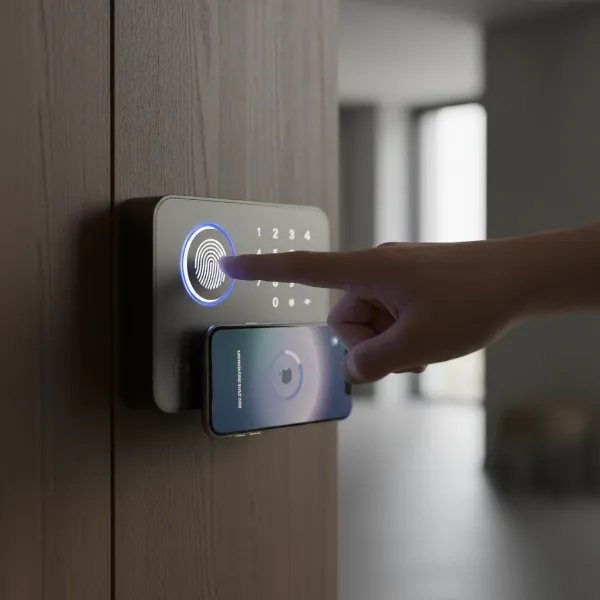 Aqara U100 smart lock demonstrating fingerprint, keypad, and Apple Home Key access.
Comparing the Aqara Smart Lock U100 with Leading Brands
When evaluating smart locks, especially those supporting Apple Home Key, the Aqara U100 frequently emerges as a top contender, particularly for its feature set relative to its price. While other brands like Yale, Samsung, August, Nuki, and Xiaomi offer various smart lock solutions, the U100 stands out against direct Home Key competitors.
| Feature | Aqara Smart Lock U100 | Schlage Encode Plus | Level Lock+ |
|---|---|---|---|
| Access Methods | Fingerprint, Keypad, Apple Home Key, NFC, Physical Key, Aqara App | Keypad, Apple Home Key, Physical Key, Schlage Home App | Apple Home Key, Physical Key, Level App |
| Smart Home Comp. | HomeKit (native), Matter (via hub), Alexa (via hub), Google Home (via hub) | HomeKit, Alexa, Google Assistant (via bridge) | HomeKit |
| Connectivity | Bluetooth (native), Zigbee (via hub for Wi-Fi) | Wi-Fi (built-in) | Bluetooth |
| Security | ANSI/BHMA Level 3, IP65, AES 128 encryption, Local fingerprint storage | ANSI/BHMA Level 2, Built-in alarm | ANSI/BHMA Level 1 (Level Bolt), AES 256 encryption |
| Battery Life | ~8 months (4 AA batteries) with emergency USB-C | ~6 months (4 AA batteries) | ~6 months (1 CR2 battery) |
| Design | Durable zinc-alloy, sleek, tough, not-too-bulky | Standard deadbolt look, multiple finishes | Invisible lock (motor hidden inside door) |
| Value Proposition | Excellent value; comprehensive features for the price. Often under $200 with coupons. | Higher price point, premium brand. | Highest price, minimalist design. |
| Remote Access | Requires Aqara hub | Built-in Wi-Fi | Requires HomeKit hub (Apple TV, HomePod) |
The Aqara U100 distinguishes itself by offering an extensive array of access methods, including a reliable fingerprint reader, which is often a premium feature on other locks. While it requires an additional Aqara hub for full remote Wi-Fi functionality and broader smart home compatibility (Matter, Alexa, Google Home), its overall feature set and build quality are commendable for its price point. Many reviewers consider it the “best value smart lock” supporting Apple Home Key, especially when comparing it to pricier options like the Schlage Encode Plus and Level Lock Plus.
“The Aqara U100 rises beyond most smart locks through the sheer number of things it can do, from Matter and Apple Home support to fingerprint management and multiple types of passes. The durable design, backed up by end-to-end AES 128 encryption, doesn’t disappoint on any level.” – Tyler Lacoma, Editor / Home Security at CNET
Your Essential Guide to Choosing the Right Smart Lock
Selecting the perfect smart lock involves careful consideration of your specific needs and priorities. This buying guide will walk you through the key factors to ensure you make an informed decision, with insights on how the Aqara U100 measures up.
1. Identify Your Usage Needs
Before anything else, define what you need from a smart lock.
- Door Type: Is it a standard deadbolt replacement? The Aqara U100 is designed as a comprehensive deadbolt replacement.
- Desired Security Level: Do you need basic keyless entry or advanced features like fingerprint and robust encryption? The U100 offers ANSI/BHMA Level 3 compliance and AES 128 encryption.
- Budget: Smart locks range widely in price. Determine what you’re willing to spend, keeping in mind that additional hubs for enhanced features might add to the total cost. The U100 offers premium features at a competitive price, often under $200.
2. Explore Important Features
Consider the core functionalities that matter most to you.
- Unlocking Methods: Do you prefer fingerprint, keypad, app control, or traditional keys? The U100 provides a versatile combination of all these, including Apple Home Key support.
- Connectivity: Will Bluetooth suffice, or do you need Wi-Fi for remote control and smart home integration? The U100 offers native Bluetooth but requires an Aqara hub for Wi-Fi capabilities and broader smart home platforms.
- Smart Features: Look for auto-locking, door status sensors, temporary access codes, and integration with voice assistants. The U100 includes a gyroscope for door status detection, geofencing options, and supports Siri (via HomeKit), Alexa, and Google Assistant (via hub).
3. Prioritize Security Elements
Security is paramount for any lock.
- Security Certifications: Look for ANSI/BHMA certifications, indicating the lock’s resistance to forced entry. The U100 is ANSI/BHMA Level 3 compliant.
- Encryption Technology: Ensure data communication is encrypted to prevent hacking. The U100 uses end-to-end AES 128 encryption.
- Privacy: Consider how biometric data (like fingerprints) is stored. Aqara stores fingerprint information locally on the device for enhanced security.
4. Consult User Reviews
Real-world experiences offer valuable insights.
- Reliability: How consistently does the lock perform? The U100 is generally praised for its reliability, with fingerprint and Home Key access working flawlessly in tests.
- Ease of Use: Is the app intuitive? Is installation straightforward? Reviews suggest the Aqara app is user-friendly, and installation, while requiring some DIY effort, is aided by clear video tutorials.
- Durability: How well does it withstand daily wear and tear and environmental factors? The U100 has an IP65 weather resistance rating and a durable zinc-alloy design.
5. Select a Reputable Provider
Choose a brand known for quality and support.
- Warranty & Support: A good warranty and accessible customer support are crucial.
- Future Updates: Brands that regularly update their firmware and app tend to offer a more future-proof product. Aqara actively supports its ecosystem with updates and Matter compatibility.
Installation and Usage of the Aqara Smart Lock U100
Installing and using the Aqara Smart Lock U100 is designed to be a straightforward process for the DIY enthusiast, while offering a rich set of smart features for daily convenience.
Basic Installation Steps
Installing the Aqara U100, like many smart locks, requires precision but is well within the capabilities of a homeowner with basic tools.
- Preparation: Gather tools such as a drill, screwdrivers, and a measuring tape. Review the product measurements against your existing door’s deadbolt cutout.
- Removal of Old Lock: Carefully remove your existing deadbolt, ensuring no damage to the door.
- Mounting the Exterior Unit: Install the exterior keypad and bolt mechanism, aligning it precisely. The Aqara U100 package includes a fold-out measuring chart and ample screws to assist with this step.
- Mounting the Interior Unit: Attach the interior assembly, which houses the battery pack and control buttons. This step often requires a helper to hold the exterior unit in place.
- Wiring and Calibration: Connect any necessary wires between the units and insert the four AA batteries. Follow the in-app instructions to calibrate the lock, teaching it the door’s locking mechanism.
- App Setup: Download the Aqara Home app. It provides clear, step-by-step video tutorials for installation and initial setup, making the process less daunting. Once connected via Bluetooth, you can easily program fingerprints, passcodes, and connect it to Apple HomeKit by scanning a QR code.
Most installations can be completed within two hours, even if minor modifications to the door’s existing holes are needed.
Utilizing Smart Features
The U100 offers a robust suite of smart features that enhance security and convenience:
- Multiple Entry Methods: Seamlessly switch between fingerprint, keypad, Apple Home Key via iPhone or Apple Watch, and physical keys.
- Automations: Set up auto-locking based on a timer or geofencing (locking when you leave a certain area). The lock’s gyroscope can detect if the door is open, closed, or ajar.
- Temporary Access: Generate one-time or time-limited passcodes for guests or service providers directly from the Aqara app.
- Do Not Disturb Mode: Mute lock sounds and alerts during specific times to maintain peace and quiet.
- Activity Logs: The Aqara app provides a comprehensive log of all lock and unlock events, showing who entered and by what method, though this feature is not available in the Apple Home app.
Maintenance and Longevity Tips
To ensure your Aqara U100 remains reliable:
- Battery Management: The U100 runs on four AA batteries, typically lasting around eight months. The app will alert you when batteries are low. For emergencies, a hidden USB-C port allows temporary power with a power bank.
- Regular Cleaning: Keep the fingerprint sensor and keypad clean to ensure optimal responsiveness.
- Firmware Updates: Regularly check for and install firmware updates through the Aqara app to benefit from new features and security enhancements.
Common Issues and Troubleshooting
While the U100 is generally reliable, some common issues can arise:
- Connectivity Delays: Bluetooth pairing might take a few seconds initially, but the connection should remain stable once established.
- Installation Alignment: Minor alignment issues during installation can affect the bolt’s smoothness. Double-check all measurements and screw tightness.
- Hub Requirement: Remember that remote Wi-Fi control and full Matter/Alexa/Google Home integration require an Aqara Zigbee 3.0 hub.
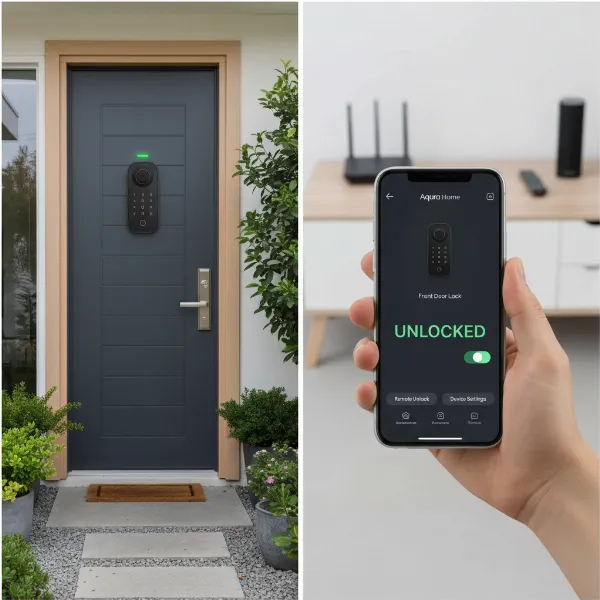 Aqara U100 smart lock integrated into a smart home ecosystem, showing remote control via a smartphone app.
Essential Aqara Smart Lock Accessories
To unlock the full potential of your Aqara Smart Lock U100, certain accessories are not just add-ons but essential components for a truly connected smart home experience.
Aqara Zigbee 3.0 Hub
This is arguably the most critical accessory for the U100.
- Benefits:
- Matter Compatibility: Enables the U100 to work seamlessly with Matter, future-proofing your smart home.
- Remote Control: Provides Wi-Fi connectivity for remote locking/unlocking and monitoring from anywhere.
- Voice Assistant Integration: Allows the U100 to integrate with Amazon Alexa and Google Home, in addition to its native Apple HomeKit support.
- Enhanced Automations: Acts as a central brain for more complex smart home automations involving other Aqara devices.
- Additional Features: Some hubs can double as a doorbell chime or nightlight.
- Recommendation: Investing in an Aqara hub, such as the M3, is highly recommended to maximize the U100’s capabilities, even though it adds to the initial cost.
Additional NFC Cards (if desired)
While Apple Home Key uses NFC on your iPhone/Apple Watch, some users might prefer dedicated NFC cards.
- Benefits: Provides an alternative tap-to-unlock method for those without an Apple device or who prefer a physical card.
- Recommendation: Consider these if you have family members or frequent guests who might benefit from a physical card.
By integrating the Aqara U100 with an Aqara hub, you transform it from a highly capable smart lock into a truly intelligent gateway for your home, seamlessly woven into your broader smart home ecosystem.
Conclusion
The Aqara Smart Lock U100 stands out as a formidable contender in the smart lock arena, particularly for those seeking a robust and feature-rich solution with Apple Home Key compatibility. Its blend of multiple secure access methods—including a highly accurate fingerprint reader, a responsive keypad, and seamless integration with Apple Home Key—offers unparalleled convenience and peace of mind. While the optional Aqara hub enhances its capabilities with Matter, Alexa, and Google Home support, the U100 delivers exceptional value and reliable performance, making it a leading choice for modern home security.
Are you ready to embrace a smarter, more secure future for your home?
Frequently Asked Questions
Does the Aqara U100 directly support Apple Home Key?
Yes, the Aqara U100 natively supports Apple Home Key, allowing you to lock and unlock your door simply by tapping your iPhone or Apple Watch to the lock, even in Express Mode.
Is an Aqara hub necessary for the U100 to function?
The Aqara U100 functions via Bluetooth and HomeKit without a hub, but an Aqara Zigbee 3.0 hub is required for remote Wi-Fi control, Matter compatibility, and integration with Amazon Alexa and Google Home.
How secure is the Aqara Smart Lock U100?
The U100 boasts ANSI/BHMA Level 3 security certification, IP65 weather resistance, and uses end-to-end AES 128 encryption for data. Fingerprint information is stored locally on the device, further enhancing privacy and security.
What is the estimated battery life of the Aqara U100?
The Aqara U100 operates on four AA batteries, which typically last around eight months with regular use. It also features a hidden USB-C port for emergency power if the batteries run out.
Can the Aqara U100 integrate with other smart home platforms besides HomeKit?
Yes, with an Aqara Zigbee 3.0 hub, the U100 gains compatibility with Matter, Amazon Alexa, and Google Home, allowing for broader smart home integration and control.
