The landscape of home security is constantly evolving, with smart locks leading the charge towards a more connected and convenient future. Gone are the days of fumbling for keys; today’s technology offers seamless entry with a touch, a code, or even a voice command. Among the various contenders in this growing market, Geek Smart door locks have emerged as a popular choice, promising advanced features at an accessible price point.
This comprehensive review delves into the Geek Smart door lock ecosystem, exploring its core features, evaluating its performance in real-world scenarios, and dissecting its strengths and weaknesses. Whether you’re a homeowner looking to upgrade your security, a rental property owner seeking efficient access management, or simply curious about smart home technology, this guide will help you determine if a Geek Smart lock is the right fit for your needs and budget.
What is a Smart Lock and Why Consider One?
A smart lock is an electronic and mechanical locking device that offers keyless entry and connects to a smart home ecosystem, allowing for advanced control and monitoring. Unlike traditional locks, which rely solely on physical keys, smart locks integrate modern technologies such as biometric authentication, numerical keypads, and smartphone applications for unlocking.
The transition from traditional to smart locks brings a multitude of benefits. Convenience is paramount; imagine unlocking your door with a fingerprint or a simple tap on your phone, eliminating the worry of lost or forgotten keys. Smart locks also significantly enhance security by providing audit trails of entry and exit, sending real-time alerts for unusual activity, and allowing for remote management of access. This means you can grant temporary access to guests or service providers from anywhere, without needing to be physically present. From residential homes and bustling offices to short-term rental properties and hotels, smart locks offer flexible, secure, and user-friendly access solutions.
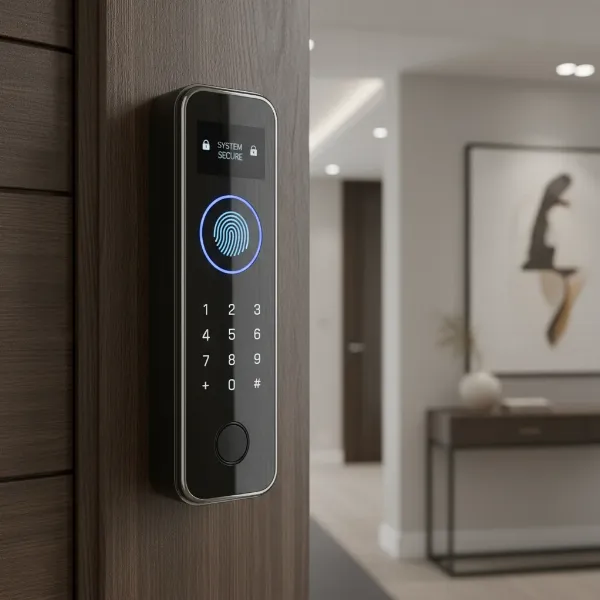 A modern smart lock on a wooden door, showing keyless entry methods like fingerprint and keypad.
Geek Smart Door Lock: Features at a Glance
Geek Smart door locks aim to deliver a blend of robust security and modern convenience through a diverse set of features, making them a compelling option for many users. The core appeal lies in their multi-faceted approach to access.
Most Geek Smart models offer multiple unlocking methods, including quick biometric fingerprint recognition, a numerical keypad for custom codes, access via a smartphone app (utilizing Bluetooth or a Wi-Fi gateway for remote control), and traditional mechanical keys for emergency backup. Some advanced models even include IC card access, adding another layer of convenience.
The biometric fingerprint recognition is often highlighted for its speed, typically unlocking doors in as little as 0.3 seconds. These locks can usually store a significant number of fingerprints, making them suitable for families or small offices. The accompanying smartphone app, often either the GeekSmart app or the TT Lock app, provides a centralized hub for managing your lock. Through the app, you can easily add or remove users, generate temporary or one-time passcodes for visitors, set automatic locking schedules, review unlock records for enhanced security monitoring, and activate a privacy mode to prevent outside entry.
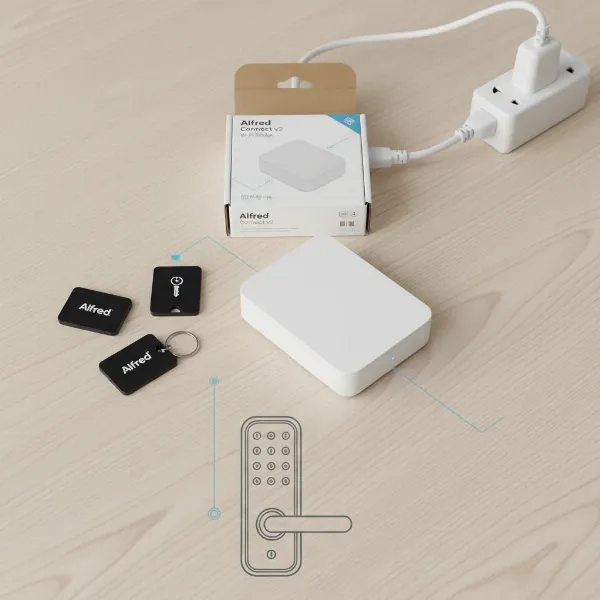
For those looking to integrate their security with a broader smart home ecosystem, many Geek Smart locks offer smart home integration with popular voice assistants like Amazon Alexa and Google Assistant. It’s important to note that remote access and voice control typically require a separate Wi-Fi gateway device to bridge the Bluetooth-enabled lock with your home network.
In terms of durability and weather resistance, Geek Smart often utilizes materials like zinc alloy and stainless steel in its construction, contributing to a sturdy feel. Specific models may come with IP ratings (e.g., IP54, IP63, IP65) indicating a degree of protection against dust and water, making them suitable for various outdoor conditions. However, some simpler models are strictly designed for indoor use. For unexpected power outages, an emergency backup system is standard, featuring mechanical keys and a Type-C USB port for external power boosting if batteries run critically low. Finally, an auto-locking feature ensures your door is always secured, often engaging after a pre-set delay, providing peace of mind even if you forget to lock up.
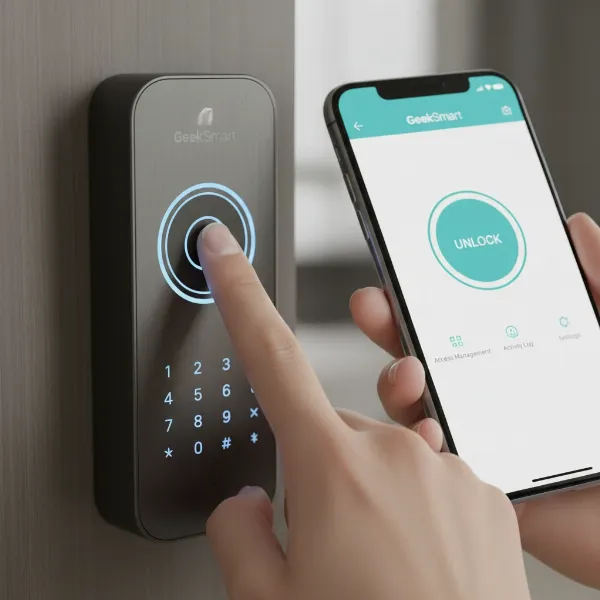 Geek Smart lock demonstrating multiple unlocking methods, including fingerprint, keypad, and smartphone app.
Performance and User Experience
Evaluating a smart lock goes beyond its features; how it performs in daily use is crucial. Geek Smart door locks generally provide a satisfactory user experience, particularly for their price point.
The fingerprint reader is often praised for its quick recognition and accuracy. Most users find it reliable for everyday entry, making it a favorite method for its sheer speed and convenience. While generally robust, like all biometric sensors, its performance can sometimes be affected by very dry or worn fingerprints, occasionally requiring multiple attempts.
The keypad sensitivity can vary slightly between models. While functional, some users note that it might not be as consistently responsive as the fingerprint reader. However, it serves as a valuable alternative entry method. The accompanying app responsiveness (GeekSmart or TT Lock) is typically smooth and intuitive. The apps are well-designed for managing users, setting codes, and monitoring activity logs, contributing significantly to the lock’s overall usability.
Connectivity is a key aspect. While many Geek Smart locks utilize Bluetooth for direct phone-to-lock communication, achieving remote access or integrating with voice assistants like Alexa and Google Assistant necessitates the purchase and setup of a separate Wi-Fi gateway. This gateway bridges the gap, allowing you to control and monitor your lock from anywhere with an internet connection.
Battery life is a critical consideration for any smart lock. Geek Smart locks are powered by batteries, with some models featuring rechargeable units and others using disposable ones. Lifespan can range from several months to almost a year, depending on usage frequency and specific model. Crucially, most locks include low-battery alerts to prevent you from being locked out, often through the app or a visual/audible indicator on the lock itself. The inclusion of an emergency USB power port offers an extra layer of reassurance.
Pros and Cons of Geek Smart Door Locks
Like any technology, Geek Smart door locks come with their own set of advantages and disadvantages. Understanding these can help you make an informed decision.
Pros:
- Multi-functional Access: The combination of fingerprint, keypad, app control, and mechanical key offers exceptional flexibility and convenience for various users and situations.
- Affordability: Geek Smart locks are often more budget-friendly compared to many premium smart lock brands, making smart home security accessible to a wider audience.
- Ease of Setup and Use: Installation is generally considered DIY-friendly, and the associated smartphone apps are intuitive for managing access and settings.
- Smart Home Integration: Compatibility with Alexa and Google Assistant (with a separate gateway) allows for voice control and integration into broader smart home routines.
- Ideal for Rental Properties: Features like remote code generation and access logs make them excellent for Airbnb hosts and property managers.
- Emergency Backups: Mechanical keys and a USB power port provide crucial fail-safes in case of battery depletion or electronic malfunction.
|
Our Picks for the Best Smart Lock in 2026
As an Amazon Associate I earn from qualifying purchases.
|
||
| Num | Product | Action |
|---|---|---|
| 1 | TEEHO TE001 Keyless Entry Door Lock with Keypad - Smart Deadbolt Lock for Front Door with 2 Keys - Auto Lock - Easy Installation - Oil-Rubbed Bronze |

|
| 2 | ULTRALOQ U-Bolt Pro WiFi Smart Lock with Door Sensor, 8-in-1 Keyless Entry Door Lock with Fingerprint ID, App Remote Control, Built-in WiFi Keypad Deadbolt, Auto Unlock, IP65 Waterproof, Easy Install |
|
| 3 | Electronic Passwords Keyless Entry Door Locks Smart Deadbolt Metal Lock Auto Time Delay Locking Secure Durable Low Battery Alert Type-C Port for Emergency Charging |
|
| 4 | Philips Wi-Fi Door Lock, WiFi Smart Lock Keyless Entry Deadbolt for Front Door, Compatible with Alexa & Google Assistant, Remote Control, Built-in WiFi, APP Fingerprint Passcode Unlock, Auto Locking |
|
| 5 | TEEHO TE001 Keyless Entry Door Lock with Keypad - Smart Deadbolt Lock for Front Door with 2 Keys - Auto Lock - Easy Installation - Satin Nickel |
|
| 6 | Schlage Encode Smart WiFi Deadbolt Lock for Front Door - Keyless Entry with App or Touchscreen - Works with Alexa, Hey Google, & Airbnb - Create Codes for Guests - Matte Black |
|
| 7 | Philips Wi-Fi Door Lock, WiFi Smart Lock Keyless Entry Deadbolt for Front Door, Remote Control, Built-in WiFi, APP Fingerprint Passcode Unlock, Auto Locking |
|
| 8 | eufy Security Smart Lock C220, Fingerprint Keyless Entry Door Lock, Built-in Wi-Fi, App Remote Control, Front Door Smart Lock Deadbolt, 8Months Battery, Reliable Power, IP53 Waterproof, BHMA Grade 3 |
|
| 9 | TEEHO TE001 Keyless Entry Door Lock with Keypad - Smart Deadbolt Lock for Front Door with 2 Keys - Auto Lock - Easy Installation - Matte Black |
|
| 10 | eufy Security Smart Lock C220, Fingerprint Keyless Entry Door Lock, Built-in Wi-Fi, App Remote Control, Front Door Smart Deadbolt, IP53 Waterproof, 8-Months Battery, Nickel |
|
Cons:
- Keypad Sensitivity: While functional, the keypad on some models might not be as consistently responsive or tactile as desired, especially compared to the fingerprint reader.
- Wi-Fi Gateway Requirement: Remote access and full smart home integration are not out-of-the-box features; they typically require an additional purchase and setup of a Wi-Fi gateway.
- Fingerprint Sensor Variations: Performance can sometimes vary, with issues for very dry or worn fingerprints.
- Limited Recurring Code Options: Some models might lack advanced recurring code programming, which could be a drawback for certain use cases.
- Indoor/Outdoor Use: While some models boast weather resistance, others are strictly designed for indoor use, limiting their application for front doors in exposed environments.
- General Smart Lock Vulnerabilities: As with all smart devices, there’s a theoretical risk of cyber threats. It’s crucial to keep firmware updated and maintain strong Wi-Fi security.
- Power Dependency: Smart locks rely on battery power, and a completely dead battery could leave you temporarily reliant on mechanical keys or emergency power.
- Locksmith Perspectives: Some professional locksmiths express concerns about the long-term reliability and manufacturing quality of many affordable residential smart locks, emphasizing the importance of precise installation and the potential for quicker wear compared to high-end commercial systems.
Installation: Is it DIY-Friendly?
One of the significant selling points of Geek Smart door locks is their reputation for straightforward, DIY-friendly installation. Many users report being able to install these locks with just a screwdriver in a matter of minutes, replacing existing deadbolts or door knobs without needing specialized tools or extensive technical expertise.
The installation process typically involves a few key steps:
- Installing the Latch: This often includes adjusting the latch backset (e.g., between 60-70mm) to fit your door’s dimensions.
- Connecting Rods and Spindle: Carefully routing internal wires and securing connecting rods between the exterior and interior components.
- Mounting Exterior and Interior Handles: Attaching the main body of the lock to the door.
- Installing Batteries: Powering up the device.
A crucial aspect for successful operation, often highlighted in troubleshooting, is the importance of correct alignment. The deadbolt must be able to extend fully into the door frame’s strike plate hole without obstruction. If the hole is not deep enough or the lock is misaligned, it can prevent the lock from functioning properly and even compromise security. After the physical installation, the final step involves app setup and programming. This is where you pair the lock with your smartphone, add user fingerprints (if applicable), set up passcodes, and configure any smart features. Most Geek Smart products come with detailed manuals and often have instructional videos available online to guide you through each step.
Common Issues and Troubleshooting Tips
Even with user-friendly designs, smart locks can encounter occasional glitches. Here are some common issues users face with Geek Smart locks and practical troubleshooting tips:
Battery Issues
- Symptoms: Lock becomes unresponsive, continuously beeps, or fails to unlock.
- Solutions: Replace batteries with high-quality alkaline ones immediately, or use the emergency Type-C USB port for a power boost to gain entry. Ensure battery contacts are clean and properly aligned.
Connectivity Problems
- Symptoms: Lock fails to connect to the app, Wi-Fi, or Bluetooth; remote features don’t work.
- Solutions: Check if your Wi-Fi signal is strong enough near the door. Restart your Wi-Fi router and the lock’s connectivity module (especially if using a gateway). Ensure the lock’s firmware and app are updated to the latest versions. If issues persist, try re-pairing the lock with the app.
Physical Misalignment
- Symptoms: Lock makes clicking noises but doesn’t fully lock/unlock, or the deadbolt jams.
- Solutions: This is often an installation issue. Ensure the strike plate hole in your door frame is deep enough (at least 1 inch for deadbolts) to allow the bolt to extend completely. Verify that the latch direction is correct for your door’s swing. Slight adjustments to the lock’s position or the strike plate might be needed.
Fingerprint/Keypad Malfunctions
- Symptoms: Fingerprint recognition is slow or fails frequently; keypad buttons are unresponsive or register incorrect codes.
- Solutions: For fingerprint issues, ensure your finger is clean and dry, try different angles, and re-enroll your fingerprint. For keypad problems, clean the surface with a dry cloth. If unresponsive, replace batteries or reset the lock and re-program codes.
Motor/Mechanism Problems
- Symptoms: Lock makes a sound but the motor doesn’t turn, the handle spins freely, or the bolt doesn’t extend/retract.
- Solutions: This can indicate internal hardware damage. After checking batteries and alignment, if the problem persists, it may require repair or replacement of the lock. Contact Geek Smart customer service for assistance.
Factory Reset
- When to use: As a last resort for persistent software glitches, or when re-gifting/selling the lock.
- How: Typically done via the GeekSmart app by selecting “restore factory settings” or “delete device,” or by pressing a reset button hidden on the lock’s interior panel. Be aware this will erase all programmed users and settings.
How Geek Smart Compares to Other Smart Locks
In a crowded market, Geek Smart positions itself as a strong contender in the budget-friendly segment, offering a rich feature set that often rivals more expensive brands. While premium locks like Yale or August might offer more refined build quality, broader smart home ecosystem compatibility (e.g., Z-Wave, HomeKit), or enhanced security certifications, Geek Smart excels at delivering core smart lock functionalities at a significantly lower cost.
Compared to similar budget options from brands like SMONET, Narpult, or Sifely, Geek Smart generally provides comparable features such as multiple entry methods and app control. Its main differentiating factor often comes down to specific model variations in terms of durability, exact IP ratings, and the overall responsiveness of its fingerprint and keypad sensors. For users prioritizing a feature-packed experience without breaking the bank, Geek Smart often represents excellent value.
Choosing the Right Geek Smart Lock for You
Selecting the perfect smart lock involves balancing your security needs with desired convenience and budget. When considering a Geek Smart lock, reflect on these key factors:
- Door Type: Is it for an interior bedroom door, or an exterior front door? This will influence the required weather resistance (look for IP ratings for exterior use) and the type of lock (deadbolt vs. handle).
- Desired Security Level: While all smart locks offer convenience, consider if you need advanced features like robust audit trails or specific security certifications for higher-security applications.
- Budget: Geek Smart is known for affordability, but prices vary between models based on features.
- Required Features: Do you primarily want fingerprint access, or is a keypad crucial for guests? Is remote access a must-have (requiring a Wi-Fi gateway)?
- Connectivity: Decide if Bluetooth-only (proximity control) is sufficient or if you need the added functionality of a Wi-Fi gateway for remote management and voice assistant integration.
- User Reviews: Always read feedback from other users to get a real-world perspective on specific models, especially regarding long-term reliability and customer support experiences.
By carefully evaluating these points, you can navigate the Geek Smart lineup to find a smart lock that perfectly complements your lifestyle and home security objectives.
Conclusion
Geek Smart door locks offer a compelling entry into the world of smart home security, blending advanced features with an accessible price point. Their multi-faceted approach to entry, incorporating fingerprint, keypad, app control, and mechanical keys, delivers a high degree of convenience and flexibility for various users. While remote access requires an additional gateway and some minor performance variations exist between models, the overall value proposition remains strong.
For homeowners, renters, and property managers seeking to modernize their entry systems without a significant investment, Geek Smart provides a practical and reliable solution. By understanding its features, installation process, and common troubleshooting steps, you can confidently integrate this technology into your daily life. Is it time to experience the ease and enhanced security that a Geek Smart door lock can bring to your home?
Frequently Asked Questions
Is the Geek Smart Door Lock waterproof?
Many Geek Smart door lock models feature some level of weather resistance, indicated by an IP (Ingress Protection) rating, such as IP54, IP63, or IP65. This means they are designed to withstand varying degrees of dust and water splashes, making them suitable for exterior doors with some exposure to the elements. However, specific resistance can vary by model, so always check the product specifications for the exact IP rating if outdoor use is intended.
Can I control my Geek Smart Lock remotely without being home?
Yes, most Geek Smart locks can be controlled remotely from anywhere, but this typically requires a separate Wi-Fi Gateway. The lock itself often uses Bluetooth for local control, and the gateway acts as a bridge, connecting your Bluetooth-enabled lock to your home’s Wi-Fi network and the internet, enabling remote access via the GeekSmart app.
What happens if the Geek Smart Lock battery dies?
Geek Smart locks are designed with backup options. If the batteries die, you can usually still open the door using the provided mechanical backup keys. Additionally, many models include a Type-C USB port on the exterior, allowing you to temporarily power the lock with a portable power bank to gain entry and replace the batteries.
Is Geek Smart compatible with all door types?
Geek Smart locks are designed to fit most standard US doors, with adjustable latches to accommodate common backset dimensions (e.g., 60-70mm). They are suitable for door thicknesses typically ranging from 1.38 to 2.13 inches (35mm-54mm). However, it’s always recommended to measure your door’s existing hardware dimensions and consult the product’s installation guide to ensure compatibility before purchase.
How many fingerprints can a Geek Smart Lock store?
The number of fingerprints a Geek Smart lock can store varies by model, but many popular versions are capable of storing a significant amount, often up to 20 unique fingerprints. This capacity makes them well-suited for family homes, small offices, or shared living spaces where multiple users require biometric access.