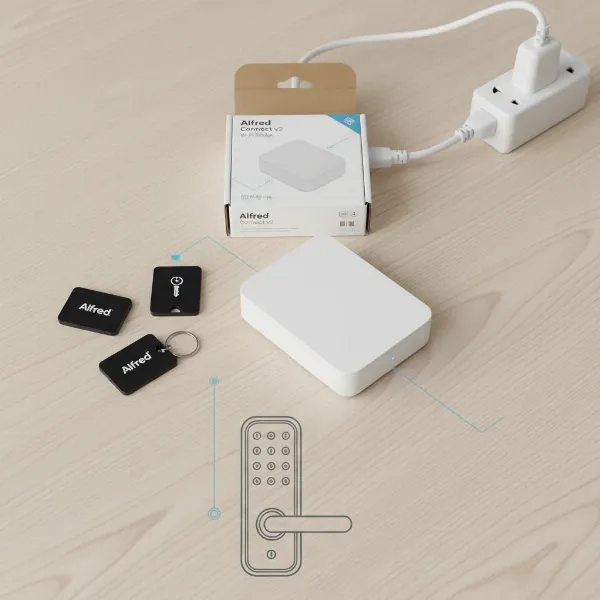
In today’s dynamic business environment, maintaining robust security while ensuring seamless access is paramount. Traditional lock-and-key systems often fall short, struggling with lost keys, complicated access management, and a lack of accountability. Enter smart locks, a transformative solution offering unparalleled security, convenience, and control for modern commercial offices and the increasingly popular glass doors. This guide will delve into the world of commercial smart locks, helping you navigate the options to secure your business space effectively and efficiently.
What Are Commercial Smart Locks? Why Businesses Need Them
Commercial smart locks represent a significant leap beyond conventional locking mechanisms. They integrate advanced technology with traditional hardware, offering keyless entry and intelligent management features crucial for business operations. Instead of physical keys, users gain access through various digital methods like PIN codes, RFID cards, biometric scans (fingerprint or facial recognition), or even smartphone apps. These systems can be standalone or networked, often connecting to cloud-based management software that allows administrators to oversee access in real time.
The benefits of upgrading to commercial smart locks are extensive:
- Enhanced Security: Smart locks provide a heightened level of security by eliminating physical keys, which can be lost or stolen. They offer robust audit trails, logging every entry and exit with a timestamp, which is invaluable for accountability and security investigations. Access can be programmed for specific timeframes or authorized personnel, ensuring precise control over who enters your premises.
- Improved Convenience and Operational Efficiency: Keyless entry streamlines daily operations, especially in high-traffic areas or environments with frequent personnel changes. Employees no longer need to carry bulky keyrings, and forgotten keys become a problem of the past.
- Remote Management: With cloud-based systems, businesses can remotely grant or revoke access privileges with just a few clicks, from anywhere in the world. This is particularly useful for temporary access, vendor management, or managing multiple office locations.
- Integration Capabilities: Many commercial smart locks integrate seamlessly with existing access control systems, video surveillance, and other smart building technologies, creating a unified security ecosystem.
Commercial smart locks are ideal for various applications, including corporate offices, co-working spaces, retail storefronts, healthcare facilities, and internal office or meeting room doors, including those made of glass.
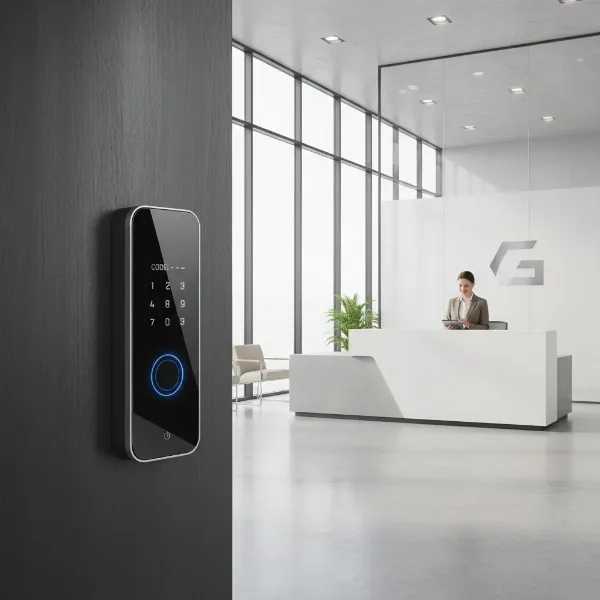 Modern commercial office lobby with a smart lock on a main entrance door, showing enhanced security.
Types of Smart Locks for Commercial & Glass Doors
The market offers a diverse range of smart locks, each suited for different door types and security needs within a commercial setting.
Smart Locks for Traditional Commercial Doors
These locks are designed for standard wood or metal doors, often replacing existing cylindrical or mortise locks.
- Cylindrical Locks: These are common in many office environments. Models like the Schlage NDEB are wireless cylindrical locks built to handle high traffic and support mobile credentials, making them a reliable choice for interior office doors. The Centrios Cylindrical Lock is another option popular with small to mid-size businesses, offering cloud control without direct Wi-Fi involvement, often via a smartphone bridge.
- Mortise Locks: Known for their robust security, mortise locks often feature a more substantial locking mechanism. The Aperio C100 Cylinder can add wireless access control to internal doors without drilling, fitting all mortise locks, and is noted as a great option for glass doors too.
- Lever Sets: These replace traditional door handles with integrated smart lock technology. The Lockly Smart Storefront Lock 238LM is an example designed for storefront applications, often featuring biometric and keypad access.
|
Our Picks for the Best Smart Lock in 2026
As an Amazon Associate I earn from qualifying purchases.
|
||
| Num | Product | Action |
|---|---|---|
| 1 | eufy Security Smart Lock C220, Fingerprint Keyless Entry Door Lock, Built-in Wi-Fi, App Remote Control, Front Door Smart Lock Deadbolt, 8Months Battery, Reliable Power, IP53 Waterproof, BHMA Grade 3 |

|
| 2 | Electronic Passwords Keyless Entry Door Locks Smart Deadbolt Metal Lock Auto Time Delay Locking Secure Durable Low Battery Alert Type-C Port for Emergency Charging |
|
| 3 | eufy Security Smart Lock C220, Fingerprint Keyless Entry Door Lock, Built-in Wi-Fi, App Remote Control, Front Door Smart Deadbolt, IP53 Waterproof, 8-Months Battery, Nickel |
|
| 4 | Schlage Encode Smart WiFi Deadbolt Lock for Front Door - Keyless Entry with App or Touchscreen - Works with Alexa, Hey Google, & Airbnb - Create Codes for Guests - Matte Black |
|
| 5 | Philips Wi-Fi Door Lock, WiFi Smart Lock Keyless Entry Deadbolt for Front Door, Compatible with Alexa & Google Assistant, Remote Control, Built-in WiFi, APP Fingerprint Passcode Unlock, Auto Locking |
|
| 6 | Philips Wi-Fi Door Lock, WiFi Smart Lock Keyless Entry Deadbolt for Front Door, Remote Control, Built-in WiFi, APP Fingerprint Passcode Unlock, Auto Locking |
|
| 7 | TEEHO TE001 Keyless Entry Door Lock with Keypad - Smart Deadbolt Lock for Front Door with 2 Keys - Auto Lock - Easy Installation - Matte Black |
|
| 8 | ULTRALOQ U-Bolt Pro WiFi Smart Lock with Door Sensor, 8-in-1 Keyless Entry Door Lock with Fingerprint ID, App Remote Control, Built-in WiFi Keypad Deadbolt, Auto Unlock, IP65 Waterproof, Easy Install |
|
| 9 | TEEHO TE001 Keyless Entry Door Lock with Keypad - Smart Deadbolt Lock for Front Door with 2 Keys - Auto Lock - Easy Installation - Satin Nickel |
|
| 10 | TEEHO TE001 Keyless Entry Door Lock with Keypad - Smart Deadbolt Lock for Front Door with 2 Keys - Auto Lock - Easy Installation - Oil-Rubbed Bronze |
|
Specialized Smart Locks for Glass Doors
Securing glass doors, whether frameless or framed with metal, presents unique challenges, primarily due to the material’s integrity and aesthetic considerations.
- No-Drill/Clamp-Style Solutions: For frameless glass doors, specialized smart locks are available that utilize clamp-style installations, eliminating the need for drilling. This preserves the door’s integrity and sleek appearance. Brands like LEROND offer smart locks specifically engineered for commercial glass door applications with keypad access and no-drill installation. The Adel Keyless Door Lock and Eufy Frameless Glass Door Smart Lock also cater to framed and frameless glass, offering card, PIN, and even facial recognition access.
- Solutions for Framed Glass Doors: Glass doors with metal frames, common in storefronts, can often accommodate more robust solutions like electric strikes, mag locks (magnetic locks), or specific smart lock series. Schlage NDE Series and Adams Rite DL100 are recommended as reliable commercial options for such doors. Lockly’s Guard Defender is designed for glass aluminum storefront doors, offering wireless smart lock capabilities.
- Aesthetic Considerations: For glass doors, the design and footprint of the smart lock are critical to maintain the desired modern and open aesthetic of commercial spaces. Slim-profile locks and those with minimalist designs are often preferred.
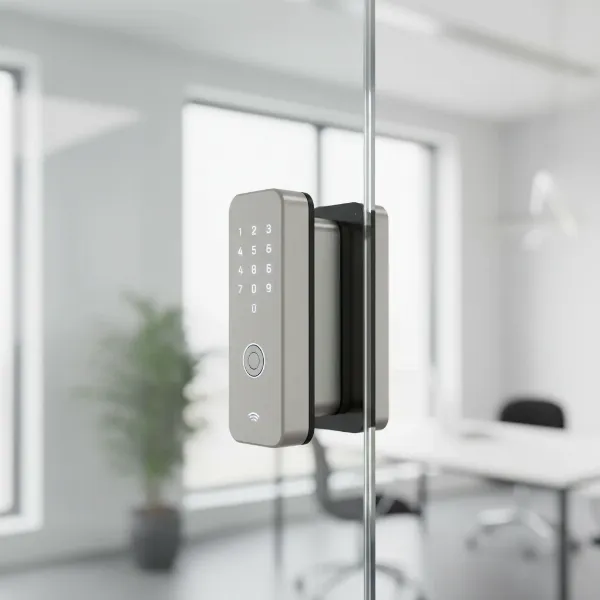 A modern, frameless glass office door secured with a specialized clamp-style smart lock.
Access Methods
Commercial smart locks offer a variety of ways for users to gain entry:
- Fingerprint Recognition: Provides fast, secure, and keyless access. Brands like ULTRALOQ are recognized for their highly accurate and swift fingerprint scanning technology.
- PIN/Keypad Entry: Users enter a code on a digital keypad. Many commercial locks feature anti-peep technology or random number generators to prevent code discovery. The Dormakaba E-Plex 7900 is a flexible option offering keypad access.
- RFID/Card Access: Users tap a card or fob to unlock the door. This is widely used in corporate environments for employee badges. SALTO XS4 One is an example of a system built around a wire-free RFID ecosystem.
- Mobile App/Bluetooth/Wi-Fi: Allows users to unlock doors via their smartphone, often with proximity sensing or remote control capabilities. Brands like Yale Assure and Schlage Encode offer Wi-Fi connectivity for remote management.
- Multi-Method Combinations: Many advanced commercial smart locks offer multiple access methods for flexibility and redundancy, ensuring entry even if one method is unavailable.
Top Commercial Smart Lock Brands Comparison
When selecting smart locks for commercial applications, certain brands consistently stand out for their reliability, features, and suitability for business needs.
| Brand/Model | Key Features for Commercial/Glass Doors | Primary Access Methods | Integration & Management | Noteworthy for |
|---|---|---|---|---|
| Schlage NDEB | Wireless cylindrical lock, high-traffic capable, suitable for interior offices | Mobile credentials, PIN code, key override | Integrates with various access platforms, mobile-enabled management | Workhorse for property managers, dependable hardware |
| Dormakaba E-Plex 7900 / EVO LZ | Heavy-duty, flexible for mortise/cylindrical, standalone or networked | Keypad, RFID, card, virtual keys, PIN code | Software oversight, ideal for phased rollouts, high-quality performance | Flexibility in deployment, durability, aesthetics (EVO LZ) |
| SALTO XS4 One | Wire-free ecosystem, versatile for various door types, trim options | RFID, mobile credentials, PIN code, key override | Comprehensive access control platform, scalable for mixed portfolios | Scalability, wide range of aesthetic options, wire-free installation |
| Lockly Duo / Guard Defender | Specifically for glass aluminum storefronts (Guard Defender), single-motion egress compliant (Duo), dual-locking technology | PIN Genie keypad, fingerprint, mobile app, physical key | Remote management via app, audit trails | Code compliance for exits (Duo), wireless solutions for glass storefronts |
| Aperio (ASSA ABLOY) C100/H100 | No-drilling installation, fits mortice locks, good for glass doors | RFID card, mobile credentials | Seamless integration with commercial access control and security systems | Ease of retrofit on existing doors, glass door compatibility |
| Verkada AL54 Wireless Lock | Cylindrical lock, designed for seamless integration | Mobile credentials, PIN code | Fully integrated into Verkada Command cloud (cameras, intercoms) | Unified security platform, cloud-managed |
| LEROND Glass Door Smart Lock | Engineered for frameless commercial glass doors, clamp-style installation | Keypad, RFID cards, mobile app | Standalone or app-managed, audit trail | Specialized for frameless glass, no-drill installation |
Brand Insights:
- Schlage: Often lauded for reliability and ease of installation, particularly for their NDEB and Encode series. The NDEB is a strong contender for interior office doors with high traffic.
- Dormakaba: Known for its heavy-duty and flexible solutions like the E-Plex 7900, which can operate standalone or integrate into wireless systems. The EVO LZ also combines performance with strong aesthetics.
- SALTO: Offers a robust, wire-free ecosystem that is highly scalable, making it suitable for businesses with a diverse range of door types and future expansion plans.
- Lockly: Stands out for addressing specific commercial challenges, such as providing wireless smart lock capabilities for glass aluminum storefront doors with its Guard Defender, and ensuring “single-motion egress” code compliance with the Duo model.
- Aperio (ASSA ABLOY): Their C100 cylinder and H100 handle offer excellent retrofit options for existing mechanical locks, with the C100 specifically noted for glass door compatibility without drilling.
- Verkada: For organizations already invested in the Verkada ecosystem, the AL54 offers seamless integration with their cloud platform, simplifying management.
- LEROND: Provides targeted solutions for the unique requirements of glass doors, emphasizing aesthetic preservation and drill-free installation.
“The choice of a commercial smart lock goes beyond simple security; it’s about integrating technology that enhances operational flow, simplifies management, and meets stringent safety standards for your specific business environment.” – Smart Lock Choice Admin, Commercial Security Expert
Choosing the Right Smart Lock for Your Business (Buying Guide)
Selecting the ideal smart lock for your commercial office or glass door requires careful consideration of several factors.
1. Assess Your Door Type and Environment
- Door Material: Is it wood, metal, aluminum, or glass? This dictates the type of lock hardware suitable.
- Frame Type: Framed or frameless glass doors have different installation requirements. Narrow stile doors (common in storefronts) also need specific slim-profile locks.
- Location: Is it an exterior entrance, an internal office door, or a high-security area?
- Traffic Volume: High-traffic doors require more durable locks designed for frequent use.
2. Determine Your Security Requirements
- Level of Security: Define the necessary security level. Perimeter doors will likely need more robust features than internal office doors.
- Audit Trails: Do you need detailed logs of who entered, when, and where? Most commercial smart locks offer this, but the level of detail can vary.
- Access Control: How granular do you need access permissions to be? (e.g., time-based access, role-based access).
3. Identify Essential Access Methods
Consider your user base and their preferences:
- Biometrics: Fingerprint or facial recognition for swift, secure, and touch-free access.
- PIN Codes: Easy to manage and assign to many users. Look for features like randomizing keypads to prevent code guessing.
- RFID Cards/Fobs: Ideal for employee badges and visitor access.
- Mobile App: Provides remote control and convenience for administrators and employees.
4. Evaluate Connectivity and Integration Capabilities
- Standalone vs. Networked: Standalone locks are simpler but offer less centralized control. Networked locks (Wi-Fi, Bluetooth, Zigbee, Z-Wave) provide real-time management and integration.
- Integration with Existing Systems: Can the smart lock integrate with your current access control system, video surveillance, or building management platform (e.g., Kisi, Verkada Command)?
- Cloud-Based Management: A cloud platform offers robust remote management, user provisioning, and reporting features.
5. Prioritize Management Features
Look for features that streamline administration:
- User Management: Easy enrollment, modification, and revocation of user access.
- Scheduling: Ability to set specific access schedules for different users or groups.
- Real-time Notifications: Alerts for unauthorized access attempts or critical events.
- Visitor Management: Ability to issue temporary or single-use digital keys.
6. Ensure Code Compliance
For commercial properties, compliance with building and fire codes is critical. Pay close attention to:
- Single-Motion Egress: Many commercial doors, especially exits, must allow occupants to exit with a single motion from the inside. Locks like the Lockly Duo are specifically engineered to meet this requirement.
7. Consider Power Source and Backup
- Battery Life: For wireless locks, long battery life and low battery alerts are crucial.
- Wired Options: Some high-security or high-traffic doors might benefit from wired power.
- Backup Power: Consider models with battery backups or mechanical key overrides in case of power failure.
8. Budget and Long-Term Costs
- Initial Investment: Smart locks can vary widely in price.
- Subscription Fees: Some cloud-based management platforms require recurring subscription fees.
- Installation Costs: Professional installation is often recommended for commercial systems.
9. Research Reviews and Support
- Manufacturer Reputation: Choose reputable brands known for commercial-grade security.
- User Reviews: Look for feedback from other businesses regarding reliability, ease of use, and customer support.
- Warranty and Technical Support: Ensure adequate support for troubleshooting and maintenance.
Installation and Usage of Commercial Smart Locks
While the specifics of installation vary by model and door type, a general understanding of the process and proper usage can ensure optimal performance and longevity.
Basic Installation Steps
For commercial applications, especially involving glass doors or integration with complex access control systems, professional installation by a certified locksmith or security technician is highly recommended.
- Preparation: Remove existing hardware carefully. Ensure the door frame and preparation meet the smart lock’s specifications.
- Hardware Mounting: Install the smart lock components, including the exterior keypad/reader, interior assembly, and any necessary deadbolt or latch mechanisms. For glass doors, this might involve clamp-style mounting without drilling.
- Wiring/Battery Insertion: Connect any necessary wiring (for wired systems) or insert batteries (for wireless systems).
- Configuration: Power on the lock and follow the manufacturer’s instructions for initial setup, which typically involves pairing with a smartphone app or central control panel.
Configuring Smart Features
Once physically installed, the digital setup is key to leveraging the lock’s intelligence:
- App Setup and Network Connection: Download the dedicated app and connect the lock to your business’s network (Wi-Fi, Bluetooth, or other protocol) if applicable.
- User Enrollment: Register employees, visitors, and administrators. Assign unique PINs, issue RFID cards, or enroll biometric data.
- Access Schedules and Permissions: Create customized schedules for access (e.g., employees only during business hours) and assign different permission levels to various user groups.
- Audit Log Review: Regularly check the audit trails through the app or web dashboard to monitor entry and exit activity, ensuring accountability.
Maintenance & Longevity
- Battery Management: For battery-powered locks, monitor battery levels through the app and replace batteries proactively. Keep spare batteries on hand.
- Cleaning: Regularly clean the keypads, fingerprint readers, and exterior surfaces according to manufacturer guidelines.
- Firmware Updates: Ensure the smart lock’s firmware is updated to benefit from the latest security patches, bug fixes, and new features.
- Mechanical Check: Periodically inspect the mechanical components for any signs of wear or misalignment.
Common Issues & Troubleshooting
- Connectivity Problems: If the lock loses connection, check your network, Wi-Fi signal, or Bluetooth pairing.
- Battery Drain: Excessive battery drain could indicate a faulty battery, poor signal, or heavy usage.
- Access Failures: If a PIN, card, or fingerprint isn’t working, verify the credentials in the management system and ensure the lock is properly enrolled.
- Mechanical Jams: If the lock mechanism feels stiff, it may need lubrication or professional adjustment.
Essential Smart Lock Accessories for Businesses
To maximize the functionality and security of your commercial smart lock system, several accessories can prove invaluable.
- External Keypads: For doors that need guest access without a smartphone or biometric option, separate keypads can be installed nearby. These are great for delivery personnel or temporary visitors.
- RFID Cards/Fobs: Standardized RFID cards or key fobs can be easily distributed to employees and revoked as needed, offering a convenient alternative to PINs or biometrics for daily access.
- Wireless Hubs/Gateways: For locks using protocols like Zigbee or Z-Wave, a central hub is often required to connect them to your network for remote management and integration with other smart building systems.
- Battery Backup Solutions: For critical doors or areas where power outages are a concern, external battery backup units can ensure uninterrupted operation of electronic locks.
- Door Sensors: These integrate with the smart lock system to provide real-time information on whether a door is open or closed, enhancing monitoring and security alerts.
- Integration with Video Intercoms or Surveillance: Combining smart locks with a video intercom allows for visual verification of visitors before granting access, while integration with surveillance cameras can trigger recordings upon entry events, providing a comprehensive security record.
Utilizing these accessories can create a more robust, flexible, and user-friendly access control system tailored to your business’s unique operational needs.
Conclusion
The evolution of smart lock technology has ushered in a new era of security and convenience for commercial offices and glass doors. By moving beyond outdated key systems, businesses can achieve enhanced control, detailed accountability, and streamlined operations. Whether securing a high-traffic main entrance, a sensitive internal office, or a modern glass partition, there’s a smart lock solution engineered to meet your specific demands. The key lies in understanding your unique security requirements, considering the door type, exploring the diverse features offered by leading brands, and ensuring proper installation and ongoing maintenance. Embracing these advanced locking systems is not just an upgrade; it’s an investment in the future safety and efficiency of your commercial space.
Are you ready to elevate your business security with the intelligence of smart locks?
Frequently Asked Questions
What are the main benefits of installing smart locks in an office?
Smart locks offer keyless convenience, enhanced security through audit trails and customizable access permissions, and improved operational efficiency via remote management and integration with other systems. They eliminate the hassle of physical keys and provide real-time monitoring.
Can smart locks be installed on frameless glass doors without drilling?
Yes, several specialized smart locks are designed for frameless glass doors using clamp-style mechanisms that do not require drilling. This method preserves the door’s integrity and aesthetic, making them ideal for modern office designs.
Are commercial smart locks compatible with existing access control systems?
Many commercial-grade smart locks are designed for seamless integration with broader access control and security platforms. This allows for centralized management, unified user databases, and enhanced system functionality across your entire security infrastructure.
What is “single-motion egress” and why is it important for commercial smart locks?
“Single-motion egress” is a fire code requirement mandating that exit doors must unlatch with a single motion from the inside for safety reasons. Commercial smart locks, like the Lockly Duo, are specifically engineered to comply with this critical safety standard.
How do smart locks improve security over traditional locks for businesses?
Smart locks provide a digital audit trail of all entry and exit events, allowing administrators to grant or revoke access remotely. They utilize secure, keyless entry methods (biometrics, PINs, cards) that are generally more resistant to compromise than physical keys.
What maintenance do commercial smart locks require?
Maintenance typically involves regularly checking and replacing batteries, keeping the lock mechanisms clean, and ensuring firmware is up to date to benefit from the latest security patches and features. Regular inspections for wear and tear are also advisable.
What should I consider when choosing a smart lock for a storefront glass door?
When choosing a smart lock for a storefront glass door, consider whether the door is framed or frameless, the desired aesthetic (slim profile is often preferred), the access methods, and crucially, code compliance for egress. Specialized clamp-on or mortise-style locks are often best.