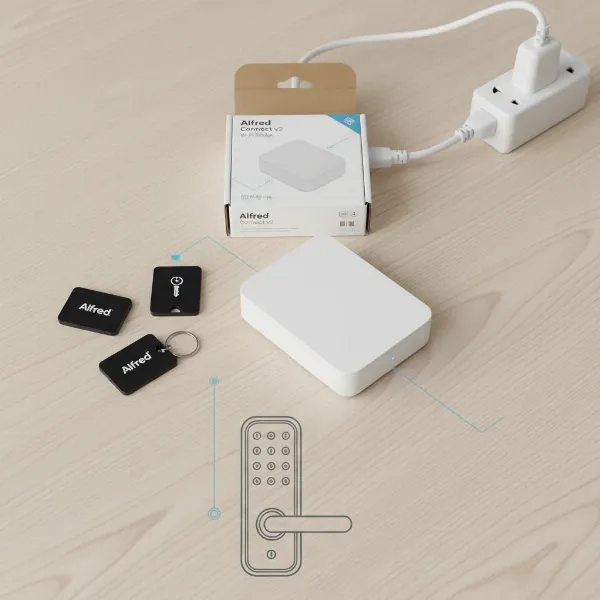
Modern home security has evolved far beyond traditional locks and standalone alarm systems. Imagine a world where your front door lock communicates directly with your security system, creating a unified defense that’s both intelligent and incredibly convenient. This powerful synergy, combining smart locks with your home alarm, transforms basic protection into an advanced, automated security ecosystem. It promises not just enhanced security, but also unparalleled peace of mind and effortless control over your living space.
The Synergy of Smart Locks and Alarm Systems: Why Integrate?
A smart lock is an electronic door lock that offers keyless entry, remote control, and connectivity to other devices through wireless communication. While traditional locks provide a physical barrier, smart locks add layers of digital security and convenience. Integrating these innovative devices with your home alarm system creates a cohesive security network that offers significant advantages:
- Enhanced Security and Protection: When a smart lock and alarm system work together, they provide multi-layered defense. If someone attempts to tamper with your smart lock—like trying unauthorized codes or physically forcing it—the smart lock can instantly trigger your entire alarm system, sounding sirens and alerting monitoring services. This proactive response significantly deters potential intruders. Many modern smart locks also incorporate advanced encryption and security protocols like Z-Wave S2, offering a stronger defense against digital breaches.
- Unrivaled Convenience: Gone are the days of fumbling for keys. Integrated systems allow you to lock and unlock doors remotely from anywhere using a smartphone app. More impressively, you can automate actions, such as automatically arming your security system when you lock the front door upon leaving, or disarming it when you unlock the door upon returning home. This seamless experience simplifies your daily routine.
- Smarter Automation and Control: Integration opens the door to intelligent home automation scenarios. For instance, you could set up geofencing so your doors automatically lock and your alarm arms when you leave a certain perimeter, and then disarm when you approach. You can also grant temporary, time-sensitive access codes to guests or service providers, and these actions can be logged or even trigger specific responses from your alarm system.
- Comprehensive Monitoring and Alerts: An integrated system provides real-time notifications and detailed activity logs. You’ll receive instant alerts on your phone if a door is unlocked or an unauthorized entry attempt occurs. This transparency allows you to keep track of who enters and exits your home, providing critical information and allowing for swift responses to suspicious activity.
- Improved Emergency Response: In the event of a security breach detected by either your smart lock or alarm system, an integrated setup can expedite emergency response. Your system can be programmed to automatically notify emergency services or send immediate alerts to designated contacts, ensuring help is on the way even if you’re not home to respond.
Integrating your smart locks and alarm system transforms your home into a truly smart and secure environment, offering a level of control and peace of mind that standalone devices simply cannot match.
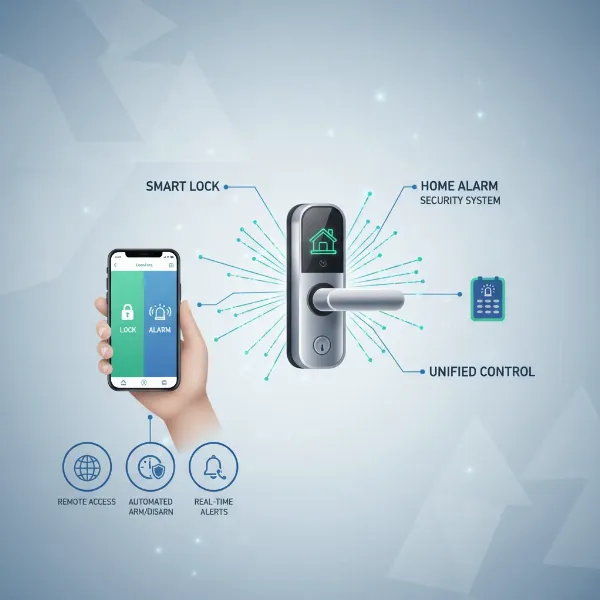 Diagram showing smart lock integrating with home alarm system for enhanced security and convenience.
Understanding Smart Lock and Alarm System Compatibility
The key to successful integration lies in understanding the communication protocols that smart locks and alarm systems use to talk to each other. Not all devices speak the same language, so compatibility is paramount.
- Communication Protocols are Key:
- Z-Wave and Zigbee: These are two of the most popular wireless protocols for smart home devices, especially in security applications. They create a mesh network, meaning devices can relay signals to each other, extending the range and reliability of your system. Both are known for low power consumption, making them ideal for battery-powered smart locks. Many professional and DIY alarm systems (like Ring Alarm, ADT, and Alarm.com) are built around Z-Wave or Zigbee technology.
- Wi-Fi: Some smart locks connect directly to your home Wi-Fi network. While this offers direct internet connectivity without a separate hub, Wi-Fi can be more power-intensive for battery-operated locks and may not be as robust for large-scale smart home ecosystems as mesh protocols.
- Bluetooth: Bluetooth smart locks typically offer a shorter range and often require a Wi-Fi bridge or gateway to integrate with a broader smart home or alarm system for remote access and control.
- Matter: An emerging open-source standard, Matter aims to create universal compatibility across different smart home ecosystems, including smart locks and alarm systems. Devices supporting Matter promise easier setup and broader integration, regardless of brand.
- Types of Integration:
- Direct Integration with Alarm System Hubs: Many modern alarm systems come with a built-in smart home hub (often supporting Z-Wave or Zigbee). For example, the Ring Alarm base station can directly connect with compatible Z-Wave smart locks, allowing control through the Ring app.
- Via a Dedicated Smart Home Hub: If your alarm system doesn’t have a built-in smart home hub, you can use a separate hub (e.g., Samsung SmartThings, Hubitat) to connect your smart locks and other smart devices. This hub then acts as a bridge, potentially integrating with your alarm system if both platforms support it.
- Platform-Specific Applications: Many security providers like Alarm.com and ADT offer proprietary apps that allow you to control their compatible smart locks alongside your alarm system, providing a unified interface for all your security devices. Similarly, systems like Tuya use their Smart Life app for device integration and automation.
Top Smart Lock Brands for Seamless Alarm System Integration
When selecting a smart lock for integration, brand reputation and compatibility with major alarm systems are crucial. Several manufacturers consistently offer locks that integrate well with popular security platforms.
| Brand | Key Protocols | Notable Integration Features | Examples |
|---|---|---|---|
| Yale | Z-Wave, Matter, Wi-Fi, Bluetooth | Strong compatibility with Ring, ADT, Alarm.com, Apple HomeKit, Google Home, Amazon Alexa. | Yale Assure Lock series |
| Schlage | Z-Wave, Wi-Fi | Robust integration with Ring, Alarm.com, Nexia. Known for high security. | Schlage Encode series, Schlage Connect Touchscreen Deadbolt |
| Kwikset | Z-Wave, Wi-Fi | Easily syncs with ADT, Ring, Alarm.com. Offers various keying options. | Kwikset SmartCode series, Kwikset Halo series |
| August | Wi-Fi, Bluetooth | Integrates with Google Home, Amazon Alexa, Apple HomeKit. Often connects to alarm systems via a bridge or smart home platform. | August Wi-Fi Smart Lock, August Smart Lock Pro |
Yale, Schlage, and Kwikset frequently feature on compatibility lists for major alarm systems like Ring and Alarm.com, often utilizing Z-Wave for robust connectivity. August locks, primarily Wi-Fi and Bluetooth, offer broad smart home platform integration, which can then bridge to many alarm systems. The market for smart locks is projected to grow significantly, indicating increasing options and capabilities for integration in the coming years.
Your Buying Guide: Selecting an Integrated Smart Lock System
Choosing the right smart lock for integration with your alarm system involves careful consideration of your current setup, security needs, and desired features.
Determine Your Existing Alarm System and Its Protocols
|
Our Picks for the Best Smart Lock in 2026
As an Amazon Associate I earn from qualifying purchases.
|
||
| Num | Product | Action |
|---|---|---|
| 1 | Schlage Encode Smart WiFi Deadbolt Lock for Front Door - Keyless Entry with App or Touchscreen - Works with Alexa, Hey Google, & Airbnb - Create Codes for Guests - Matte Black |

|
| 2 | TEEHO TE001 Keyless Entry Door Lock with Keypad - Smart Deadbolt Lock for Front Door with 2 Keys - Auto Lock - Easy Installation - Matte Black |
|
| 3 | eufy Security Smart Lock C220, Fingerprint Keyless Entry Door Lock, Built-in Wi-Fi, App Remote Control, Front Door Smart Lock Deadbolt, 8Months Battery, Reliable Power, IP53 Waterproof, BHMA Grade 3 |
|
| 4 | Electronic Passwords Keyless Entry Door Locks Smart Deadbolt Metal Lock Auto Time Delay Locking Secure Durable Low Battery Alert Type-C Port for Emergency Charging |
|
| 5 | Philips Wi-Fi Door Lock, WiFi Smart Lock Keyless Entry Deadbolt for Front Door, Compatible with Alexa & Google Assistant, Remote Control, Built-in WiFi, APP Fingerprint Passcode Unlock, Auto Locking |
|
| 6 | Philips Wi-Fi Door Lock, WiFi Smart Lock Keyless Entry Deadbolt for Front Door, Remote Control, Built-in WiFi, APP Fingerprint Passcode Unlock, Auto Locking |
|
| 7 | TEEHO TE001 Keyless Entry Door Lock with Keypad - Smart Deadbolt Lock for Front Door with 2 Keys - Auto Lock - Easy Installation - Satin Nickel |
|
| 8 | eufy Security Smart Lock C220, Fingerprint Keyless Entry Door Lock, Built-in Wi-Fi, App Remote Control, Front Door Smart Deadbolt, IP53 Waterproof, 8-Months Battery, Nickel |
|
| 9 | TEEHO TE001 Keyless Entry Door Lock with Keypad - Smart Deadbolt Lock for Front Door with 2 Keys - Auto Lock - Easy Installation - Oil-Rubbed Bronze |
|
| 10 | ULTRALOQ U-Bolt Pro WiFi Smart Lock with Door Sensor, 8-in-1 Keyless Entry Door Lock with Fingerprint ID, App Remote Control, Built-in WiFi Keypad Deadbolt, Auto Unlock, IP65 Waterproof, Easy Install |
|
The most critical first step is to identify your current alarm system’s brand and the communication protocols it supports (e.g., Z-Wave, Zigbee, Wi-Fi). This will narrow down your smart lock options considerably. Check your alarm system’s documentation or manufacturer’s website for a list of compatible smart locks.
Assess Your Security Needs and Desired Features
Consider what level of security and convenience you’re seeking. Do you need tamper alerts that trigger your alarm? Do you want to arm/disarm your system with a specific unlock code? Are activity logs and remote control essential? Think about:
- Entry Methods: Keypad, fingerprint, smartphone app, traditional key override, voice control.
- Automation Capabilities: Auto-lock/unlock, integration with geofencing, lighting, or cameras.
- Access Management: Ability to create temporary or recurring codes for guests, cleaners, or contractors.
Prioritize Communication Protocols for Reliability
For dedicated security, Z-Wave and Zigbee often provide the most reliable and secure connections due to their mesh networking capabilities and lower power consumption. If you have a professional security system, it likely uses one of these. If you prefer a simpler setup or already have many Wi-Fi smart devices, a Wi-Fi enabled smart lock might suit you, but ensure it integrates with your alarm system, possibly through a central smart home platform. Matter offers future-proofing with its promise of universal compatibility.
Look for Advanced Security Features
Always prioritize smart locks with robust security. Look for:
- Encryption Standards: Strong encryption protocols protect your data from interception.
- S2 Security Protocol: If opting for Z-Wave, S2 security offers enhanced authentication and encryption, making your network more secure.
- Tamper Alerts: Locks that notify you of forced entry attempts or physical tampering.
- Activity Logs: A detailed record of who entered and when.
Read User Reviews and Consult Compatibility Lists
Before purchasing, always read reviews from other users and check the manufacturer’s official compatibility lists for both the smart lock and your specific alarm system. Real-world experiences can highlight potential issues or unexpected benefits.
Consider Professional Installation vs. DIY
While many smart locks are designed for DIY installation, integrating them with an alarm system can sometimes be complex, especially with older systems or intricate automation rules. If you’re unsure, consider professional installation for seamless setup and optimal performance.
Step-by-Step: Integrating Your Smart Lock with Your Alarm System
Integrating your smart lock with your alarm system transforms them from individual devices into a unified security solution. While specific steps may vary by brand, the general process involves these key stages:
1. Preparation and Compatibility Check
- Verify Compatibility: Reconfirm that your chosen smart lock is compatible with your alarm system’s hub or platform. Check both manufacturers’ websites for compatibility lists.
- Update Software: Ensure both your smart lock’s firmware and your alarm system’s app/firmware are up to date.
- Stable Network: Confirm your home Wi-Fi and/or Z-Wave/Zigbee network is stable and within range of both devices.
2. Physical Installation of the Smart Lock
- Install the smart lock on your door according to the manufacturer’s instructions. This usually involves replacing your existing deadbolt. Test its mechanical function before proceeding with digital setup.
3. Adding the Smart Lock to Your Alarm System or Smart Home Hub
This is where the integration happens.
- For Direct Alarm System Integration (e.g., Ring Alarm, ADT, Alarm.com):
- Open your alarm system’s smartphone app.
- Navigate to the “Add Device” or “Enroll Device” section.
- Select “Locks” or “Z-Wave/Zigbee Device” as the device type.
- Put your alarm system’s hub into “pairing mode.”
- Follow the smart lock manufacturer’s instructions to put the lock into “pairing mode” (often by pressing a button or entering a code).
- The devices should discover and connect to each other.
- Once paired, rename the lock in your app for easy identification.
- For Integration via a Third-Party Smart Home Hub (e.g., SmartThings, Hubitat):
- First, pair your smart lock with your chosen smart home hub.
- Then, link your smart home hub to your alarm system platform. Many alarm systems have integrations with popular smart home hubs, allowing devices connected to the hub to be managed through the alarm system’s app.
4. Configure Automation Rules
Once integrated, you can create powerful automation rules. This is often done within your alarm system’s app or smart home hub app.
- Arm/Disarm Automation:
- “When smart lock is locked, arm the security system to ‘Away’ mode.”
- “When smart lock is unlocked with my specific code, disarm the security system.”
- Security Alerts:
- “If smart lock senses tampering or an incorrect code attempt, trigger the alarm siren.”
- “If smart lock is unlocked by a specific user (e.g., a child), send a notification to my phone.”
- Combined Actions:
- “When smart lock is unlocked, turn on the entryway lights.”
5. Test the Integration Thoroughly
- Test every automation rule you’ve created. Lock and unlock the door using various methods (app, keypad, manual turn) and observe if the alarm system responds as expected.
- Verify that alerts are sent correctly.
- Check the activity logs to ensure all events are recorded accurately.
Troubleshooting Common Issues
- Connectivity Problems: Ensure devices are within range. You might need a Z-Wave or Zigbee repeater to strengthen the mesh network.
- Automation Failures: Double-check your automation rules for any logical errors or conflicts. Ensure all devices involved are powered and online.
- Battery Life: Smart locks can drain batteries faster when actively communicating. Monitor battery levels in your app and replace them proactively.
“The true power of smart home security comes when your devices work as one, protecting your home with an intelligent, responsive defense.”
Enhancing Your Integrated Security: Essential Smart Lock Accessories
While a smart lock integrated with an alarm system forms a robust core, several accessories can further enhance your overall home security and convenience.
- Keypads: Even if your smart lock has a built-in keypad, a standalone or secondary keypad can provide additional entry options. This is especially useful for children, guests, or in situations where your phone battery might be dead. Some keypads can also be used to arm/disarm your alarm system directly, offering a convenient alternative to the app.
- Wi-Fi Bridges/Gateways: For smart locks that primarily use Bluetooth or other local protocols, a Wi-Fi bridge is crucial for remote access and integration with cloud-based alarm systems. This accessory allows your lock to communicate over the internet, enabling remote control and alerts from anywhere.
- Smart Home Hubs: If your alarm system does not have a robust built-in smart home controller, a dedicated smart home hub (like Samsung SmartThings, Hubitat, or even an Amazon Echo device with a built-in hub) can act as the central brain for all your smart devices. This hub can then bridge the communication between your smart locks, other smart devices, and your alarm system, creating more complex automation routines.
- Door and Window Sensors: While your smart lock secures the main entry, additional door and window sensors provide comprehensive perimeter protection. When integrated with your alarm system, these sensors can trigger the alarm if an unsecured window or door is opened, complementing the security provided by your smart lock.
- Video Doorbells and Security Cameras: Integrating a video doorbell or security camera with your smart lock and alarm system provides visual verification. You can see who is at your door before unlocking it, or receive video clips when your smart lock is used or triggers an alarm. This adds a crucial layer of situational awareness and evidence collection.
- Smart Lighting: Integrating smart lights allows for powerful automation scenarios. For example, if your smart lock detects tampering, not only can your alarm sound, but your smart lights can also flash brightly, drawing attention to your home and deterring intruders.
By thoughtfully adding these accessories, you can create a truly comprehensive and interconnected security system that provides maximum protection and convenience for your home.
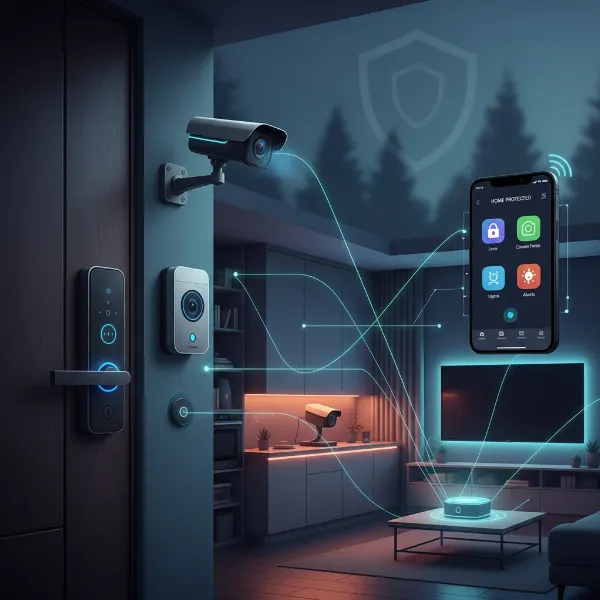 Visualizing a comprehensive smart home security system with integrated smart lock, cameras, and sensors.
Conclusion
Integrating smart locks with your home alarm system is a transformative step towards a more secure, convenient, and intelligent living environment. It moves beyond basic protection, creating a unified ecosystem where your entry points actively communicate with your entire security network. This synergy provides enhanced security through multi-layered defense, unparalleled convenience with remote control and automated actions, and comprehensive monitoring with real-time alerts.
As an expert in smart lock technology, I’ve seen firsthand how these integrations empower homeowners with greater control and peace of mind. The ability to customize access, automate security protocols, and receive instant notifications creates a truly responsive home. By understanding communication protocols, choosing compatible brands, and carefully planning your setup, you can unlock the full potential of your smart home security.
Are you ready to elevate your home’s protection and embrace the future of smart living with intelligent security integration?
Frequently Asked Questions
Can any smart lock integrate with any alarm system?
No, compatibility is crucial. Smart locks and alarm systems use different communication protocols (e.g., Z-Wave, Zigbee, Wi-Fi, Matter), and they must support common protocols or integrate through a compatible smart home hub. Always check manufacturers’ compatibility lists before purchasing.
What are the most secure communication protocols for smart locks?
Z-Wave and Zigbee are widely considered secure, especially when using enhanced security protocols like Z-Wave S2, which provides robust encryption and authentication. Matter is also emerging as a secure and universally compatible standard.
Can I use my smart lock to arm/disarm my alarm system?
Yes, in many integrated systems, you can set up automation rules to arm your alarm when you lock your smart door or disarm it when you unlock it with a specific code. This provides a seamless transition between security states.
What happens if my smart lock’s battery dies when integrated with an alarm system?
Most smart locks have low battery warnings and often retain traditional key access as a backup. While the smart features and integration with your alarm system would cease to function, you would still be able to manually unlock your door.
Is professional installation necessary for integrating smart locks with an alarm system?
For basic smart lock installation, DIY is often feasible. However, for seamless and optimized integration with a complex alarm system, especially with advanced automation rules, professional installation can ensure proper setup and functionality.