Are you tired of fumbling for keys, or do you simply wish your traditional deadbolt offered the modern convenience of smart home technology? Upgrading your home’s security and accessibility doesn’t always mean a complete overhaul. The Kwikset Convert Smart Lock Conversion Kit offers an ingenious solution, transforming your existing deadbolt into a smart lock without altering its exterior appearance or requiring new keys. But is this retrofit option the right fit for your smart home aspirations?
What is a Smart Lock? Why Should You Use One?
A smart lock is an electronic lock that allows you to control access to your home using a smartphone, keypad, or other smart devices, rather than a traditional physical key. These devices leverage various technologies like Bluetooth, Wi-Fi, Z-Wave, or Zigbee to offer enhanced convenience, security, and management capabilities.
The benefits of upgrading to a smart lock are numerous. Imagine unlocking your door with a tap on your phone, granting temporary access to guests or service providers from anywhere, or receiving notifications whenever someone enters or leaves your home. Beyond convenience, smart locks often incorporate advanced encryption and auto-locking features, boosting your home’s overall security. They can integrate seamlessly into broader smart home ecosystems, allowing your door lock to communicate with lighting, thermostats, and security systems for automated scenes and events.
Smart locks are ideal for homeowners seeking modern convenience, renters who cannot change their exterior hardware, and small businesses needing flexible access control. They offer a practical solution for those who want to retain their home’s aesthetic while embracing cutting-edge security.
Kwikset Convert Smart Lock: Transforming Your Existing Deadbolt
The Kwikset Convert Smart Lock Conversion Kit is specifically designed to bring smart functionality to your existing single-cylinder deadbolt. Instead of replacing the entire lock, the Convert replaces only the interior thumbturn assembly, leaving your existing exterior lock, keyway, and finish untouched. This innovative approach makes it an excellent choice for maintaining architectural aesthetics or complying with rental property regulations that prohibit exterior modifications.
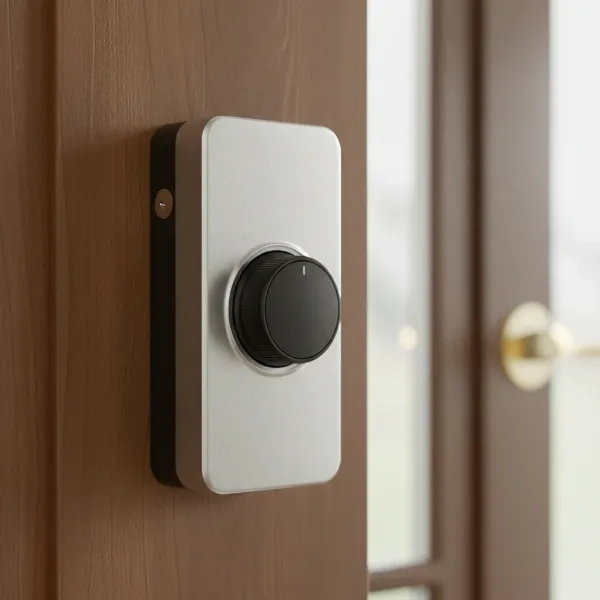 Kwikset Convert interior unit on a door, showing the smart lock conversion.
The Kwikset Convert kit is available in different connectivity options, primarily Bluetooth, Z-Wave, or Zigbee. The Z-Wave and Zigbee versions use Kwikset’s Home Connect Technology, enabling wireless communication with compatible smart home hubs like Samsung SmartThings, Wink, or Hubitat. This allows for remote access, notifications, and integration into broader home automation routines. The Bluetooth-only Kevo Convert, while functional via the Kevo app, typically requires an additional Kevo Plus gateway for remote Wi-Fi access and integration with voice assistants like Alexa.
Key features of the Kwikset Convert include:
- Remote Locking/Unlocking: Control your door from anywhere when connected to a compatible smart home system or gateway.
- eKeys: Create and manage electronic keys for family, friends, or visitors, offering time-restricted or permanent access, which can be sent via email.
- Activity Monitoring: Keep track of who enters and exits your home with a detailed activity log and receive real-time notifications.
- Auto-Lock (Optional): Enhance security by automatically relocking your door 30 seconds after it’s been unlocked.
- Advanced Encryption: Utilizes robust security protocols like PKI encryption for Bluetooth models and 128-bit wireless encryption for Z-Wave Plus versions to protect your access data.
- Deadbolt Compatibility: Designed to work with most standard single-cylinder deadbolts from popular brands including Kwikset, Weiser, Schlage, and Baldwin, often coming with multiple adapters to ensure a snug fit.
The Kwikset Convert is compatible with doors ranging from 1-3/8 to 2 inches thick, and it supports adjustable backsets of 2-3/8 or 2-3/4 inches, making it a versatile option for many residential doors.
Pros and Cons of the Kwikset Convert
Like any smart home device, the Kwikset Convert comes with its own set of advantages and potential drawbacks. Understanding these can help you determine if it aligns with your specific needs.
Advantages: A Seamless Smart Upgrade
- Maintains Exterior Aesthetics: One of the most significant benefits is its ability to upgrade your lock without changing the exterior. This is ideal for those who value their home’s original look or are bound by HOA rules or rental agreements. You keep your existing keys too.
- Easy Installation: For many, the installation process is straightforward, often requiring only a screwdriver and a few minutes to replace the interior deadbolt thumbturn.
- Cost-Effective: Converting your existing deadbolt is typically more affordable than purchasing and installing a brand new smart deadbolt.
- Basic Smart Functionality: It provides core smart lock features such as remote control, user access management via eKeys, and activity logging, which is sufficient for many users.
- Sturdy Build Quality: Reviews often highlight the lock’s physically sturdy construction, with a solid metal chassis on some models, contributing to its durability.
|
Our Picks for the Best Smart Lock in 2026
As an Amazon Associate I earn from qualifying purchases.
|
||
| Num | Product | Action |
|---|---|---|
| 1 | Schlage Encode Smart WiFi Deadbolt Lock for Front Door - Keyless Entry with App or Touchscreen - Works with Alexa, Hey Google, & Airbnb - Create Codes for Guests - Matte Black |

|
| 2 | eufy Security Smart Lock C220, Fingerprint Keyless Entry Door Lock, Built-in Wi-Fi, App Remote Control, Front Door Smart Lock Deadbolt, 8Months Battery, Reliable Power, IP53 Waterproof, BHMA Grade 3 |
|
| 3 | eufy Security Smart Lock C220, Fingerprint Keyless Entry Door Lock, Built-in Wi-Fi, App Remote Control, Front Door Smart Deadbolt, IP53 Waterproof, 8-Months Battery, Nickel |
|
| 4 | Philips Wi-Fi Door Lock, WiFi Smart Lock Keyless Entry Deadbolt for Front Door, Compatible with Alexa & Google Assistant, Remote Control, Built-in WiFi, APP Fingerprint Passcode Unlock, Auto Locking |
|
| 5 | TEEHO TE001 Keyless Entry Door Lock with Keypad - Smart Deadbolt Lock for Front Door with 2 Keys - Auto Lock - Easy Installation - Matte Black |
|
| 6 | TEEHO TE001 Keyless Entry Door Lock with Keypad - Smart Deadbolt Lock for Front Door with 2 Keys - Auto Lock - Easy Installation - Oil-Rubbed Bronze |
|
| 7 | Philips Wi-Fi Door Lock, WiFi Smart Lock Keyless Entry Deadbolt for Front Door, Remote Control, Built-in WiFi, APP Fingerprint Passcode Unlock, Auto Locking |
|
| 8 | Electronic Passwords Keyless Entry Door Locks Smart Deadbolt Metal Lock Auto Time Delay Locking Secure Durable Low Battery Alert Type-C Port for Emergency Charging |
|
| 9 | ULTRALOQ U-Bolt Pro WiFi Smart Lock with Door Sensor, 8-in-1 Keyless Entry Door Lock with Fingerprint ID, App Remote Control, Built-in WiFi Keypad Deadbolt, Auto Unlock, IP65 Waterproof, Easy Install |
|
| 10 | TEEHO TE001 Keyless Entry Door Lock with Keypad - Smart Deadbolt Lock for Front Door with 2 Keys - Auto Lock - Easy Installation - Satin Nickel |
|
Disadvantages: Points to Consider Before You Convert
- Bulky Interior Design: The interior unit of the Kwikset Convert can be larger than some other smart lock designs, potentially standing out substantially from the door. While designed to be sleek, its size might not appeal to everyone.
- Battery Replacement: Changing the four AA batteries often requires removing a couple of screws, which can be a minor inconvenience compared to locks with tool-free battery compartments. Battery life is typically around one year.
- Reliance on Gateways/Hubs: For full remote access, smart home integration (Alexa, Google Assistant), and advanced features beyond Bluetooth range, the Kevo Convert (Bluetooth version) necessitates a separate Kevo Plus Wi-Fi gateway (an additional cost), while Z-Wave or Zigbee versions require a compatible smart home hub. This adds to the overall cost and complexity.
- Connectivity and App Issues: Some users have reported inconsistent Bluetooth connectivity, slow app responsiveness, or issues with the app accurately reporting the lock’s status. There have also been concerns about the reliability of Z-Wave connectivity for some users and past reports of manufacturing issues like misaligned internal mechanisms.
- Kevo Platform Discontinuation: Recent support inquiries indicate that the Kevo platform has been discontinued, which could impact long-term app support and feature availability for Bluetooth Kevo Convert models. Users are encouraged to reach out to Kwikset support for transition assistance.
“The Kwikset Convert offers an appealing solution for those seeking smart lock convenience without compromising their home’s original aesthetic. However, prospective buyers should carefully weigh the benefits against the potential need for additional hardware for full smart home integration and be aware of reported app and connectivity nuances.” – SmartLockChoice.com Technical Expert
Kwikset Convert vs. Other Smart Lock Conversion Kits
When considering a smart lock conversion kit, the Kwikset Convert often finds itself compared to the August Smart Lock, another prominent retrofit option. Both allow you to keep your existing exterior hardware and keys, but they differ in design and functionality.
| Feature | Kwikset Convert | August Smart Lock |
|---|---|---|
| Design | More rectangular, can be bulkier on the interior. | Sleeker, often smaller and more aesthetically integrated. |
| Connectivity | Bluetooth (Kevo), Z-Wave, or Zigbee. Requires gateway/hub for remote access (except Z-Wave/Zigbee with compatible hub). | Bluetooth, Wi-Fi (built-in on Pro/Wi-Fi models). |
| Remote Access | Requires Kevo Plus gateway (Bluetooth) or compatible hub. | Built-in Wi-Fi or Connect Wi-Fi Bridge (older models). |
| Smart Home Integration | Z-Wave/Zigbee versions integrate well with hubs. Bluetooth requires Kevo Plus. | Broader native integration with major platforms. |
| eKey Management | Offers free eKeys. | Offers free eKeys. |
| Battery Access | Requires screws to remove cover. | Tool-free cover for easy battery changes. |
| Price Point | Generally more budget-friendly. | Tends to be at a higher price point. |
The Kwikset Convert typically represents a more budget-conscious entry into smart lock conversion, especially its Z-Wave or Zigbee variants if you already own a compatible hub. However, if a seamless design, easier battery access, and more robust out-of-the-box smart home integration are priorities, the August Smart Lock might be a more suitable, albeit pricier, alternative.
Buying Guide: Choosing the Right Smart Lock for Your Home
Selecting the perfect smart lock involves more than just picking a brand. It’s about matching the technology to your lifestyle and home’s requirements.
Assess Your Needs and Existing Setup
Before anything else, consider your current door hardware. Do you have a standard single-cylinder deadbolt? What is your door’s thickness? Are you looking for a full smart lock replacement or a conversion kit that keeps your existing exterior? What level of security do you desire, and what’s your budget for the lock and any necessary accessories like hubs or gateways?
Understand Connectivity Options
Connectivity is crucial for smart locks.
- Bluetooth: Connects directly to your smartphone when you’re within range. For remote access, a separate Wi-Fi bridge or gateway is usually required. The Kevo Convert operates on Bluetooth.
- Z-Wave/Zigbee: These low-power mesh networks require a compatible smart home hub (e.g., SmartThings, Wink, Hubitat) to connect to your home network and enable remote control and integration with other smart devices. The Kwikset Convert offers Z-Wave and Zigbee versions for this purpose.
- Wi-Fi: Locks with built-in Wi-Fi connect directly to your home’s router, offering remote access without an additional hub, though they typically consume more battery power.
Decide whether you prioritize direct smartphone control, broad smart home integration, or battery life, and choose the connectivity that best serves these priorities.
Evaluate Smart Features
Look beyond basic locking and unlocking. Consider features like:
- eKeys/User Codes: How easily can you grant and revoke access for guests, cleaners, or family members? Can you set time-limited access?
- Auto-Lock/Unlock: Do you want the door to lock automatically after a set time or unlock as you approach?
- Activity Logs: Is it important to know who came and went, and when?
- Voice Control Compatibility: Does it work with your preferred voice assistant (Alexa, Google Assistant)? Remember that many locks, including the Kwikset Convert, require a bridge or hub for this functionality.
Consider Build Quality and Reliability
Read user reviews for real-world insights into durability, long-term performance, and common issues. A lock needs to be reliable day in and day out. Look for locks with security certifications (e.g., ANSI Grade 1 or 2).
Check Compatibility
Ensure the smart lock or conversion kit is compatible with your existing deadbolt and door specifications. Kwikset Convert is designed for various standard single-cylinder deadbolts, but always double-check manufacturer guidelines.
Research Reputable Providers and Support
Opt for established brands known for their customer support and warranty policies. Understanding the warranty and available technical support can save you headaches down the line.
Installation and Maintenance Guide for Your Kwikset Convert
Installing and maintaining your Kwikset Convert Smart Lock Conversion Kit doesn’t have to be daunting. With a few simple steps and regular care, you can ensure smooth operation and longevity.
Step-by-Step Installation Overview
The Kwikset Convert is designed for DIY installation, typically requiring just a screwdriver.
- Prepare Your Door: Ensure your existing deadbolt is compatible with the Kwikset Convert (single-cylinder deadbolts from Kwikset, Weiser, Schlage, Baldwin).
- Remove Existing Interior Hardware: Unscrew and remove the interior thumbturn assembly of your current deadbolt.
- Install Mounting Plate: Place the new mounting plate, ensuring the torque blade aligns correctly.
- Attach Interior Assembly: Connect the Kwikset Convert’s interior assembly, making sure any necessary adapters are correctly fitted over the torque blade. Secure with screws.
- Perform Door Handing Process: This crucial step teaches the lock the orientation of your door (left-hand or right-hand swing). With the door open, install the batteries while pressing and holding the program button. The latch bolt will extend and retract to learn the door’s orientation. A green LED typically indicates success.
- Pair with Smart Home System: If you have a Z-Wave or Zigbee version, initiate the pairing process through your smart home controller or hub’s app. For Bluetooth Kevo Convert, use the Kevo app.
Basic Usage and App Features
Once installed, use the companion app (Kevo for Bluetooth, or your smart home hub’s app for Z-Wave/Zigbee) to:
- Lock/Unlock: Control your door remotely or within Bluetooth range.
- Manage eKeys: Grant or revoke access for others.
- View Activity History: Check who has used the lock and when.
- Enable Auto-Lock: Activate the 30-second auto-lock feature for peace of mind.
Troubleshooting Common Issues
- Connectivity Problems: If your lock isn’t connecting, ensure your smartphone is within Bluetooth range (for Kevo) or your smart hub is properly connected and functioning (for Z-Wave/Zigbee). For Z-Wave systems, sometimes the lock needs to be temporarily closer to the controller during pairing.
- Door Handing Failure (Red LED): A red status LED often indicates the door handing process failed. Remove batteries, re-insert while holding the program button, and let the lock re-learn the door’s orientation with the door open. Misalignment can also cause this.
- Battery Issues: If the lock is unresponsive, check or replace the four AA batteries. Although battery life is generally good, consistent use of features like remote access or frequent locking/unlocking can deplete them faster.
- App Glitches: If the app is slow or reporting incorrect status, try force-closing and reopening the app, or reinstalling it. Ensure your phone’s operating system and the app are up to date.
Tips for Longevity
- Use Quality Batteries: Always use new, non-rechargeable alkaline AA batteries for optimal performance.
- Regular Cleaning: Keep the lock mechanism free of dust and debris, especially if it’s exposed to the elements.
- Firmware Updates: Regularly check for and install any available firmware updates for your lock and app, as these often include performance improvements and bug fixes.
- Door Alignment: Ensure your door and strike plate are properly aligned. A misaligned door can put strain on the lock’s motor, shortening its lifespan.
Enhancing Your Kwikset Convert with Smart Home Accessories
To unlock the full potential of your Kwikset Convert, especially the Bluetooth Kevo version, you might consider additional smart home accessories.
For Bluetooth-only Kevo Convert users, the Kevo Plus gateway is essential for remote access and smart home integration. This Wi-Fi plug-in device bridges the gap between your Bluetooth lock and your home internet, allowing you to control the lock from anywhere and connect it to various smart home platforms.
If you have a Z-Wave or Zigbee Kwikset Convert, a compatible smart home hub like Samsung SmartThings, Hubitat, or Wink is your central control point. These hubs allow the lock to communicate with other smart devices in your home, enabling advanced automation scenes. For example, your lights could turn on when you unlock the door, or your thermostat could adjust.
These hubs also typically facilitate voice control through popular assistants like Amazon Alexa and Google Assistant, letting you lock or check the status of your door with simple voice commands. Ensure your hub supports the specific voice assistant you prefer and that the Kwikset Convert is properly integrated into the hub’s ecosystem.
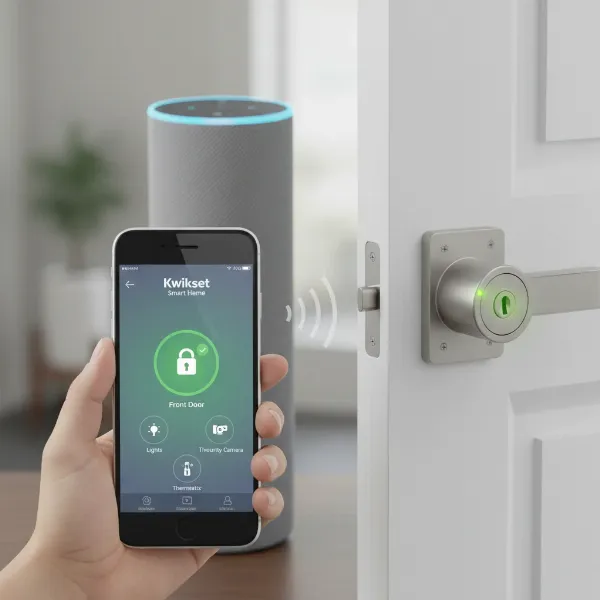 Smart lock connected to a smart home system, controlled via a smartphone app.
Conclusion
The Kwikset Convert Smart Lock Conversion Kit offers a practical and budget-friendly entry into the world of smart home security. By allowing you to retain your existing deadbolt’s exterior, it solves a common dilemma for renters and those who prioritize aesthetic continuity. While its Bluetooth variant may require an additional gateway for full remote functionality, and some design choices like battery access could be improved, the Z-Wave and Zigbee versions, when paired with a compatible smart home hub, provide robust smart lock capabilities.
Ultimately, the Kwikset Convert is an excellent option for anyone looking to add smart control, enhanced convenience, and peace of mind to their home without a complete lock replacement. Are you ready to convert your conventional deadbolt into a smarter, more connected entry point?
Frequently Asked Questions
What type of deadbolts is the Kwikset Convert compatible with?
The Kwikset Convert is designed to work with most standard single-cylinder deadbolts from leading brands such as Kwikset, Weiser, Schlage, and Baldwin. It includes various adapters to ensure compatibility with different torque blade shapes and door thicknesses, making it a versatile retrofit solution.
Can I control my Kwikset Convert remotely from anywhere?
Yes, but how depends on the model. If you have the Bluetooth-only Kevo Convert, you’ll need the separately sold Kevo Plus Wi-Fi gateway for remote access. For Z-Wave or Zigbee Kwikset Convert models, remote control is enabled through a compatible smart home hub (e.g., SmartThings) and its associated mobile app.
How do I change the batteries in my Kwikset Convert?
To change the batteries, you typically need to remove the interior cover of the Kwikset Convert. This often involves unscrewing a couple of small screws that secure the cover. The lock uses four AA alkaline batteries, and it’s recommended to use new, non-rechargeable ones for best performance.
Does the Kwikset Convert work with Alexa or Google Assistant?
Yes, but usually not directly. For the Bluetooth Kevo Convert, you’ll need the Kevo Plus gateway to enable integration with voice assistants. For the Z-Wave or Zigbee versions, connectivity to a compatible smart home hub that supports Alexa or Google Assistant is required to enable voice commands for your lock.
What should I do if my Kwikset Convert isn’t pairing with my smart home system?
First, ensure your smart home controller/hub is in “add mode” and the lock is within range. For Z-Wave systems, some require the lock to be very close (within 12 inches) to the controller during pairing. You might need to remove the interior assembly to bring it closer. Also, ensure the door handing process was successful, as a failed door handing can prevent proper pairing.