Are you tired of fumbling for keys or worried about leaving your door unlocked? In today’s fast-paced world, upgrading to a smart lock offers unparalleled convenience and peace of mind. While advanced smart locks can come with hefty price tags, cutting-edge technology is increasingly making home security accessible for every budget. This article will guide you through the best secure smart locks available for under $100, proving that you don’t need to break the bank to protect your home.
What is a Smart Lock? Why Should You Use One?
A smart lock is an electromechanical lock designed to perform locking and unlocking operations on a door when it receives instructions from an authorized device using a wireless protocol and cryptographic key to execute the authorization process. These innovative devices transcend traditional key-and-tumbler mechanisms, integrating digital technology to offer a new level of control and security for your entryway.
The core technology behind smart locks often involves Bluetooth for short-range communication, Wi-Fi for remote access, or Z-Wave/Zigbee for integration into broader smart home ecosystems. At their heart, smart locks offer significant advantages over conventional locks. They provide enhanced convenience, allowing keyless entry via passcodes, fingerprints, or smartphone apps. This eliminates the need for physical keys, reducing the risk of loss or unauthorized duplication. Beyond convenience, smart locks bolster security with features like auto-locking, tamper alarms, and activity logs that track who enters and exits your home and when. This can be invaluable for monitoring family members, guests, or service providers. Smart locks are not just for private residences; they are also widely used in vacation rentals, offices, and even apartment buildings to streamline access management.
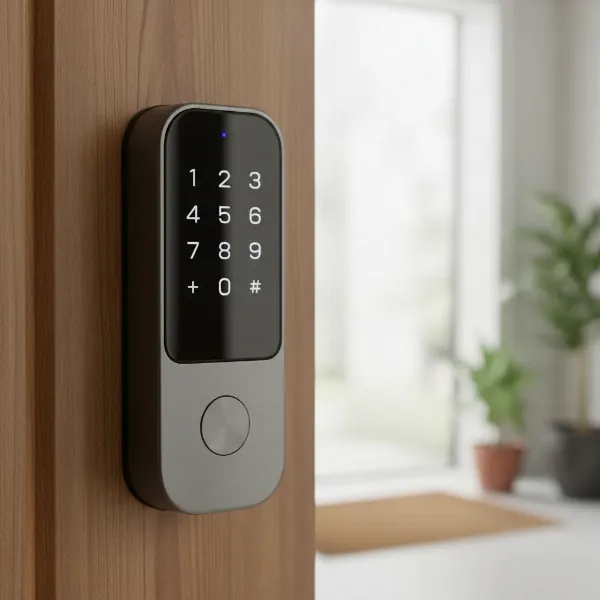 A sleek smart door lock with a digital keypad and fingerprint sensor on a modern wooden door.
Common Types of Smart Locks and Their Unlocking Methods
The world of smart locks offers a diverse range of entry methods, each with its own set of advantages and considerations. Understanding these types will help you determine which best fits your lifestyle and security needs.
Smart Lock with Keypad/Passcode Entry
Keypad smart locks are among the most straightforward and popular options, especially for those new to smart home technology. They allow you to unlock your door by simply entering a multi-digit code on a physical or touchscreen keypad. This method is incredibly convenient for families, guests, or service providers, as you can assign unique codes and revoke them anytime. Many budget-friendly models, like the TEEHO TE001, excel in offering reliable keypad entry without additional complexities.
- Pros: Easy to use, no physical key needed, temporary codes can be granted and revoked, often weatherproof.
- Cons: Passcodes can be forgotten or potentially observed (“shoulder surfing”), may require battery changes.
|
Our Picks for the Best Smart Lock in 2026
As an Amazon Associate I earn from qualifying purchases.
|
||
| Num | Product | Action |
|---|---|---|
| 1 | TEEHO TE001 Keyless Entry Door Lock with Keypad - Smart Deadbolt Lock for Front Door with 2 Keys - Auto Lock - Easy Installation - Oil-Rubbed Bronze |

|
| 2 | eufy Security Smart Lock C220, Fingerprint Keyless Entry Door Lock, Built-in Wi-Fi, App Remote Control, Front Door Smart Lock Deadbolt, 8Months Battery, Reliable Power, IP53 Waterproof, BHMA Grade 3 |
|
| 3 | TEEHO TE001 Keyless Entry Door Lock with Keypad - Smart Deadbolt Lock for Front Door with 2 Keys - Auto Lock - Easy Installation - Matte Black |
|
| 4 | Philips Wi-Fi Door Lock, WiFi Smart Lock Keyless Entry Deadbolt for Front Door, Remote Control, Built-in WiFi, APP Fingerprint Passcode Unlock, Auto Locking |
|
| 5 | Electronic Passwords Keyless Entry Door Locks Smart Deadbolt Metal Lock Auto Time Delay Locking Secure Durable Low Battery Alert Type-C Port for Emergency Charging |
|
| 6 | Philips Wi-Fi Door Lock, WiFi Smart Lock Keyless Entry Deadbolt for Front Door, Compatible with Alexa & Google Assistant, Remote Control, Built-in WiFi, APP Fingerprint Passcode Unlock, Auto Locking |
|
| 7 | Schlage Encode Smart WiFi Deadbolt Lock for Front Door - Keyless Entry with App or Touchscreen - Works with Alexa, Hey Google, & Airbnb - Create Codes for Guests - Matte Black |
|
| 8 | ULTRALOQ U-Bolt Pro WiFi Smart Lock with Door Sensor, 8-in-1 Keyless Entry Door Lock with Fingerprint ID, App Remote Control, Built-in WiFi Keypad Deadbolt, Auto Unlock, IP65 Waterproof, Easy Install |
|
| 9 | TEEHO TE001 Keyless Entry Door Lock with Keypad - Smart Deadbolt Lock for Front Door with 2 Keys - Auto Lock - Easy Installation - Satin Nickel |
|
| 10 | eufy Security Smart Lock C220, Fingerprint Keyless Entry Door Lock, Built-in Wi-Fi, App Remote Control, Front Door Smart Deadbolt, IP53 Waterproof, 8-Months Battery, Nickel |
|
Smart Lock with Fingerprint Recognition
For ultimate convenience and a higher level of personal security, fingerprint smart locks are an excellent choice. These locks use biometric technology to scan and recognize authorized fingerprints, allowing for quick, keyless entry in less than a second. This method eliminates the need to remember codes or carry keys, making it ideal for busy individuals or households with multiple users. The Wyze Lock Bolt v2 is a prime example of an affordable lock offering speedy fingerprint access.
- Pros: Fast and convenient, highly secure (fingerprints are unique), no keys or codes to remember.
- Cons: Fingerprint readers can sometimes be finicky with dirt or moisture, may require cleaning, sensitive to extreme temperatures.
Smart Lock with App Control (Bluetooth/Wi-Fi)
App-controlled smart locks offer the flexibility of managing your door from your smartphone, whether you’re standing right at the door or miles away. Bluetooth-enabled locks typically require you to be within a certain range to unlock, while Wi-Fi enabled locks provide remote access and monitoring from anywhere with an internet connection. The DESLOC D110 Plus and TP-Link Tapo DL100 feature built-in Wi-Fi, allowing you to lock or unlock your door and check its status from almost anywhere.
- Pros: Remote control and monitoring (with Wi-Fi), ability to generate digital keys, activity logs, integrates with smart home systems.
- Cons: Dependent on smartphone and app functionality, potential for connectivity issues, Wi-Fi models consume more battery.
Smart Lock with Traditional Key Backup
Even with advanced technology, a physical key backup remains a critical security feature for any smart lock. This ensures you can always gain entry in case of battery failure, electronic malfunction, or if you simply prefer a traditional method. Many budget smart locks, including the Wyze Lock Bolt v2 and TP-Link Tapo DL100, wisely incorporate a conventional key cylinder for this very reason, providing an essential layer of redundancy.
- Pros: Reliable backup in emergencies (battery drain, system error), familiarity for all users.
- Cons: Still requires managing a physical key, which can be lost or copied.
Smart Lock with IC Card/Fob Entry
Less common in the sub-$100 category but present in some models like the DESLOC D110 Plus, IC card or fob entry allows you to unlock your door by simply tapping a programmed card or fob against the lock. This method is often seen in commercial settings or apartments and can be convenient for those who prefer not to use fingerprints or keypads.
- Pros: Quick and easy tap-to-unlock, ideal for specific user groups (e.g., Airbnb guests with temporary fobs).
- Cons: Fobs/cards can be lost or stolen, not as universally common as other methods.
Top 5 Secure Budget Smart Locks Under $100
Securing your home shouldn’t be a privilege, and these five smart locks prove it. Balancing affordability with essential security features and reliable performance, these options offer excellent value without compromising your peace of mind.
1. DESLOC D110 Plus Smart Lock
The DESLOC D110 Plus stands out as a feature-rich smart lock offering impressive capabilities for its price point. It’s a complete deadbolt replacement that brings modern convenience to your doorstep.
- Price: Approximately $100
- Key Features: Built-in Wi-Fi, fingerprint sensor, touchscreen keypad, IC card access, mechanical key backup, and voice command compatibility with Amazon Alexa and Google Assistant. It also features a small built-in display for easy settings adjustment.
- Security: This lock holds a BHMA Grade 3 certification, providing a solid level of security for residential use. Its anti-peeping feature allows users to input random digits before and after their actual passcode, deterring onlookers from guessing the correct sequence.
- Pros:
- Versatile Access: Six different ways to unlock provide flexibility for various users.
- Integrated Wi-Fi: No additional hub is required for remote control and monitoring via the app.
- Anti-Peep Technology: Enhances keypad security by confusing potential intruders.
- Fingerprint Recognition: Offers quick and secure entry.
- Cons:
- BHMA Grade 3 is the lowest certification level.
- Lacks support for Apple HomeKit or Matter.
- No door sensor means it might auto-lock even if the door is ajar.
2. Wyze Lock Bolt v2
The Wyze Lock Bolt v2 builds upon its predecessor, offering a user-friendly and secure option for those seeking affordability without sacrificing core functionalities. It’s a great choice for reliable daily use.
- Price: Approximately $80
- Key Features: Keypad for PIN entry, a fast and reliable fingerprint scanner, and a traditional physical key slot for backup. It integrates with the easy-to-use Wyze app and supports auto-locking.
- Security: Rated with a BHMA Grade 2 certification, making it suitable for most residential applications. It also boasts an IP53 weather protection rating, ensuring durability against the elements.
- Pros:
- Excellent Value: Offers multiple secure entry methods at a very competitive price.
- Physical Key Backup: Provides an essential failsafe in case of electronic issues.
- BHMA Grade 2: A good balance of security and affordability for home use.
- User-Friendly App: The Wyze app is intuitive for managing settings and users.
- Cons:
- Wyze has faced past security concerns, though they have made improvements.
- While app-controlled, it primarily uses Bluetooth for proximity-based control, with remote Wi-Fi capabilities often requiring an additional hub (Wyze Lock Gateway, usually sold separately or as part of a bundle).
3. TP-Link Tapo DL100 Smart Lock
For those prioritizing smart home integration and dependable keypad entry, the TP-Link Tapo DL100 is a strong contender. As part of the Tapo ecosystem, it offers straightforward Wi-Fi connectivity.
- Price: Approximately $70
- Key Features: Numeric PIN pad, a conventional key cylinder for backup, and built-in Wi-Fi for direct smart home integration. It’s compatible with Amazon Alexa, Google Home, SmartThings, and IFTTT.
- Security: This lock is BHMA Grade 3 certified. While the lowest grade, it provides a decent baseline for residential security and is outfitted with a sturdy deadbolt.
- Pros:
- Built-in Wi-Fi: Connects directly to your home network without needing an extra hub.
- Broad Smart Home Compatibility: Works well with major smart assistants and platforms.
- Affordable: A robust set of features for its low price.
- Simple Operation: Ideal for users who prefer keypad and key access.
- Cons:
- Does not include a fingerprint reader.
- BHMA Grade 3 is considered basic for security.
- Lacks Matter certification and Apple Home support.
4. TEEHO TE001 Keyless Entry Door Lock
If your priority is basic, ultra-affordable, and reliable keypad entry without smart home complexities, the TEEHO TE001 is an excellent choice. It’s a simple yet effective way to ditch your traditional keys.
- Price: Approximately $40
- Key Features: Keypad entry with support for up to 20 unique user codes, auto-lock functionality, and a weatherproof design for outdoor use. It also includes a physical key for backup.
- Security: Features anti-peep technology to prevent code exposure. Its straightforward design focuses on robust keypad functionality.
- Pros:
- Extremely Affordable: One of the most budget-friendly smart lock options.
- Easy Installation: Designed for quick and hassle-free setup.
- Durable and Weatherproof: Built to withstand outdoor conditions.
- Anti-Peep: Adds a layer of security to your passcodes.
- Cons:
- No app integration, Bluetooth, or fingerprint reader.
- Offers only basic smart lock features.
5. SwitchBot Smart Lock
For renters or those who prefer not to alter their existing deadbolt, the SwitchBot Smart Lock provides a clever retrofit solution that adds smart capabilities to nearly any standard lock.
- Price: Approximately $65
- Key Features: Attaches to your existing thumb-turn deadbolt on the inside of your door, allowing for app control via Bluetooth. It supports auto-locking and can detect if the door is left ajar (with an included magnet).
- Security: Leverages your existing deadbolt’s security while adding smart features like auto-lock and remote monitoring (with optional hub). The app provides secure access.
- Pros:
- Renter-Friendly: No permanent modifications needed, making it ideal for rental properties.
- Easy Installation: Simply attaches to your existing lock in minutes.
- Auto-Lock & Door Status Detection: Enhances convenience and security.
- Very Affordable: A low-cost entry into smart lock technology.
- Cons:
- Primarily Bluetooth-controlled, requiring an additional SwitchBot Hub Mini (sold separately) for remote Wi-Fi access.
- Chunky interior design may not appeal to everyone.
- No advanced features like proximity detection or Apple Home Key support.
Buying Guide: How to Choose the Right Budget Smart Lock
Choosing a smart lock, especially on a budget, requires careful consideration to ensure you get the best blend of security, convenience, and value. Here’s what to look for:
1. Determine Your Usage Needs and Door Type
Before anything else, consider how and where the smart lock will be used. Do you need it for a busy front door, a side entry, or an interior office? What type of door do you have (e.g., standard deadbolt, lever handle)?
- Door Compatibility: Most budget smart locks replace existing deadbolts. If you’re a renter, a retrofit option like the SwitchBot Smart Lock, which uses your existing thumb turn, might be perfect as it avoids permanent modifications.
- Security Level Desired: For most residential homes, a BHMA Grade 2 or 3 lock offers adequate security. A Grade 1 is the highest but rarely found under $100.
- Budget: Clearly define your upper limit. Remember that some “budget” locks may require a separate hub for full smart functionality, which adds to the total cost.
2. Research Important Features
Smart locks come with various functionalities. Prioritize those that truly matter to you.
- Unlocking Methods: Decide which methods you prefer: keypad, fingerprint, app, key fob, or a combination. The DESLOC D110 Plus offers a wide array, while the TEEHO TE001 focuses on reliable keypad entry.
- Connectivity: Do you need remote access (Wi-Fi) or is proximity (Bluetooth) sufficient? Built-in Wi-Fi is more convenient as it doesn’t require an extra hub, but Bluetooth-only models are often cheaper.
- Smart Home Integration: If you have an existing smart home system (Alexa, Google Home), ensure the lock is compatible. The TP-Link Tapo DL100 integrates well with several platforms.
- Battery Life and Backup: Check expected battery life and always ensure there’s a reliable manual key override or a port for a 9V battery jump start.
3. Prioritize Security Features
A smart lock’s primary role is to secure your home. Don’t overlook these critical security aspects:
- BHMA Grading: Look for locks with a Builders Hardware Manufacturers Association (BHMA) grade. Grade 1 is the strongest, followed by Grade 2, and then Grade 3. While Grade 3 (like the DESLOC D110 Plus or TP-Link Tapo DL100) is common in budget locks, it still offers certified protection. The Wyze Lock Bolt v2’s Grade 2 rating provides an even higher level of residential security.
- Anti-Peep Technology: Features that scramble keypad numbers or allow dummy digits (like the DESLOC D110 Plus) prevent others from deciphering your code.
- Encryption: Ensure the lock uses strong encryption for its wireless communication to prevent hacking.
- Automatic Locking: This feature ensures your door is always secured, even if you forget.
4. Read User Reviews and Expert Opinions
Real-world experience is invaluable. Look for reviews on retail sites and tech publications. Pay attention to comments regarding:
- Reliability: How consistently does the lock perform its functions?
- Ease of Installation and Setup: Is it simple enough for a DIY installation?
- App Performance: Is the accompanying smartphone app intuitive and free of bugs?
- Customer Support: How responsive and helpful is the manufacturer’s support?
5. Consider Warranty and Technical Support
Even the best products can encounter issues. A good warranty and accessible technical support are crucial, especially for smart devices. Check the length of the warranty and the availability of support channels (phone, email, online resources).
Installation and Usage Tips for Your Smart Lock
Integrating a smart lock into your home can significantly enhance security and convenience. Here’s how to get started and keep your lock functioning optimally.
Basic Smart Lock Installation Steps
Most smart locks are designed for DIY installation, usually requiring just a screwdriver and some basic mechanical aptitude.
- Remove Old Deadbolt: Carefully remove your existing deadbolt, taking note of the orientation of the latch.
- Install New Latch: Insert the new smart lock’s latch into the door edge. Ensure it extends and retracts smoothly.
- Install Exterior Keypad/Assembly: Mount the external portion of the smart lock, feeding any cables through the door.
- Install Interior Assembly: Connect the internal smart lock components, ensuring proper alignment with the exterior part and the latch. Secure with screws.
- Insert Batteries: Install the required batteries, often AA, into the internal unit.
- Calibrate/Program: Follow the manufacturer’s instructions to calibrate the lock and set up your initial codes, fingerprints, or app connection. This usually involves pressing a button on the lock and then using the app to pair.
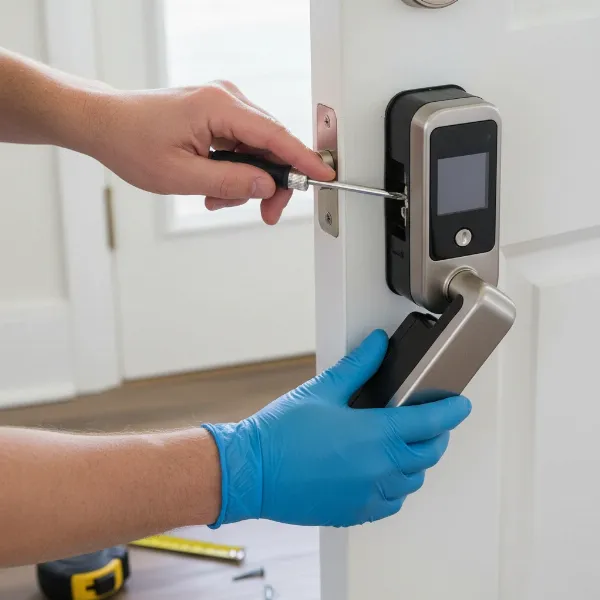 Hands installing a new smart lock deadbolt on a wooden door with a screwdriver.
How to Use Smart Features Effectively
Once installed, embrace the full potential of your smart lock:
- App Control: Use the dedicated smartphone app to lock/unlock remotely, check door status, and view activity logs.
- User Management: Create unique access codes or register fingerprints for family members, friends, or temporary visitors. Set time-sensitive access for housekeepers or contractors.
- Auto-Lock/Unlock: Enable auto-lock to automatically secure your door after a set period, ensuring it’s never left vulnerable. Some advanced models offer auto-unlock as you approach your door.
- Voice Control: Integrate your Wi-Fi enabled smart lock with Amazon Alexa or Google Assistant for hands-free locking and unlocking (with a voice PIN for security).
Maintenance Tips for Longevity
Regular care can significantly extend the life and reliability of your smart lock.
- Battery Replacement: Smart locks run on batteries. Pay attention to low-battery warnings from the app or the lock itself. Change batteries proactively, usually every 6-12 months depending on usage and features. Keep spare batteries handy.
- Cleaning: Regularly wipe down the keypad and fingerprint sensor with a soft, dry cloth to prevent grime buildup that could impair functionality. Avoid harsh chemicals.
- Software Updates: Keep the lock’s firmware and its accompanying app updated. These updates often include security patches and performance improvements.
- Check Door Alignment: Ensure your door and door frame remain properly aligned. A misaligned door can cause the deadbolt to jam, putting strain on the smart lock’s motor and draining batteries faster.
Troubleshooting Common Issues
Even reliable smart locks can occasionally run into problems.
- Battery Drain: If batteries deplete quickly, check for door misalignment, extreme temperatures, or frequent use. Ensure you are using quality batteries.
- Connectivity Problems: If your app can’t connect, restart your router, and then your smart lock. Ensure your Wi-Fi network is stable and the lock is within range if it’s a Wi-Fi model. For Bluetooth, ensure your phone’s Bluetooth is on and you’re close enough.
- Keypad/Fingerprint Malfunction: Clean the sensor/keypad. Re-register fingerprints if they’re not consistently recognized. If a keypad isn’t responding, check batteries.
- Lock Not Responding: Try using your mechanical key backup. If the lock still doesn’t respond, a factory reset might be necessary, but only as a last resort as it will erase all settings.
Essential Smart Lock Accessories
While a smart lock itself offers significant benefits, certain accessories can further enhance its functionality, convenience, and security.
- Wi-Fi Gateway/Hub: For Bluetooth-only smart locks like the SwitchBot, a Wi-Fi gateway or hub (often sold separately) is crucial for remote access, voice control, and integration with broader smart home systems. It bridges the gap between your Bluetooth lock and your home’s Wi-Fi network.
- Keypad: Some retrofit smart locks, such as certain August models (or the Yale Approach, a rebranded August model that can come under $100 but then requires a separate keypad and Wi-Fi module), might not include a keypad. Adding one offers a convenient passcode entry method, which is invaluable for guests or when your phone isn’t handy.
- Extra IC Cards/Key Fobs: If your smart lock supports IC cards or key fobs (like the DESLOC D110 Plus), having extra ones can be useful for family members or frequent visitors.
- Long-lasting Batteries: Investing in high-quality, long-lasting alkaline or lithium batteries can extend the time between replacements, which is especially important for Wi-Fi-enabled locks that tend to consume more power. A 9V battery for emergency jump-starting is also a smart addition for locks that support it.
The benefits of these accessories range from extending your smart lock’s capabilities to ensuring continuous, hassle-free operation. Choosing the right ones depends on your smart lock model and specific needs.
Conclusion
Securing your home with intelligent technology doesn’t have to be an expensive endeavor. As we’ve explored, smart locks under $100 offer a robust blend of features, convenience, and peace of mind, proving that advanced home security is within reach for every budget. By understanding the types, features, and installation nuances, you can confidently select the perfect budget-friendly smart lock to protect your home and simplify your daily life.
